
PlayStation Portal Remote Player – PS5 Quality, Anywhere at Home
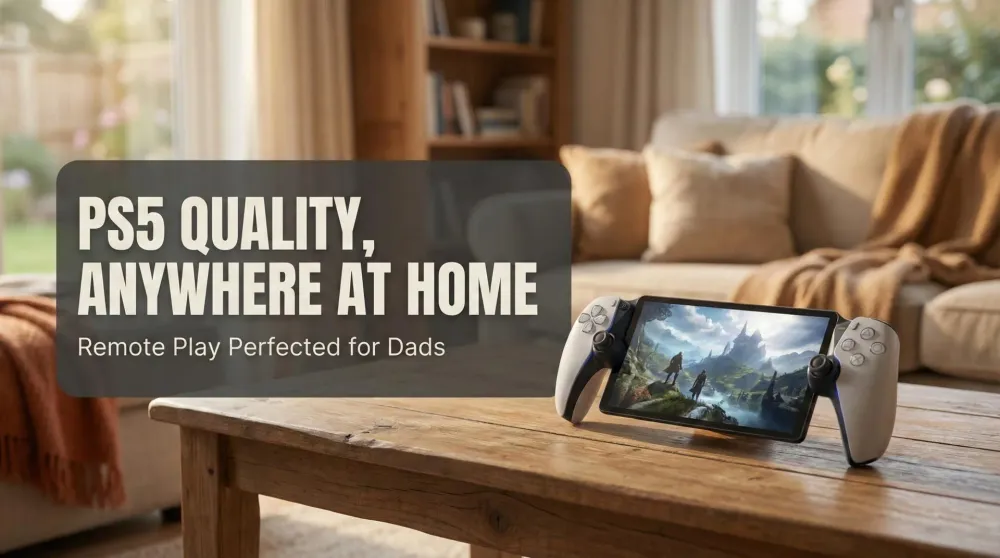
PS5 immersion, minus the TV tug-of-war. With an integrated DualSense and big, sharp display, Portal finally makes Remote Play feel effortless for busy parents.
This post contains affiliate links. We may earn a commission if you make a purchase, at no extra cost to you. As an Amazon Associate, Dadnology earns from qualifying purchases.
🎮 Introduction
🧰 This review is part of The Dad Tech Essentials – the tech that actually survives family life, all in one living list.
🕹️ It’s also ranked in our Best Handhelds for Dads – gaming that fits around family life.
✈️ Taking it on a trip? Our PlayStation Portal + Switch 2 travel guide covers hotel Wi-Fi, cloud streaming on the road, and why we never travel with just one handheld.
I’m a huge fan of Nintendo’s approach to portability. The original Switch made short sessions possible, and the Switch 2 perfected the “pick up and play” feeling with a bigger screen and stronger ergonomics. That’s exactly why the PlayStation Portal excited me: a purpose-built device that lets me enjoy PS5 fidelity and DualSense immersion without monopolizing the family TV. For many, Portal might look unnecessary. For my real-world dad schedule, it’s the missing piece that finally makes more PlayStation time possible.
AdNintendo Switch 2 — Mario Kart World Bundle (opens in a new tab)
The next-gen hybrid console plus the ultimate racing crowd-pleaser. Smooth performance, quick setup, and multiplayer fun right out of the box—perfect for family nights or on-the-go races.

Saturday night at our house is a perfect example: my wife and daughter pick a movie, I grab the Portal, and within seconds I’m back in Spider-Man or Horizon—no HDMI juggling, no “five more minutes” negotiations, no guilt. The magic isn’t simply that it streams; tablets can do that too. It’s that Portal feels like a PS5, thanks to built-in DualSense haptics and Adaptive Triggers on a crisp 8-inch display that flatters Sony’s cinematic worlds.
Remote Play shines where most parents actually need it: at home on reliable Wi-Fi. And as a nice bonus, Sony’s cloud streaming beta adds another avenue for play when you’re away from your console or experimenting with different network setups. Put simply: Portal respects your time, your living room, and your family’s movie night.
🧰 Hardware & Ergonomics – Built for Actual Play Sessions
Hardware first. Portal’s 8-inch panel hits a sweet spot for readability and comfort. Menus, HUD elements, and text that can be squinty on smaller screens remain legible here, so you’re not constantly leaning forward. The grips mimic a DualSense silhouette, so your hands and thumbs fall exactly where you expect. The layout prevents the “controller claw” fatigue you get when clipping a phone into a grip or reaching around a tablet.
Materials feel sturdy, the weight distribution is balanced, and the shoulder buttons/triggers have satisfying travel. After multi-hour sessions, my hands feel fresher than when I use a phone+controller rig, simply because the Portal asks less from your wrists and fingers. For parents, that matters—comfort is the difference between “one more mission” and “I’m done.”
🎛️ DualSense, Haptics & Adaptive Triggers – The Reason to Choose Portal
This is the headline feature: true DualSense input, not a compromise.
- Adaptive Triggers add nuanced tension to bows, brakes, and gadgets.
- Haptics provide texture and micro-feedback—raindrops, gravel, web-zips.
- The touchpad and motion inputs behave as expected in PS5 titles that rely on them.
If you’ve tried Remote Play on a tablet with a Bluetooth controller, you’ve probably felt “close, but not quite.” Portal clears that gap. Games designed around DualSense simply translate better when the device itself is a DualSense wrapped around a screen. That fidelity is the difference between tolerating Remote Play and loving it.
AdPlayStation Portal Remote Player (opens in a new tab)
Stream your PS5 games to a crisp 8-inch 1080p display at up to 60 fps over Wi-Fi. Built-in DualSense controls with adaptive triggers and haptics deliver true PS5 feel—perfect when the TV’s busy. Requires PS5 and broadband internet.
🖼️ Display & Audio – Cinematic Enough to Do PS5 Justice
The 8-inch screen is bright, punchy, and large enough to showcase Sony’s art direction. HDR pop and motion handling depend on the stream and your network, but in good conditions, Spider-Man’s neon reflections and Horizon’s vistas look genuinely cinematic. Fine geometry and UI elements stay readable, which keeps you immersed in story-heavy games and fast UI hopping.
Audio gives you options: use the integrated speakers for casual play or plug in a wired headset for late-night stealth. If you prefer low-latency wireless, use PlayStation-compatible solutions designed for streaming (Portal prioritizes latency and sync). The result is consistent, lip-sync-friendly sessions—no desync spiral that breaks immersion.
⚙️ Setup & Network Basics – What You Need for a Great Experience
My best results come from:
- 5 GHz (or better) Wi-Fi, ideally with a clear line of sight or minimal walls.
- Keeping the PS5 on Ethernet or a strong home Wi-Fi link.
- Using a modern router with low-latency QoS or traffic prioritization.
Setup itself is straightforward: pair Portal with your PlayStation account, verify the PS5 on your network, and you’re streaming. Wake-from-rest is quick, and resuming a suspended game takes seconds. The entire loop respects that you may only have 20–30 minutes while the family’s movie is rolling.
🌐 Remote Play Performance at Home – Where Portal Wins
At home is where Portal shines. On our network, input latency is low enough that platformers and open-world combat feel natural. I can dodge, parry, and swing without feeling like I’m driving through syrup. Image stability holds up well in frantic scenes if your Wi-Fi is healthy; bit rate dips occasionally soften fine detail, but the overall presentation remains clean.
The key is consistency, not theoretical peaks. Portal’s form factor means performance is predictable: you’re not juggling phone calls, notifications, and background processes. It’s a single-purpose device that focuses on play—and it shows.
☁️ Cloud Streaming Beta – A Welcome Addition (with Caveats)
Sony’s cloud streaming beta for supported titles is a valuable extra. It’s handy when your PS5 is updating, in a different room, or temporarily unavailable. Performance varies with internet quality, and picture clarity can dip under congestion, but for story beats, side quests, or casual exploring, it’s absolutely usable.
For me, this feature isn’t the main reason to buy Portal—it’s Remote Play at home. But cloud streaming expands who can benefit: apartment dwellers with shared TVs, students in dorms, or anyone splitting time between spaces.
👨👩👧 A Dad’s Use Case – Game Time Without Negotiations
This is where Portal becomes a quality-of-life device. As a parent, the friction of playing on the main TV is real: scheduling, sound, brightness, controller noise, “just let me finish this boss.” Portal removes the social tax. My family watches a film; I play quietly beside them. No one compromises.
Short sessions become viable: a quick Horizon cauldron, a Spider-Man district cleanup, a Gran Turismo license test. Autosaves and instant suspend/resume pair perfectly with remote sessions. Portal respects fragmented time—the only kind many parents reliably have.
🆚 Tablet + Controller vs. Portal – Why This Feels Better
I’ve tried streaming to tablets with various controllers. It works, but friction piles up: pairing quirks, mounts slipping, app notifications, and inconsistent trigger feel. Many games assume Adaptive Triggers—without them, the design loses nuance. Portal’s integrated approach stabilizes everything: one device, one purpose, one expected feel. The fewer variables, the fewer excuses to skip playing when the window opens.
🆚 Steam Deck/ROG Ally/Switch 2 – Different Missions
These are fantastic handhelds—but they’re not Portal’s mission.
- Steam Deck/ROG Ally are portable PCs, great for native PC libraries and emulation, with Remote Play as one option among many.
- Switch 2 is best-in-class for native Nintendo handheld play and family exclusives.
Portal’s mission is narrower: deliver PS5-authentic feel anywhere in your home (and beyond with cloud/Remote Play). If you want the exact DualSense experience without TV access, Portal is the right tool.
🔋 Battery, Heat & Comfort – The “One More Mission” Test
In typical family use—two or three short sessions per evening—battery life is a non-issue. Heat is minimal with sane brightness and volume; the chassis remains comfortable for extended play. Most importantly, hands and wrists stay relaxed. After months, that’s what keeps me reaching for Portal instead of clamping my phone into a bracket again.
🚧 Limitations & Honest Trade-offs
A few realities to accept:
- Network matters. If your Wi-Fi is congested, performance dips. A better router or a cleaner 5 GHz channel can transform the experience.
- It’s a companion, not a console. No native installs; it’s a streaming device by design.
- Audio setup should prioritize low latency. Wired headsets or PlayStation-compatible low-latency wireless options keep things snappy.
- Cloud streaming is improving, but still dependent on your uplink/downlink quality and local contention.
None of this undercuts the core value if your use case is like mine: play more often, without taking the TV.
🧩 Best Games & Genres for Portal
- Cinematic open worlds (Horizon, Spider-Man): Look stunning on the 8-inch display and play smoothly with DualSense feedback.
- Arcade & racing (Gran Turismo, indie gems): Low-latency feel is surprisingly good on home Wi-Fi.
- RPGs & adventures: Pausable, session-friendly, and perfect for side-questing during family TV time.
- Twitch shooters: Playable at home; for ranked play you’ll still prefer the TV or monitor.
🛠️ Quick Tips for Rock-Solid Sessions
- Put your PS5 on Ethernet if possible.
- Use 5 GHz Wi-Fi and minimize distance/obstacles.
- Enable QoS/traffic priority for the PS5 and Portal MACs.
- Keep background downloads off during sessions.
- Prefer wired or low-latency audio to avoid drift.
These five tweaks turned “good” into “great” for me.
👨👧👦 Verdict for Dads & Families
If you’ve ever skipped playing because the TV was spoken for, Portal fixes that. It’s not about specs on a box; it’s about real opportunities to play within a busy home. Because it preserves DualSense magic—Adaptive Triggers, nuanced haptics, familiar ergonomics—the games you love still feel like PlayStation, not a compromise.
I’ve logged countless hours this way. It’s become my default when family time and personal play time overlap. In that context, Portal is easy to recommend.
🎯 What Portal Doesn’t Replace — And What It Was Never Meant To
Portal is frequently compared to the Steam Deck, ROG Ally, and Nintendo Switch 2. That comparison misses the point. Portal doesn’t run games natively — it streams your PS5 over Wi-Fi. That makes it useless without a strong home network, unable to function independently on the road, and a poor choice for travel unless you’re somewhere with reliably fast internet. We still bring it — see our travel guide for the hotel-Wi-Fi and PS Plus Premium cloud-streaming setup that makes it work, plus why Switch 2 rides along as the backup that never depends on a connection.
Within its lane, though, it solves a real problem common to busy families: the main TV is occupied, but you still want an hour of PlayStation. Portal puts that session in your hands — with full DualSense haptics, adaptive triggers, and the exact feel of the console — without any compromise in experience.
If you want a dedicated portable gaming device that works anywhere: buy a Nintendo Switch 2. If you want your PS5 accessible anywhere in your home without a TV negotiation: buy a Portal. Those are two different products solving two different problems, and confusing them is the only way to be disappointed.
Pros
- True DualSense feel: Adaptive Triggers, nuanced haptics, familiar ergonomics
- Big 8-inch display makes PS5 games readable and cinematic
- Remote Play at home feels consistent, low-latency, and simple to resume
- Cloud streaming beta adds flexibility beyond the living room
- Single-purpose design cuts friction vs. tablet + controller setups
Cons
- Quality depends on your network; 5 GHz and good routing matter
- Streaming-only by design: no native installs or offline play
- Wireless audio choices should prioritize low latency for best results
🗣️ Conclusion
PlayStation Portal isn’t trying to replace your TV or your PS5; it’s trying to unlock more moments to enjoy them. For my family, it’s perfect: my wife and daughter watch a film, I slip into Horizon or Spider-Man beside them, with full DualSense feedback and a screen that flatters Sony’s art. Add dependable home Wi-Fi and the new cloud streaming beta, and Portal becomes the most practical PlayStation accessory I own.
Wondering how the Portal stacks up against the Steam Deck and every other remote-play option? Our best handhelds for remote play ranking puts them side by side.
📌 FAQ – Frequently Asked Questions
Do I need a special router for Portal?
Is Portal worth it if I can already stream to a tablet?
How well does cloud streaming work?
Is Portal good for short sessions?
Can I use PlayStation Portal for travel or road trips?
Keep this in your inbox
One email a week: what we actually watched, built and reviewed — the stuff worth a dad's time. No hype, no daily spam.
Dadnology Weekly
One email a week: the LEGO, gaming and movie news worth a dad's time — plus what we actually reviewed. No hype, no daily spam.
Disclaimer: This review and its visuals were created with the help of AI. Some links may be affiliate links – we may earn a commission if you make a purchase, at no extra cost to you.
You might also like
Steam Deck OLED – The PC Handheld Consoles Players May Not Need, but PC Gamers Will Love
Steam Deck OLED is the best reason to treat your Steam library like a console: brighter OLED, better battery, smoother thermals, and controls that feel built for long sessions. For console-first dads like me, it’s tempting but unnecessary—most of my must-plays exist on PS5 or Switch 2 anyway. For PC-centric players, though, it’s brilliant: native offline play, plus Remote Play and cloud options when you want them. Not a review—this is a practical, no-hands-on buyer preview, today, clear and honest.
Mario Kart World Tour – The Ultimate Family Racing Adventure
*Mario Kart World Tour* is pure joy in motion – a perfect mix of creativity, chaos, and family fun. With its huge maps, new Knockout Mode, and flawless 4K performance on the Switch 2, it’s a must-have for parents and kids alike. Accessible for beginners yet deep for pros, it’s the definitive couch multiplayer experience for 2025.
Amazon Echo Show 5, 8 & 11 – The Smart Displays That Turn Alexa Into a Family Photo Frame
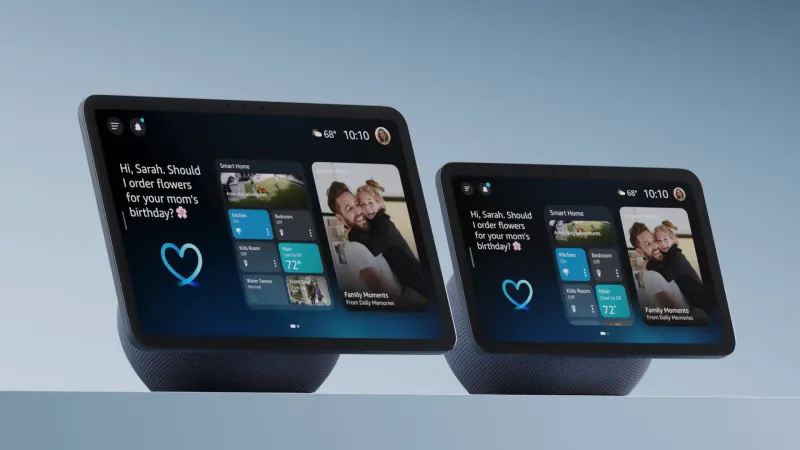
Echo Show 5, 8, and 11 have become our favorite Echo devices because they feel less like gadgets and more like a living family album with a [smart speaker](/guides/best-smart-speakers-displays-families) attached. The rotating photo frame powered by Amazon Photos is pure joy, constantly resurfacing forgotten moments while Alexa handles timers, music, calendars, and smart-home control. Each size fits a different room perfectly, creating a warm, personal display that genuinely brightens everyday family life. We recommend them wholeheartedly for modern family homes.