
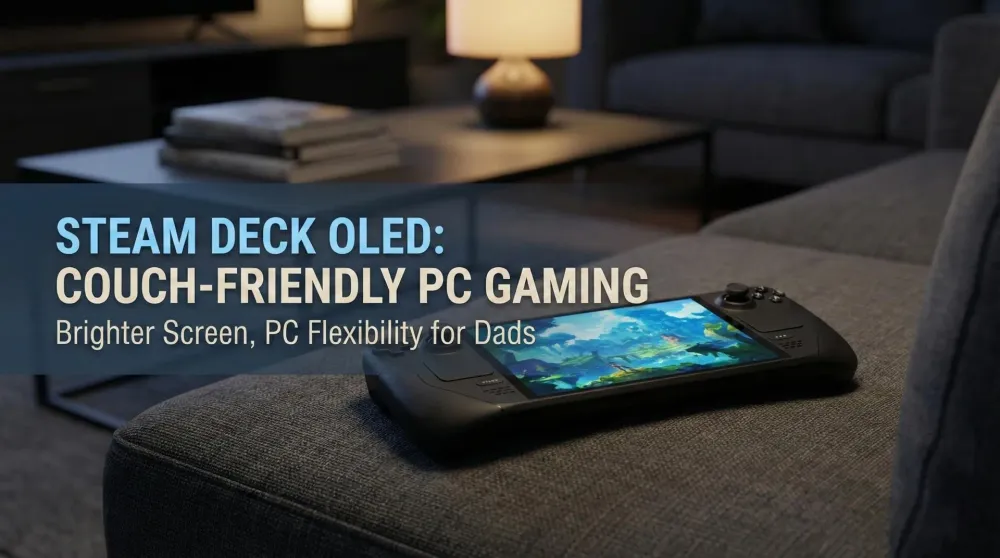
Steam Deck OLED – The PC Handheld Consoles Players May Not Need, but PC Gamers Will Love
A brighter OLED, better endurance, and true PC flexibility make Steam Deck OLED the handheld many PC players wanted. For console-first dads, the value case is less clear.
This post contains affiliate links. We may earn a commission if you make a purchase, at no extra cost to you. As an Amazon Associate, Dadnology earns from qualifying purchases.
⚠️ Disclosure & Scope
🧰 This preview is part of The Dad Tech Essentials – the tech that actually survives family life, all in one living list.
🕹️ It’s also ranked in our Best Handhelds for Dads – gaming that fits around family life.
This is a Preview / First-Look. I haven’t tested a unit myself.
Everything here is a practical buyer’s perspective for dads and families: how the Steam Deck OLED fits into real living-room life, whether it adds time to play, and who should actually consider it.
🎯 Who Is Steam Deck OLED For?
Short answer: PC-centric players with a sizable Steam library who want to stop being desk-locked. If you’ve purchased indies for a decade, own a mountain of AA/AAA titles from sales, and love tinkering or at least benefitting from PC flexibility, the Deck OLED finally gives that library a couch-friendly home.
If your gaming life is mostly PS5, Switch 2, or Xbox, many of your must-plays already exist on those consoles in plug-and-relax form. In that case, Steam Deck OLED is “nice to have,” not essential.
AdValve Steam Deck OLED (512GB) (opens in a new tab)
Vibrant OLED display with higher refresh rate, improved battery life, and quieter thermals—built for portable PC gaming. Play your Steam library on the go with fast wake, great controls, and Wi-Fi 6E for smooth downloads and streaming.

🧭 Where It Fits vs. Switch 2, PlayStation Portal & ROG Xbox Ally X
Switch 2 – King of Nintendo first-party and effortless handheld sessions. Steam Deck can’t replace Nintendo’s magic, but it can run huge backlogs of PC titles, often with mod support and deeper settings control.
AdNintendo Switch 2 — Mario Kart World Bundle (opens in a new tab)
The next-gen hybrid console plus the ultimate racing crowd-pleaser. Smooth performance, quick setup, and multiplayer fun right out of the box—perfect for family nights or on-the-go races.
PlayStation Portal – Portal shines for Remote Play with full DualSense feel but can’t run games natively. Steam Deck runs games offline and can also stream. If you want both, Deck is more versatile; if you want pure PS5 feel, Portal wins.
AdPlayStation Portal Remote Player (opens in a new tab)
Stream your PS5 games to a crisp 8-inch 1080p display at up to 60 fps over Wi-Fi. Built-in DualSense controls with adaptive triggers and haptics deliver true PS5 feel—perfect when the TV’s busy. Requires PS5 and broadband internet.
ROG Xbox Ally X – A Windows handheld aimed at Game Pass + local PC gaming with beefy specs. Deck OLED is Valve’s integrated solution with SteamOS, tighter storefront/OS coupling, and a curated UX. Ally X can be more “PC-PC”; Deck tries to feel console-ish while staying PC under the hood.
AdASUS ROG Ally X (opens in a new tab)
A premium Windows handheld built for modern PC gaming—play your libraries from Steam, Xbox, Epic, and more on the go. Refined ergonomics, bigger battery, and improved cooling deliver longer, smoother sessions with a sharp high-refresh display.
In dad terms: Deck = your Steam library, anywhere on the couch, with the option to stream when convenient.
👨👩👧 A Console Dad’s Reality (Why I’m Not The Target)
I spend my day at a PC. At night I want the couch, a controller, and zero tinkering. I already play most story-driven third-person and first-person games on PS5 or Switch 2. Because those experiences are already excellent on consoles, the Deck doesn’t add anything crucial to my routine. It’s not a knock on the hardware; it’s a reality check on my habits.
But if your habits include a living Steam library and you’d genuinely play more with handheld freedom, Deck OLED becomes compelling.
🧰 Hardware & Ergonomics – Built for Sessions, Not Just Demos
Valve’s designs prioritize grip comfort, button spacing, and stick placement to minimize wrist strain. The OLED revision’s most obvious win is the display (more on that below), but the subtle hardware improvements matter to parents: if your hands still feel good after 60–90 minutes, you’ll actually play on weeknights instead of postponing.
Thumb sticks, triggers, and trackpads support both casual controller comfort and PC-style precision. Trackpads are especially helpful for strategy titles, inventory management, or any game that benefits from mouse-like flicks without reaching for a desk.
🖼️ OLED Display & Audio – Why The Screen Upgrade Matters
The OLED brings richer contrast, deeper blacks, and cleaner motion—great for night sessions while the family watches TV. Text in RPGs is more readable at arm’s length, and art-heavy indies look fantastic. HDR-ish compositing and punchier highlights help scenes “pop” even when your bitrate (in streaming modes) or in-game settings aren’t perfect.
Audio gives you flexible options: play through speakers for casual runs or plug a wired headset for quiet stealth. You can also use low-latency wireless solutions to keep lip-sync smooth during streaming.
⚙️ SteamOS & The “Console-on-Top” Philosophy
Steam Deck’s advantage is SteamOS, which tries to feel like a console shell first, PC second. Big Picture-style navigation, quick resume into the last played game, storefront integration, cloud saves—everything tries to reduce the steps between “I have 20 minutes” and “I’m playing.” Valve is now taking that same SteamOS idea into the living room with the Steam Machine — a proper console-shaped PC for the TV, not just the couch handheld.
It’s still a PC at heart: you can tweak graphics settings, limit frame rates for battery, choose Proton compatibility layers for Windows titles, and install non-Steam launchers if you want. But you don’t have to. For many, Deck is the first PC device that doesn’t constantly ask for tinkering before the fun starts.
🧩 Offline, Remote Play & Cloud – Three Ways to Fit Your Evening
- Offline – Install your titles and play natively on the couch, on a trip, or in bed. No network drama.
- Remote Play (Steam) – Stream from a more powerful PC to Deck around the house. Perfect when the desk is taken or you just want the couch.
- Cloud – Leverage cloud services where available to sample games or continue progress without local installs. Quality varies with bandwidth and congestion, but for chill evenings and story beats it can be more than enough.
This three-path model mirrors why I liked Portal and why Ally X sounds exciting: you’re not forced into one workflow.
🧪 Performance & Battery (Conceptually, Not Benchmarks)
No measurements here—this isn’t a hands-on. The broader point: Deck OLED prioritizes consistent sessions over raw bragging rights. Valve’s OS-level frame rate caps, TDP tuning, and suspension features are designed to make 30–60 minutes of targeted play feel smooth and predictable. Battery endurance is helped by the OLED panel and smarter power profiles; thermals are tuned to keep fan noise less intrusive during story scenes.
For parents, stability beats peak specs. When you have 25 minutes, reliable is better than spectacular-but-fragile.
🕹️ Game Feel – Why Some PC Genres Shine on Deck
- Indies & 2D/Isometric – Perfect match: Dead Cells, Hades-likes, city builders, tactics RPGs, Metroidvanias.
- RPGs & Strategy – The trackpads reduce menu friction; suspend/resume makes questing in short bursts painless.
- Racing & Action – Feels fine natively; for esports-grade shooters you’ll still prefer a high-refresh monitor.
The Deck’s hybrid inputs make it uniquely genre-agnostic for PC veterans, without requiring a desk.
📶 Networking Tips (If You Stream)
If you plan to Remote Play or use cloud services, the usual tips apply:
- Use 5 GHz Wi-Fi wherever possible.
- Keep your host PC or network storage on Ethernet.
- Enable QoS or traffic priority for the Deck/host MACs.
- Pause big downloads during sessions.
- Prefer low-latency audio to avoid desync.
These five tweaks often turn “good” into “great.”
💾 Which Model & Storage Should You Buy?
If the Deck OLED makes your shortlist, a quick word on the lineup, because Valve’s naming can confuse newcomers. The OLED comes in two main flavours: a 512GB model and a 1TB model (the latter typically bundling a nicer anti-glare etched-glass screen and a premium carry case). Both share the same brighter HDR OLED panel, larger battery, and Wi-Fi 6E — the difference is storage and a couple of cosmetic perks. There’s also the older, cheaper LCD model still around; for the same money-conscious dad, the OLED’s screen and battery gains are well worth the step up if budget allows.
On capacity: modern PC games are enormous (a single AAA install can swallow 80–100GB), so the 512GB fills faster than you’d think if you keep several big titles installed. The good news is the Deck takes a microSD card, and loading from a fast card is perfectly fine for the kind of indies and back-catalogue titles most couch sessions revolve around. Our practical advice for a typical family buyer: the 512GB OLED plus a roomy microSD is the sweet-spot value pick — you save money over the 1TB and simply keep your current rotation on internal storage with everything else on the card. Only spring for the 1TB if you hate managing space or specifically want that etched screen.
One last tip: whatever you choose, factor in a decent case and maybe a screen protector. The Deck is a couch companion that’ll get tossed in a bag for trips, and a little protection keeps that gorgeous OLED pristine.
🧱 Limitations & Honest Trade-Offs
- It’s still a PC. Even with SteamOS, some games need tweaks or Proton settings. If that idea exhausts you, a console stays simpler.
- Library overlap. If your favorites live on PS5/Switch 2 already, Deck duplicates access rather than unlocking new experiences.
- Weight/size vs. tiny handhelds. Deck is comfortable but not pocketable; it’s a couch companion, not a subway stealth device.
- No DualSense magic. If adaptive triggers and Sony’s haptics are your jam, Portal + PS5 still wins for that feel.
🧮 Should Console-First Dads Buy It?
Ask yourself three questions:
- Do you have a real Steam library you actively want to play?
- Will you play more because it’s on the couch and not at the desk?
- Are you okay with occasional PC-style tinkering when needed?
- Yes to all three → High interest. Deck OLED may unlock hours you’re currently losing to the desk.
- No or maybe → Your PS5/Switch 2/Portal setup probably covers your needs more simply and often more comfortably.
🧭 Our Recommendation (Preview)
- For PC-centric players with large Steam libraries – Strong buy signal (pending your budget). The OLED upgrade makes casual couch play genuinely inviting.
- For console-first families – Nice but non-essential. You already have the best versions of the games you love in a simpler flow.
- For tinker-friendly parents – Great playground. Mods, Proton choices, and per-game profiles scratch the hobby itch between story time and bedtime.
Pros
- Brighter OLED makes text/UI readable and games pop in dim rooms
- Runs PC games offline; also supports Remote Play and cloud workflows
- SteamOS feels console-like while retaining PC flexibility
- Comfortable grips, trackpads, and controller layout for long sessions
- Suspend/resume and power profiles suit short, reliable evening play
Cons
- Still a PC: occasional tweaks or Proton settings may be needed
- Overlaps with console libraries for many story-driven favorites
- Bulkier than tiny handhelds; more couch than commute
- Lacks native DualSense haptics/Adaptive Trigger feel
🗣️ Conclusion
Steam Deck OLED is a smart evolution of the PC handheld idea: brighter screen, better endurance, and a console-like UX that respects your limited time. For PC-first players with real Steam backlogs, it’s probably the most practical way to turn “someday” into “I actually finished it.” For console-centric dads like me, it’s admirable but unnecessary; my favorites already shine on PS5 and Switch 2. Know your habits, then pick the tool that helps you play more—not just different.
We’ll update this preview with hands-on impressions, battery measurements, and real-world thermal notes if and when we test a unit. For now, treat it as a buyer’s compass rather than a verdict: if you’ve got a real Steam backlog and a couch you’d rather game from, every signal points to “yes.” If your gaming life already revolves around PS5 and Switch 2, there’s no shame in skipping it — you likely own the best versions of your favourites already.
📌 FAQ – Frequently Asked Questions
Is this a review?
How does Steam Deck OLED compare to Switch 2 for families?
Does it work without great Wi-Fi?
Who gets the most value from Deck OLED?
Keep this in your inbox
One email a week: what we actually watched, built and reviewed — the stuff worth a dad's time. No hype, no daily spam.
Dadnology Weekly
One email a week: the LEGO, gaming and movie news worth a dad's time — plus what we actually reviewed. No hype, no daily spam.
Disclaimer: This review and its visuals were created with the help of AI. Some links may be affiliate links – we may earn a commission if you make a purchase, at no extra cost to you.
You might also like
PlayStation Portal Remote Player – PS5 Quality, Anywhere at Home
PlayStation Portal is the handheld I actually use. It keeps PS5 quality, including adaptive triggers and haptics, on an 8-inch screen without TV battles. At home on Wi-Fi it’s excellent; latency is low, image quality holds, and setup is simple. The new cloud-streaming beta is promising but depends on connectivity. As a dad, this finally lets me play while my family watches a movie. Under my conditions it’s an easy recommendation: thoughtful, convenient, immersive. Reliable, comfortable, and surprisingly battery friendly.

Mario Kart World Tour – The Ultimate Family Racing Adventure
*Mario Kart World Tour* is pure joy in motion – a perfect mix of creativity, chaos, and family fun. With its huge maps, new Knockout Mode, and flawless 4K performance on the Switch 2, it’s a must-have for parents and kids alike. Accessible for beginners yet deep for pros, it’s the definitive couch multiplayer experience for 2025.
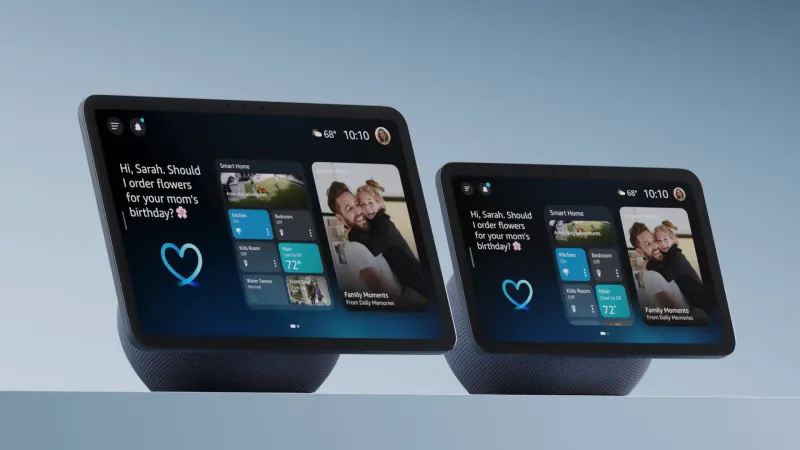
Amazon Echo Show 5, 8 & 11 – The Smart Displays That Turn Alexa Into a Family Photo Frame
Echo Show 5, 8, and 11 have become our favorite Echo devices because they feel less like gadgets and more like a living family album with a [smart speaker](/guides/best-smart-speakers-displays-families) attached. The rotating photo frame powered by Amazon Photos is pure joy, constantly resurfacing forgotten moments while Alexa handles timers, music, calendars, and smart-home control. Each size fits a different room perfectly, creating a warm, personal display that genuinely brightens everyday family life. We recommend them wholeheartedly for modern family homes.