
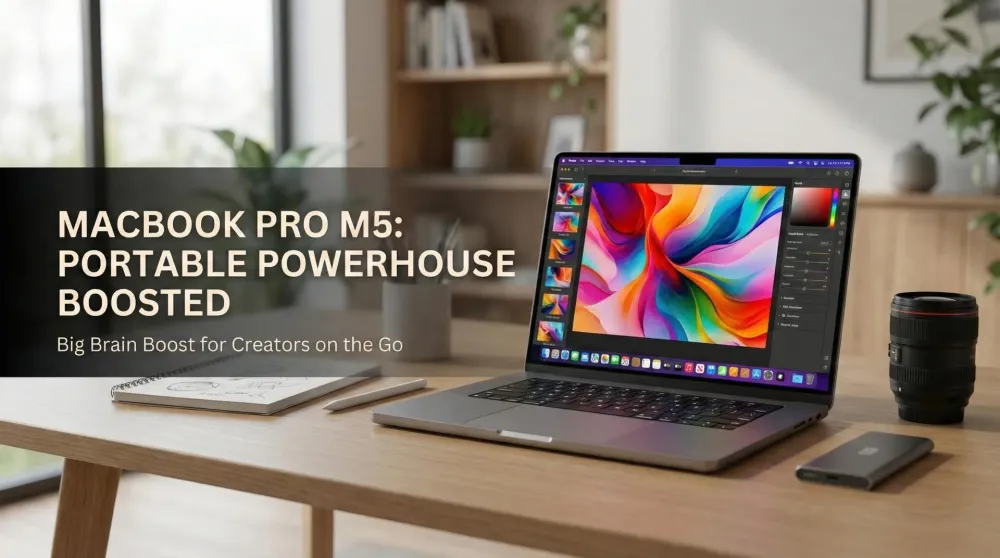
MacBook Pro (M5, 2025) — Apple’s portable powerhouse gets a big brain boost
Apple’s 2025 MacBook Pro debuts the M5 chip, longer battery life, faster storage, and enduring XDR display—aimed squarely at creators and mobile pros.
This post contains affiliate links. We may earn a commission if you make a purchase, at no extra cost to you. As an Amazon Associate, Dadnology earns from qualifying purchases.
🚀 The update creators were waiting for
🍎 This story is part of our Apple Brand Hub — Vision Pro, Mac mini, iPhone and AirPods: everything Apple we actually use.
Apple’s MacBook Pro (M5, 2025) lands with the kind of upgrade that matters most on the road: real performance headroom without sacrificing portability or battery life. The exterior stays familiar—clean lines, great speakers, the handy SDXC slot and HDMI, and three Thunderbolt/USB-C ports—but under the hood everything that pushes timelines, exports, and batch processes gets quicker. For families who share living space, the pitch is simple: finish real work on a laptop that still packs studio-grade visuals and endurance.
This is a news overview, not a verdict. But the contours are clear: if you care about speed, reliability, and a display you can trust for color-critical tasks, this update earns attention.
AdApple MacBook Pro (2025, M5) (opens in a new tab)
Next-gen M5 power in a pro-grade notebook—built for heavy creative work, fast builds, and smooth multitasking. Brilliant display, premium build, and all-day portability for serious workflows.

🧠 M5 inside: faster where it counts
The new M5 brings gains across CPU, GPU, and on-device AI (Apple Intelligence). In practice that means snappier app launches, lower export times, and more breathing room for multitasking when Lightroom, Photoshop, and a few browser windows all demand memory at once. The GPU uplift is particularly relevant for denoise, upscale, and effects workflows; AI-accelerated tools see the benefit, too, from background object selection to transcription and smart clean-ups.
For parents and creators squeezing work between school runs and bedtime, this kind of time-to-done improvement is the difference between “maybe tomorrow” and “done tonight.”
🎨 Liquid Retina XDR remains a portable reference
Displays win or lose laptops for photo and video people, and the Liquid Retina XDR panel keeps its status as the most dependable mobile choice: up to 1600 nits peak HDR, excellent local dimming contrast, wide color with P3 coverage, and 120Hz ProMotion that makes scrolling contact sheets feel silkier and scrubbing timelines less fatiguing. Blacks sit deep without crushing detail; highlights keep texture. For mobile photo editing, there’s still nothing better at this size.
And because you asked for our preference: go 16-inch if you can—more canvas means less UI shuffling, fewer hidden panels, and calmer eyes during long culling sessions.
⚡ Faster storage, generous memory, calmer workflows
Large RAW sets and 4K/8K proxies benefit from the faster SSD options this round. Unified memory configurations continue to shine for mixed photo/video days—import, sort, light grade, export—without spinning beach balls. Whether you manage family albums or deliver client galleries, the machine is tuned to keep latency low and maintain performance on battery, not just when tethered to a wall.
🔋 Battery life: built for long days
Apple’s battery claims reach “up to 24 hours” in ideal scenarios. Real-world numbers vary by workload, but the trajectory matters: you can edit, write, and preview for a full day without living on a charger. For a household where the kitchen table doubles as a desk, fewer cables is a daily quality-of-life win.
🔌 Ports and practicality (the underrated bits)
The SDXC slot remains a delight for photographers—no dongle fishing after a shoot. HDMI simplifies plugging into living-room TVs or studio displays, and three Thunderbolt/USB-C ports keep fast storage, readers, and hubs happy. The keyboard stays reliable, the trackpad remains best-in-class, and the speakers punch far above their size for previews and quick edits on the move.
🧩 Apple Intelligence + macOS Tahoe
Beyond raw speed, the MacBook Pro’s story now includes Apple Intelligence features in macOS Tahoe—on-device tools for drafting, summarizing, image cleanup, and search. Creators can lean on these helpers to rough-cut ideas, prep captions, or sort notes—useful when time windows are short. The key point is privacy: the heavy lifting happens locally, with the M5’s neural hardware accelerating the workflow.
👪 Why this matters for the Dadnology crowd
We measure mobile machines on three family-centric axes:
- Finish work anywhere: exports and denoise that don’t stall on battery.
- A screen you trust: accurate color and consistent tone mapping for photos and HDR video.
- Low friction: ports you actually use, storage that doesn’t bottleneck, and a battery that sees you through late nights.
On paper, the M5 MacBook Pro hits all three. If your week spans office tasks, dad duties, and creative sprints, that balance is the whole point.
🆚 Who should upgrade?
- From Intel or early Apple Silicon: the leap feels major—render times, thermals, and battery all shift in your favor.
- From recent Apple Silicon: upgrade if AI tools, heavy GPU workloads, or faster storage pay back immediately; otherwise, you can wait.
- Display-first buyers: if mobile photo/video is your core use, the XDR panel remains the clincher—choose 16-inch for comfort when possible.
Pros
- M5 delivers meaningful CPU/GPU and on-device AI gains
- Liquid Retina XDR remains the best mobile panel for creators
- Excellent battery life and same performance on battery
- Faster SSD options and practical port selection (HDMI, SDXC)
- macOS Tahoe + Apple Intelligence streamline busy weeks
Cons
- Exterior design largely unchanged
- High-spec models get expensive fast
- 16-inch size is heavier, but best for editing comfort
🗣️ Dadnology Take
The MacBook Pro (M5, 2025) is exactly the kind of update we wanted: real speed, reference-class visuals, and battery stamina that respects family life. For mobile photo editing, we still consider the Liquid Retina XDR panel unmatched—and would personally pick the 16-inch configuration for more comfortable, accurate work on the go. If your creative routine lives between school runs, client calls, and late-night edits, this portable studio makes a compelling case.
Related Dadnology content: the same M5 chip also landed in the iPad Pro (M5, 2025), and our MacBook Pro 16 (M5 Pro) review covers the higher-tier sibling in depth.
Related Dadnology review: Apple’s Silicon Gamble
Buy Now(Ad)
❓ Quick FAQ
Is the chassis new or familiar?
What makes it good for photo editing?
14 or 16 inches for creators?
Keep this in your inbox
One email a week: what we actually watched, built and reviewed — the stuff worth a dad's time. No hype, no daily spam.
Dadnology Weekly
One email a week: the LEGO, gaming and movie news worth a dad's time — plus what we actually reviewed. No hype, no daily spam.
Disclaimer: This review and its visuals were created with the help of AI. Some links may be affiliate links – we may earn a commission if you make a purchase, at no extra cost to you.
You might also like
iPad Pro (M5, 2025) — The power tablet that makes laptops nervous
Dadnology’s take: iPad Pro M5 looks like the ultimate travel canvas—fast, bright, and precise—without pretending to replace a workstation for everyone. If you live in photos, notes, sketches, and quick edits, it could be perfect; if you render all day, consider a MacBook Pro. We recommend the 13-inch for pure portability, but for serious editing the 13- or 15-inch with keyboard and trackpad shines. We’ll reserve judgment until testing, yet first impressions are very strong. Display quality appears truly exceptional.

The iPhone Duo Just Made Every Other Foldable Phone Boring
The iPhone Duo is the first Apple product in years that made us sit forward instead of scroll past. It is also a first-generation $1,999 phone, which is its own kind of caution. Here is what is genuinely good, what to wait on, and everything else Apple announced alongside it.
Is a Mac Mini Good for Small Business Local AI?
If the reason you have not adopted AI is that client data cannot leave the building, this is the cheapest honest answer — with four real caveats.