
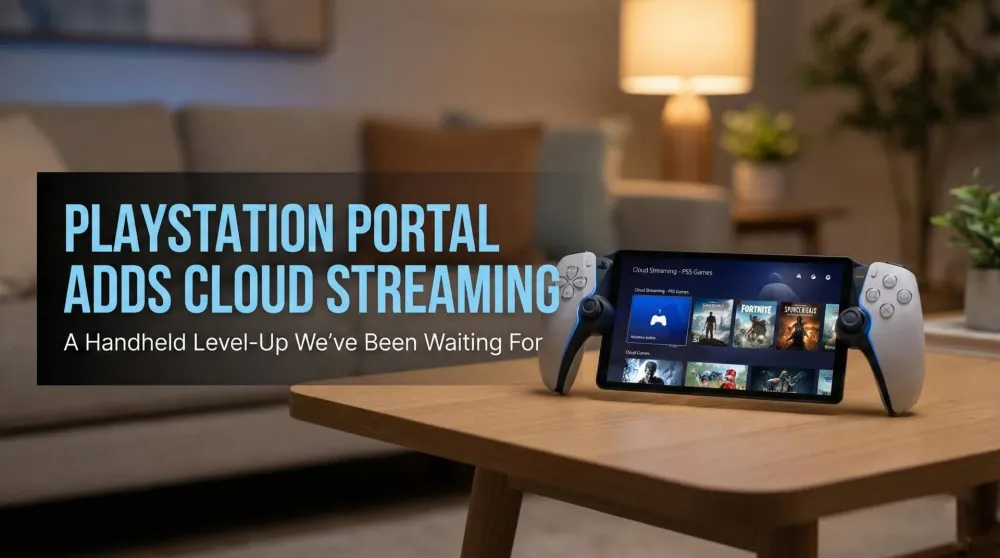
PlayStation Portal adds official PS5 Cloud Streaming — the handheld level-up we’ve been waiting for
Starting Nov 6 at 03:00 CET, PS Portal adds official PS5 Cloud Streaming for PlayStation Plus Premium, plus 3D Audio, passcode lock, network status, and more.
This post contains affiliate links. We may earn a commission if you make a purchase, at no extra cost to you. As an Amazon Associate, Dadnology earns from qualifying purchases.
🚀 Live tomorrow morning: Portal becomes a true handheld
Sony is flipping the switch on official PS5 Cloud Streaming for PlayStation Portal. Rollout starts November 6 at 03:00 CET and requires PlayStation Plus Premium. For the Dadnology community, this is the moment Portal graduates from “Remote Play specialist” to a genuinely independent handheld: supported PS5 titles, no downloads, and—crucially—no need to borrow the TV or even have your console available on the same network.
The headline is flexibility. If the living-room screen is busy or you’re away from home Wi-Fi, Portal now has a second lane.
AdPlayStation Portal Remote Player (opens in a new tab)
Stream your PS5 games to a crisp 1080p display at up to 60 fps over Wi-Fi. Built-in DualSense controls with adaptive triggers and haptics deliver true PS5 feel—perfect when the TV’s busy. Requires PS5 and broadband internet.

🏠 New Home layout: Remote Play, Cloud Streaming, Search
The update introduces a redesigned Home screen with three clear tabs:
- Remote Play: Connect to your paired PS5 and play anything installed there. No Plus membership required.
- Cloud Streaming: Plus Premium members can stream compatible PS5 titles directly—no installs, no waiting.
- Search: Quickly find cloud-streamable games; if you’re not eligible, a QR code routes you to the PlayStation App or web to purchase or upgrade.
It’s a leaner path to play, built for 10–30 minute windows that parents and busy players actually have.
🎧 3D Audio, passcode, network status, and accessibility
Alongside the big streaming switch, Sony is shipping several quality-of-life upgrades:
- 3D Audio support (wired headphones or compatible PlayStation Link devices) for both Remote Play and Cloud Streaming in supported titles.
- Passcode lock on the device for privacy and parental peace-of-mind.
- Network status overlay in the Quick Menu to troubleshoot connection quality mid-session.
- Cloud-only accessibility options including screen reader and adjustable text size on selected screens.
None of these items grab headlines by themselves. Together, they reduce friction in the moments that matter.
🛒 In-stream purchases and multiplayer invites
Service games and DLC get a smoother flow: in-game purchases now work during Cloud Streaming, so you can grab content without exiting your session. You can also receive game invites and join multiplayer directly from the Quick Menu while streaming. That’s the final piece that makes streaming feel like “real PlayStation,” not a side mode with compromises.
🎮 What you can play — and why it’s a big deal
At launch, thousands of PS5 titles support streaming from your own library, plus hundreds from the PlayStation Plus Game Catalog and Classics Catalog for Premium members. In practical terms, that means faster time-to-play: no downloading just to try something new, no arguing for the TV during movie night, and no problem if the PS5 at home is in use, asleep, or in a different room.
For families, that’s the difference between “maybe later” and “let’s play now.”
👨👩👧👦 Why this matters for families (and us)
We’ve loved Portal because it preserves true DualSense feel—Adaptive Triggers and nuanced haptics—on a crisp 8-inch screen that keeps HUDs readable from the couch. Until now, Remote Play at home was the sweet spot. With official Cloud Streaming, Portal extends that magic when the console or TV isn’t available.
It also opens Portal to new audiences: shared apartments, dorms, travel, or anyone with access to strong Wi-Fi but not to the living-room screen.
🧩 Remote Play vs. Cloud Streaming — when to pick which
- Choose Remote Play when you’re at home and want the lowest possible latency and the most stable image.
- Choose Cloud Streaming when your PS5 isn’t available—someone else is using it, it’s powered down, or you’re not on the same network.
Both benefit from solid Wi-Fi. The new Network Status panel helps diagnose issues quickly. For audio, we recommend wired or PlayStation Link for the best sync.
🛠️ Quick tips for rock-solid sessions
- If possible, connect your PS5 via Ethernet.
- Use 5 GHz Wi-Fi and minimize distance/obstacles to Portal.
- Enable QoS/traffic priority for both devices on your router.
- Pause background downloads/streams on your network during play.
- For Cloud Streaming away from home, favor strong, stable Wi-Fi (hotel, café, friends).
These small tweaks can turn “good” into great.
🔭 What we’ll watch after rollout
- Stability and latency in real-world networks (home vs. public Wi-Fi).
- Image consistency during heavy motion and fast action.
- Reliability of invites and store flows mid-stream.
- Accessibility coverage across common menus and overlays.
We’ll follow up with a separate hands-on once we’ve gathered enough real-world time.
Pros
- Official PS5 Cloud Streaming (Plus Premium) adds true independence
- New Home tabs, 3D Audio, passcode, and network status reduce friction
- In-stream purchases and multiplayer invites keep sessions flowing
- Cloud accessibility options improve usability for more players
- Perfect for short sessions without borrowing the TV
Cons
- Quality depends heavily on Wi-Fi/Internet conditions
- Cloud-eligible titles and regions can vary
- Plus Premium is required for the marquee feature
🗣️ Dadnology Take
This is exactly the update we hoped for. Portal was already our most practical PlayStation accessory for family life; with Cloud Streaming, it becomes a full-fledged handheld that welcomes new player groups. No TV tug-of-war, no “who’s on the console?”—just play. We’ll publish hands-on impressions after real-world testing, but for now: a big, confident check mark next to independence.
Related Dadnology reviews: our PlayStation Portal review and PS5 review cover the hardware this update runs on.
Buy Now(Ad)
❓ Quick FAQ
When does it go live?
Do I need my PS5 for Cloud Streaming?
What else is new in the update?
Keep this in your inbox
One email a week: what we actually watched, built and reviewed — the stuff worth a dad's time. No hype, no daily spam.
Dadnology Weekly
One email a week: the LEGO, gaming and movie news worth a dad's time — plus what we actually reviewed. No hype, no daily spam.
Disclaimer: This review and its visuals were created with the help of AI. Some links may be affiliate links – we may earn a commission if you make a purchase, at no extra cost to you.
You might also like
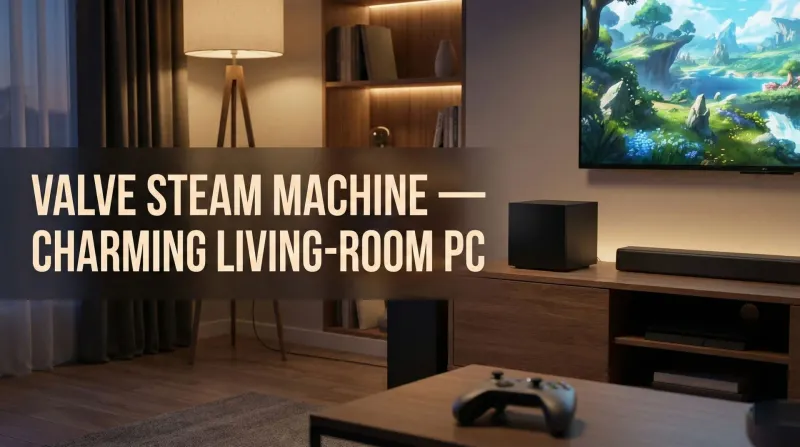
Valve’s Steam Machine — the charming living-room PC we’ve been waiting for
Dadnology’s take: the Steam Machine might be Valve’s most charming box yet. It looks like décor, not a DIY project; it promises real performance gains over Steam Deck; and it keeps the couch-first vibe families love. Linux and anti-cheat remain watch-outs for certain multiplayer ecosystems, but Windows is an option if you need it. For dads who want PC choice with console convenience, this is the living-room bridge we hoped for—powerful, approachable, and sized for real TV furniture.
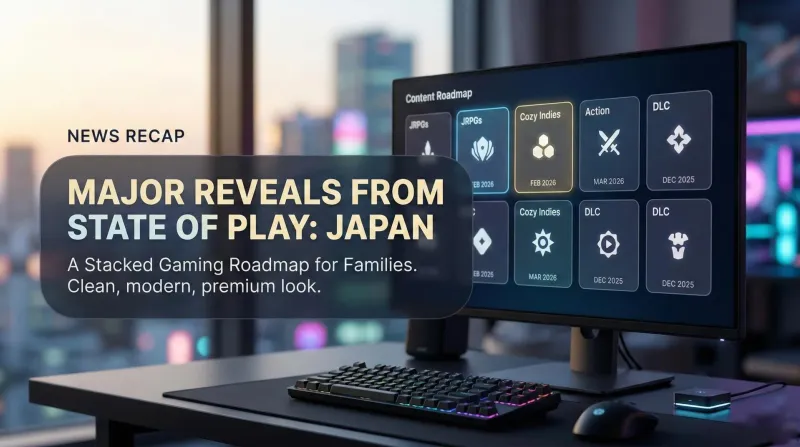
State of Play: Japan (Nov 2025) — Every reveal, date, and why families should care
Dadnology’s take: a stacked, Japan-flavored showcase with something for almost everyone. JRPG pillars return, survival horror is reborn, action fans get betas, and December lands real DLC. Families win with pick-up-and-play demos and a steady runway into spring 2026. If your household shares the TV, this roadmap fits perfectly—lots to sample now, plenty soon, and comfort-food series alongside inventive indies. We’ve collected the key dates, platforms, and trailers below so you can plan quick sessions between school runs and bedtime.

Best Handhelds & Remote Play Devices for Dads – Switch 2, PlayStation Portal, ROG Xbox Ally X & Steam Deck OLED
If money’s tight, get the Switch 2. If you’re a serious gamer who wants exclusives and flexibility, pair Switch 2 with PlayStation Portal. Ally X and Steam Deck OLED are great for the right audience, but not our top picks for console-first families.