
Best Portable SSDs & Storage for Photos, Games & Backups (2026 Guide)
Our dad-tested guide to the best portable SSDs and storage in 2026: for family photos, 4K video, full consoles, and a backup plan that actually survives. Top pick: WD_BLACK SN850.

This post contains affiliate links. We may earn a commission if you make a purchase, at no extra cost to you. As an Amazon Associate, Dadnology earns from qualifying purchases.
💾 This guide is part of our Amazon Prime Day 2026 Deals Hub — our curated buying guides of the gear actually worth a dad’s money.
The Storage Problem Every Dad Has and Nobody Plans For
Here is a scenario that plays out in a depressing number of households. A phone takes a swim in the toilet, gets stolen, or simply gives up one ordinary Tuesday. And with it goes the only copy of five years of photos — first steps, birthday cakes, the blurry hospital shot from day one. No backup. No second copy. Just a sick feeling and a repair quote that won’t bring any of it back. It is the single most preventable heartbreak in modern family life, and almost everyone is one dead device away from it.
This guide is for the dad who has quietly accumulated a digital life with nowhere safe to live: a phone wheezing at “Storage Almost Full,” a laptop groaning under unsorted holiday folders, a PS5 that makes you uninstall one game to install another, and a vague, guilty awareness that none of it is actually backed up anywhere. You don’t need a server rack or a degree in IT. You need one or two good drives and a plan that takes ten minutes to set up and then quietly does its job forever.
The plan has a name, and it is gloriously simple: the 3-2-1 backup rule. Keep 3 copies of anything you’d cry over losing, on 2 different kinds of storage, with 1 copy kept somewhere else entirely. In practice that’s: the photos on your phone or laptop (copy one), a portable SSD at home (copy two), and a cloud account or a drive at your parents’ house (copy three, off-site, safe from the house fire or the burglary). That’s the whole philosophy. The picks below are the hardware that makes each leg of it painless — chosen the way we choose everything here: by whether they survive real family life, not by whose spec sheet is longest.
The big decision isn’t really brand — it’s what you’re storing and why. Backing up photos is a different job from editing video, which is different again from expanding a console. So we’ve ranked these in straight recommendation order, from the do-everything champion down to the cheap pocket shuttle. Let’s dig in.
1. WD_BLACK SN850 NVMe SSD — The Family Vault
If you only buy one serious piece of storage, make it this. The WD_BLACK SN850 is a blazing internal NVMe drive that pulls double duty better than anything else here: drop it into a cheap external enclosure and it’s a lightning-fast portable backup vault, or slot it into your PS5’s expansion bay and it’s a console upgrade. Either way, it’s the drive your photo library deserves to live on for the next decade.
AdWD_BLACK SN850 NVMe SSD (opens in a new tab)
Best overall: blazing internal/PS5-expansion NVMe with the speed and reliability to be your family's photo and game vault.
What it does well
The headline is speed with substance. As a PS5 expansion drive (with a heatsink), it loads games every bit as fast as the console’s built-in storage, so you can finally keep your whole family’s library installed instead of playing the uninstall-shuffle every Friday night. In an external USB or Thunderbolt enclosure, those same NVMe speeds make it a backup target that copies an entire holiday’s worth of 4K clips in the time it takes to make a coffee.
But for a dad, the real win is reliability and capacity. WD_BLACK is a known, trusted line, not a no-name gamble with your memories. You can get it in the kind of capacity (1TB, 2TB and up) that lets you stop deleting things to make room — which is the whole point of a backup vault. Buy it once, set it up as your second copy in the 3-2-1 plan, and it quietly absorbs everything you throw at it for years.
Where it falls short
Honesty time. The SN850 is a bare internal drive, so to use it as a portable backup you need to add an enclosure (cheap, and a five-minute job, but it is an extra step and not strictly plug-and-play out of the box). For PS5 use you want the heatsink version specifically. And its raw speed is genuine overkill if all you ever do is copy photos across once — you’re paying for performance you won’t notice on simple backups.
Who should buy it
The dad who wants one proper, future-proof storage solution and is happy to either expand a PS5 or spend five minutes on an enclosure. If you want the best all-round drive that handles backups, games, and a growing library without complaint, this is the one. Everyone with a more specific job, keep reading.
2. OWC Express 1M2 (Thunderbolt/USB4) — The Creator’s Workhorse
Some dads don’t just store their photos and video — they edit them. If you’ve got a camera, you shoot 4K, or you’ve ever sat watching a timeline buffer because your storage couldn’t keep up, this is the pair of running shoes for your data. The OWC Express 1M2 is a Thunderbolt and USB4 enclosure built for genuinely fast, working-off-the-drive speed.
AdOWC Express 1M2 Thunderbolt/USB4 SSD (opens in a new tab)
Best for creators: Thunderbolt-class speed for editing 4K video and huge photo libraries straight off the drive.
What it does well
The Express 1M2’s whole reason to exist is throughput. Over Thunderbolt it hits speeds that let you edit a 4K video timeline or cull a thousand RAW photos directly from the external drive without copying everything to your laptop first. For anyone whose internal storage is permanently full, that’s transformative: your whole working library lives on the OWC, plugs into the Mac or PC, and behaves like it’s internal. Build quality is the reassuringly solid OWC standard, and it stays cool under sustained load, which matters when you’re exporting a 20-minute family-holiday edit.
It’s also a superb fast backup target for the same reason — when your second copy is half a terabyte of video, the difference between a slow drive and this one is the difference between a coffee break and an afternoon.
Where it falls short
This is the specialist’s pick, and you pay for it. To get the full speed you need a Thunderbolt or USB4 port, which rules out a lot of older or budget laptops (it still works over slower USB, just without the magic). It’s also a bring-your-own-drive enclosure, so factor in an NVMe SSD on top. And if you never edit video and only ever copy photos across as backups, this is pure overkill — you’d be buying a race car to do the school run.
Who should buy it
The creator dad: the one editing the family YouTube channel, the keen photographer with a Lightroom catalogue that won’t fit anywhere, the videographer who needs to scrub a 4K timeline without stutter. If “my editing is bottlenecked by storage” is a sentence you’ve said, this is your fix. If it isn’t, save the money.
3. Lexar Professional Go Portable SSD — The Pocket Lifeline
Here’s the most modern storage problem of all: your phone is your camera, it shoots gorgeous 4K, and 4K eats space like a toddler eats snacks. You’re on a trip, the “Storage Full” warning pops up mid-moment, and you’re frantically deleting old videos to film a new one. The Lexar Professional Go solves exactly that — a genuinely pocketable SSD designed to offload phone footage on the go.
AdLexar Professional Go Portable SSD (opens in a new tab)
Best for phone and on-the-go: pocket-sized SSD to offload 4K phone footage before your storage fills up.
What it does well
It’s small enough to actually carry, which is the entire point — a backup drive that lives in a drawer never gets used, but one that fits in a jacket pocket comes on the trip. Plug it into a modern USB-C phone and you can pull a day’s worth of 4K clips and photos straight off, clearing space without touching a laptop or waiting for a slow cloud upload over hotel wi-fi. As an SSD it’s fast, durable, and shrugs off the knocks of life in a bag, and the speeds are more than enough for offloading and quick playback.
For a travelling dad, it’s the bridge between “phone is full” and “memories are safe” — a physical, immediate copy you control, made on the spot.
Where it falls short
It’s built for portability over raw capacity — it’s not the drive you dump your entire decade-long archive onto, it’s the field offloader that you later copy onto your big home vault. Capacities and price-per-terabyte aren’t as generous as a desktop-class drive. And to use it with a phone you need a reasonably modern USB-C device; older phones with slower ports or no USB-C support will limit it or rule it out.
Who should buy it
The dad who shoots everything on a phone, travels, and keeps hitting the storage wall mid-trip. If your camera is your pocket and your problem is “where do all these 4K videos go,” this is the pocket lifeline. It pairs beautifully with the SN850 vault at home — offload here in the field, archive there later.
4. WD_BLACK C50 Expansion Card for Xbox — The No-Fuss Console Fix
Not every storage problem is about photos. If there’s an Xbox Series X or S in the house, you already know the pain: the gloriously huge modern games chew through the built-in storage in about four installs, and then it’s the constant uninstall-reinstall dance. The WD_BLACK C50 ends it with the most refreshingly simple solution in this whole guide.
AdWD_BLACK C50 Expansion Card for Xbox (opens in a new tab)
Best for Xbox: plug-in Series X|S storage that just works, with no menus, formatting, or compromise on game speed.
What it does well
The C50 is plug-and-play in the truest sense. It slots straight into the dedicated expansion port on the back of the Series X or S, and that’s it — there is no formatting, no menus, no setup, no compatibility roulette. Crucially, because it uses Microsoft’s official expansion standard, games run at full console speed off the card, with the fast load times and Quick Resume that you’d get from the internal storage. There’s zero performance penalty, which is not something you can say for cheaper USB-drive workarounds (those are storage-only and can’t run next-gen games directly).
For a busy parent, the appeal is that it removes a recurring annoyance permanently and asks nothing of you. Plug it in once; never think about console storage again.
Where it falls short
It is, by design, a single-purpose device — it works only with Xbox Series X and S, and nothing else. It is not a general backup drive, it won’t help your photos, and it carries a slight premium for the proprietary, official-standard convenience versus a bare internal drive. For a PS5, this is the wrong product entirely — you want an internal NVMe like the SN850 instead.
Who should buy it
The Xbox-owning dad (or the dad of Xbox-owning kids) who is tired of managing game storage and wants a one-and-done fix. If your storage headache is a console and not a camera, this is the cleanest answer money can buy. For everything that isn’t an Xbox, look elsewhere in this list.
5. SanDisk Ultra Dual Drive Luxe (USB-C) — The Everyday Shuttle
Finally, the humble, brilliant, do-it-all-day workhorse. Not every storage job is a grand backup strategy or a 4K edit. Sometimes you just need to move this file from this device to that one, right now, cheaply, without fuss. The SanDisk Ultra Dual Drive Luxe is the modern flash drive that handles every one of those little jobs.
AdSanDisk Ultra Dual Drive Luxe (USB-C) (opens in a new tab)
Best everyday and cheap: a dual USB-C and USB-A flash drive for quickly shuttling files between phone, laptop and TV.
What it does well
The clever bit is in the name: it has both a USB-C and a USB-A connector, one on each end, so it physically plugs into basically anything — a modern phone or laptop on the C side, an older PC, a TV, or a car on the A side. That makes it the universal translator of your gadget drawer. Need to grab photos off your phone to print at a kiosk? Move a movie onto a USB stick for a long car journey? Hand a folder of holiday pics to a relative who isn’t on the cloud? This does all of it, instantly.
It’s cheap, tiny, and rugged with a metal body, so it lives on a keyring or in a bag and just gets used. As the casual, grab-it-without-thinking storage tool, it earns its place in every household.
Where it falls short
You get what you pay for. It’s a flash drive, not a high-performance SSD — it’s fine for files and photos but it’s not the thing you edit video off or use as your serious, capacious backup vault. Capacities are smaller, and the speeds, while perfectly good for everyday transfers, are a fraction of the NVMe drives above. Treat it as the convenient shuttle, not the safe-deposit box.
Who should buy it
Honestly? Every dad should own one of these as a second item regardless of what their main vault is. It’s the cheap, ever-ready file-mover for the hundred little transfer jobs of family life. Buy it alongside a proper backup SSD, not instead of one.
How They Compare: The Spec Showdown
This is where the decision actually gets made. Note the Best For and Type rows — these aren’t five versions of the same thing, they’re five different tools, and the right one is whichever matches the job in front of you.
| Feature | WD_BLACK SN850 | OWC Express 1M2 | Lexar Professional Go | WD_BLACK C50 | SanDisk Ultra Dual Drive Luxe |
|---|---|---|---|---|---|
| Type | Internal NVMe SSD | Thunderbolt SSD enclosure | Portable SSD | Xbox expansion card | USB-C flash drive |
| Interface | PCIe / PS5 slot | Thunderbolt / USB4 | USB-C | Xbox expansion port | USB-C + USB-A |
| Best For | Vault / PS5 / backups | 4K video editing | Phone 4K offload | Xbox Series X|S | Everyday file shuttle |
| Speed | Blazing (NVMe) | Fastest (Thunderbolt) | Fast (portable) | Full console speed | Modest (flash) |
| Verdict | Best overall | Best for creators | Best on-the-go | Best for Xbox | Best everyday / cheap |
The table tells a clear story: pick by the job, not the brand. The SN850 is the all-rounder most dads should anchor their setup around. The OWC is for editors, the Lexar for phone shooters, the C50 strictly for Xbox owners, and the SanDisk is the cheap shuttle everyone should keep in a drawer. Several of these happily coexist — a vault plus a pocket offloader plus a flash stick is a complete, sane setup.
How to Choose: A Decision Framework
If you’ve read this far, here’s how to decide without overthinking it. Start with the job, not the gadget.
If your job is backing up family photos and giving everything a safe home — buy the WD_BLACK SN850. Big, fast, reliable, and it doubles as PS5 expansion. Set it up as your “copy two” in the 3-2-1 plan and stop worrying.
If your job is editing 4K video or working off a huge photo library — buy the OWC Express 1M2. The Thunderbolt speed lets you edit straight off the drive, which is the only thing that fixes an editing bottleneck.
If your job is rescuing a constantly-full phone on the go — buy the Lexar Professional Go. Pocketable, fast enough, and it offloads your 4K clips wherever you are.
If your job is a full Xbox Series X or S — buy the WD_BLACK C50. It’s the only option that runs games at full speed with zero setup. (PS5 owners: that’s the SN850 instead.)
If your job is just moving files around the house cheaply — buy the SanDisk Ultra Dual Drive Luxe, and keep it on your keyring.
AdWD_BLACK SN850 NVMe SSD (opens in a new tab)
Best overall: blazing internal/PS5-expansion NVMe with the speed and reliability to be your family's photo and game vault.
The meta-advice, in proper tech-dad spirit: separate the two questions almost everyone conflates — speed and safety. Speed (the read/write numbers on the box) only changes your life if you edit video. For backing up, where you copy once and walk away, speed is nearly irrelevant — what matters is reliability, capacity, and actually having a second copy at all. Don’t blow your budget chasing gigabytes-per-second you’ll never feel; spend it on a trustworthy drive with enough room to grow, and on a third, off-site copy.
Common Mistakes to Avoid
- Thinking one copy is a backup. It isn’t. A single drive — or a single phone — is just one device away from total loss. A backup only counts when there are at least two copies in two places. If your “backup” is the only copy, it’s not a backup, it’s a time bomb.
- Buying cheap no-name drives for irreplaceable memories. That suspiciously cheap “4TB” drive from a marketplace you’ve never heard of is the classic trap — often fake capacity, often dead in a year. For the things you’d cry over losing, buy a trusted brand. This is the one place not to bargain-hunt.
- Paying for speed you’ll never use. A blistering Thunderbolt drive is wasted money if all you do is copy photos across once a month. Match the speed to the job: fast for editing, reliable-and-roomy for backups. Most dads need the second, not the first.
- Skipping the off-site copy. A backup drive sitting right next to your laptop dies in the same house fire, flood, or burglary. The “1” in 3-2-1 — a cloud account or a drive at a relative’s house — is the one that saves you on the genuinely bad day.
- Paying full RRP in late June. SSDs and storage drop hard on Prime Day. Buying a flagship drive at full price during a sale event is leaving money on the table.
Pros
- Blazing NVMe speed, fast enough for PS5 expansion or a high-speed backup vault
- Trusted WD_BLACK reliability for storage you can actually entrust your memories to
- Available in genuinely roomy capacities so your library can keep growing
- Brilliantly versatile: drop into an enclosure for portable backups, or a PS5 for games
- Buy-it-once, future-proof storage that lasts for years
Cons
- Bare internal drive: needs an enclosure to work as a portable backup
- PS5 use wants the specific heatsink version
- Raw speed is overkill if all you ever do is copy photos across
Conclusion: The Bottom Line
After comparing five very different tools, the honest take is simple: the best storage for you depends on the job — but there’s a clear anchor for most dads, and a backup plan everyone should follow.
For the majority who just want their family memories safe and their games installed, the WD_BLACK SN850 is the easy call: fast, reliable, roomy, and equally happy as PS5 expansion or a portable backup vault in an enclosure. Beyond it, match the tool to the job — the OWC Express 1M2 is the creator’s Thunderbolt workhorse for 4K editing; the Lexar Professional Go is the pocket lifeline for a phone that’s always full; the WD_BLACK C50 is the no-fuss Xbox fix; and the SanDisk Ultra Dual Drive Luxe is the cheap everyday shuttle every household should keep in a drawer.
The Final Word: buy a trusted SSD, give your photos a permanent home on it, and then make a second, off-site copy. The drive matters; the plan matters more. Do the 3-2-1 rule once and you’ll never have the dead-phone heartbreak. Period.
Related Dadnology guides: Best Mechanical Keyboards for Work & Play (2026 Buyer’s Guide) · Best Portable Monitors for Working on the Go (2026 Buyer’s Guide) · Best Microphones & Webcam for Streaming and Calls (2026)
What is the best portable SSD for backing up family photos in 2026?
What is the 3-2-1 backup rule?
Is an SSD better than a hard drive for backups?
Do I need a fast SSD just to back up photos?
What is the best storage for expanding an Xbox Series X or S?
How much storage do I actually need for family photos and video?
Keep this in your inbox
One email a week: what we actually watched, built and reviewed — the stuff worth a dad's time. No hype, no daily spam.
Dadnology Weekly
One email a week: the LEGO, gaming and movie news worth a dad's time — plus what we actually reviewed. No hype, no daily spam.
Disclaimer: This review and its visuals were created with the help of AI. Some links may be affiliate links – we may earn a commission if you make a purchase, at no extra cost to you.
You might also like
Prime Big Deal Days October 2026: What a Dad Should Actually Buy
Amazon's October sale runs 6-7 October 2026. Here is what a dad should buy, what to skip, and how to plan the two days without falling for decoy discounts.

Prime Day 2026: 5 Best Robot Vacuums for Family Households
Our dad-focused Prime Day guide to the top 5 robot vacuums in 2026 that keep family homes clean – from self-emptying Roombas to powerful all-in-one stations from Shark, Dreame, and eufy.
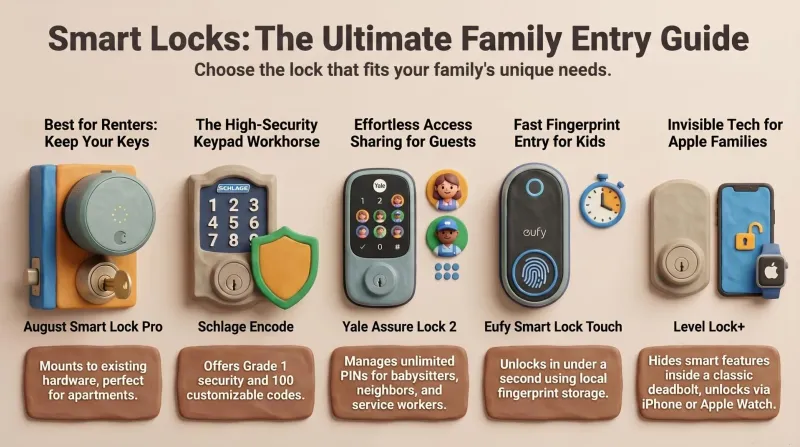
Never Get Locked Out Again: 5 Best Smart Locks for Families (Prime Day 2026)
A dad-focused guide to the best smart locks for U.S. family homes in 2026 – including August, Schlage, Yale, Eufy, and Level – with picks for renters, Apple families, fingerprint fans, and more.