
Best WiFi Routers & Mesh Systems for a Busy Home (2026)
Our dad-tested guide to the best WiFi routers and mesh systems in 2026: fix the dead zone upstairs, handle dozens of devices, and stop the lag. Top pick: eero WiFi 6.

This post contains affiliate links. We may earn a commission if you make a purchase, at no extra cost to you. As an Amazon Associate, Dadnology earns from qualifying purchases.
📶 This guide is part of our Amazon Prime Day 2026 Deals Hub — our curated buying guides of the gear actually worth a dad’s money.
The WiFi War Nobody Warned You About
There is a specific kind of dread that comes when the WiFi dies during a Friday-night film, or when your work-from-home video call freezes mid-sentence while three people stare at your pixelated face. Modern family life runs on a home network, and the box your internet provider quietly handed you was never built for the load you’re putting on it. The dead zone in the upstairs bedroom, the dropouts in the garden, the eternal buffering in the bathroom you will absolutely not admit to using your phone in — that’s your router waving a tiny white flag.
This guide is for one specific dad: the one whose house has become a battlefield of competing devices. Count them honestly — phones, tablets, two laptops, a games console or two, a smart speaker in every room, a video doorbell, a couple of smart plugs, the kid’s school iPad, maybe a robot vacuum that picks the worst moment to lose connection. A busy home can easily have thirty things fighting for the same airwaves, and the eight-year-old router from your ISP is trying to referee all of it with a software interface that looks like it was designed in 2011. Something has to give, and lately it’s your patience.
Here’s the methodology, plainly: we picked across the whole spectrum because the right answer genuinely depends on your house. A sprawling four-bedroom with thick walls needs something completely different from a two-bed flat, and a dad whose only real complaint is the kid’s gaming lag needs something different again. We weighted the things that matter in real family life — does it actually reach the far bedroom, does it stay up when the whole house is online, can you fix it from your phone without crawling behind the TV — over spec-sheet theatre like antenna count and rainbow LED modes. And yes, this kind of kit drops hard on Prime Day, so it’s worth watching if you’d rather not pay full RRP.
The big decision isn’t really brand — it’s the shape of your house and the nature of your problem. So we’ve ranked these in straight recommendation order, with a clear note on which house and which problem each one is built for. Let’s dig in.
1. eero WiFi 6 — The Dead-Zone Killer
If your problem is coverage — a bedroom or a garden room or a far corner where the signal goes to die — this is the pair to beat, and it’s not a close contest for ease of use. A mesh system isn’t one router; it’s a set of nodes that work together as a single network, blanketing the whole house so you stay connected as you walk from the kitchen to the loft without dropping a beat.
Adeero WiFi 6 Mesh System (opens in a new tab)
Best overall: dead-simple whole-home mesh that kills dead zones and is managed entirely from a phone app.
What it does well
The headline is whole-home coverage that you actually control. You place the main unit by your modem and scatter the extra nodes toward the trouble spots, and they hand your devices off seamlessly as you move — one network name, no manual switching, no dead zone upstairs. For a multi-storey house or anywhere with thick walls and a stubborn black hole of a back bedroom, this is the cleanest fix there is.
Then there’s the WiFi 6 under the hood, which is built precisely for the busy-home problem: lots of devices online at once. Where an old router chokes when the whole family piles on, WiFi 6 juggles those simultaneous connections far more gracefully, so the smart doorbell, the four streaming screens, and the work call all coexist without that congested-network stutter.
The real magic for a tired dad, though, is the app. Setup is genuinely a few taps on your phone — no logging into a 1998-era admin page. You can pause the WiFi to the kids’ devices at bedtime, see what’s connected, create a guest network for visitors, and run parental controls all from the sofa. It just works, and it keeps working without you thinking about it.
Where it falls short
Mesh is the right answer only if you have a coverage problem. If a single router already covers your whole flat, buying a multi-node mesh is paying for hardware you don’t need, and a single router will often deliver faster speeds to each device. The eero ecosystem also nudges you gently toward a subscription for the fancier security and parental features — the core stuff is free, but the upsell is there. And dedicated tinkerers who love deep manual settings will find the app too simple; that simplicity is the whole point, but it’s a trade.
Who should buy it
The dad with a real coverage problem — a bigger house, more than one floor, thick walls, a dead zone he’s been cursing for years — who wants to fix it once and never crawl behind the TV again. If “the WiFi is fine downstairs but dies upstairs” is your daily complaint, this is the answer. Smaller homes, keep reading.
2. ASUS TUF Gaming WiFi 6 (TUF-AX4200) — The Lag-Slayer
Here’s the pick for a very specific household crisis: the kid (or, let’s be honest, the dad) who is convinced the WiFi is personally sabotaging their ranked matches. If your home is small-to-medium enough that one router can cover it, and the loudest complaint in the house is gaming lag, a single powerful gaming router is smarter than a mesh.
AdASUS TUF Gaming WiFi 6 Router (TUF-AX4200) (opens in a new tab)
Best for gaming: low-latency single router with a dedicated gaming port and big single-box coverage.
What it does well
This is a single router built for low latency. It has a dedicated gaming port that gives a wired console or PC a prioritised lane, and traffic-prioritisation features that push game packets to the front of the queue when the network gets busy — so a big download in another room stops murdering someone’s ping. For lag caused inside your house by a congested network, this is exactly the right tool.
It’s also a genuinely strong single-box performer: WiFi 6, robust radios, and enough coverage to handle a typical house or flat on its own without needing extra nodes. That makes it both cheaper and simpler than a mesh if your square footage doesn’t demand multiple units. The software gives you proper control too — QoS, gaming modes, solid parental controls — for the dad who likes to actually tune things.
Build quality is the rugged TUF line, so it shrugs off life on a shelf in a busy room, and a wired connection from this router to the console is the single most reliable way to end stutter for good.
Where it falls short
Be honest with yourself about geography: it’s one box, so it has one location’s worth of reach. In a big or awkwardly-shaped house, it won’t beat a mesh for far-corner coverage no matter how many antennas it sports. And the crucial caveat — a gaming router can’t fix a slow internet plan or a distant game server. If your lag comes from outside your front door, no router on earth solves it. This fixes home-network lag, not internet lag. It’s also more router than a casual browsing household needs.
Who should buy it
The gaming dad — or the dad refereeing a gaming kid — in a small-to-medium home who wants the lowest possible local latency and likes a wired option. If coverage isn’t your problem but stutter and ping spikes are, this is the pick. If you have dead zones, go back to the eero.
3. TP-Link Dual-Band WiFi Router — The Sensible Value Pick
Not every house needs a mesh or a gaming rig. Sometimes you just want a dependable router that covers your home, handles the family’s devices, and doesn’t cost a small fortune — a clean, no-drama upgrade that quietly does its job. That’s the brief here, and it’s a perfectly sensible way to spend less.
AdTP-Link Dual-Band WiFi Router (opens in a new tab)
Best value: solid, reliable coverage for a small-to-medium home on a tight budget.
What it does well
This is solid coverage on a budget. For a flat or a small-to-medium house, it delivers reliable dual-band WiFi that comfortably outclasses a tired ISP box, at a price that doesn’t make you wince. It handles a normal family device count without falling over, the setup is straightforward, and TP-Link’s track record for “it just runs” reliability is genuinely good at this tier.
It’s the rational first upgrade for a dad who knows his ISP router is the weak link but doesn’t want to overthink it or overspend. You get better range, better stability, and a modern interface, and that’s often all a smaller home actually needs.
Where it falls short
It’s a value pick, so it’s not a coverage miracle worker — in a big house with dead zones, one of these won’t reach further than physics allows, and you’d want a mesh instead. The features are practical rather than fancy: don’t expect a dedicated gaming port or deep enthusiast tuning. And while it handles a typical load well, a truly device-saturated smart home pushing thirty-plus connections is better served by a step up. For its price and its target home, though, it’s exactly enough.
Who should buy it
The budget-minded dad in a flat or smaller house who wants a genuine, reliable upgrade over the ISP box without spending mesh money. If your coverage is almost fine and you just want it solid and stable, this is the smart, frugal buy.
4. NETGEAR WiFi Router — The No-Drama Mainstream Upgrade
This is the pick for the dad who has finally accepted that the ISP box has to go, wants a proper brand-name router he can trust, and isn’t chasing gaming or a sprawling mesh — just reliable, grown-up WiFi for the whole family. NETGEAR has been doing exactly this for decades, and that maturity shows.
AdNETGEAR WiFi Router (opens in a new tab)
Best mainstream upgrade: a reliable, no-drama step up from the box your ISP handed you.
What it does well
This is the safe, reliable step-up from a provider’s hardware. It brings stronger, more consistent coverage, proper handling of a busy family’s device load, and the kind of stability that means you stop reflexively rebooting the router every time something hiccups. The software is mature, the parental controls and guest-network features are there, and the whole thing has a reassuring “this will still be running fine in three years” feel.
It’s the middle-ground pick that ticks the boxes without forcing you to pick a tribe: more capable and better-covering than the value option, simpler and more universal than a gaming rig, and cheaper than going full mesh if a single router suits your home. For a lot of families, this is the comfortable, sensible centre of the chart.
Where it falls short
By being the well-rounded all-rounder, it’s a master of nothing in particular — it won’t out-cover a true mesh in a problem house, and it won’t out-tune a dedicated gaming router for latency. It’s a single box, so the same coverage-geometry limits apply: place it well or live with the consequences. And depending on the exact model and price on the day, you’ll want to sanity-check it against the value pick and the mesh to make sure you’re buying the right tool for your home rather than the middle one by default.
Who should buy it
The mainstream family dad who wants to bin the ISP box and replace it with one trusted, capable router — no gaming obsession, no dead-zone crisis, just reliable whole-family WiFi from a brand that’s been doing it forever. It’s the dependable default for a normal home.
5. GL.iNet GL-SFT1200 (Opal) — The Travel Router Every Dad Should Pack
This one solves a different problem entirely, and it’s the cheapest peace of mind on this list. Hotel and holiday-rental WiFi is a security swamp and a connectivity lottery, and connecting the family’s devices — and the kids’ tablets full of downloaded films — to a random open network is asking for trouble. A travel router fixes both.
AdGL.iNet GL-SFT1200 (Opal) Travel Router (opens in a new tab)
Best for travel: pocket-sized router that creates your own secure WiFi in hotels and on the road.
What it does well
The Opal is a pocket-sized router that creates your own private, secure WiFi network wherever you go. You connect it to the hotel WiFi once, and then every family device connects to your trusted network instead of the sketchy hotel one — one login, all your gear online, behind your own firewall. It supports a VPN so your traffic is encrypted on networks you have no business trusting, which is exactly what you want when the whole family is online in a foreign hotel.
It’s genuinely dad-friendly to carry and use: tiny, light, runs off a USB power bank or a laptop port, and gets your kids’ tablets connected to one familiar network the moment you check in — no re-entering a captive-portal login on six different devices while everyone whines. For travel, for working remotely, or just for not trusting café WiFi, it’s a brilliant little insurance policy.
Where it falls short
This is not a home router — it’s not built to cover a house or handle thirty home devices, and you shouldn’t try. It’s a travel-and-security tool, full stop. Setup of the VPN side takes a little more willingness to read instructions than a phone-app mesh, and raw throughput is modest because that’s not its job. Judge it as what it is: the most useful thing in your tech bag, not your living-room workhorse.
Who should buy it
The dad who travels — for work or with the family — and wants secure, simple WiFi for everyone’s devices in hotels, rentals, and on the road. Buy it as a companion to whatever you run at home, not as a replacement. At its price, there’s almost no reason not to have one in the bag.
How They Compare: The Spec Showdown
This is where the decision actually gets made. Note the Type and Best For rows — for most dads, those two lines settle the argument faster than any speed number, because the right choice is dictated by your house and your problem, not by raw specs.
| Feature | eero WiFi 6 | ASUS TUF AX4200 | TP-Link Dual-Band | NETGEAR Router | GL.iNet Opal |
|---|---|---|---|---|---|
| Type | Mesh (multi-node) | Single gaming router | Single value router | Single mainstream router | Travel router |
| Coverage | Whole home (add nodes) | Big single-box | Small-to-medium home | Medium home | One room / travel |
| Best For | Dead zones / big homes | Gaming lag | Tight budgets | ISP-box upgrade | Hotels & the road |
| Ease of setup | Effortless (phone app) | Moderate (more control) | Easy | Easy | Moderate (VPN setup) |
| Verdict | Best overall | Best for gaming | Best value | Best mainstream upgrade | Best for travel |
The table tells a clear story. If you have coverage trouble, the eero mesh wins outright. If your house is coverable by one box and the kid’s lag is the enemy, the ASUS gaming router is the pick. Below that, you’re choosing between the value option and the mainstream upgrade based on budget and how much you trust a single box — and the Opal sits to one side as the thing you pack, not the thing you install.
How to Choose: A Decision Framework
If you’ve read this far, here’s how to decide without overthinking it. There are really only three questions that matter.
Mesh or single router? This is the big one, and it’s about your house, not the hype. If you have dead zones, multiple floors, thick walls, or a sprawling layout — buy the mesh (eero). Multiple nodes are the only thing that genuinely spreads coverage where one router physically cannot reach. If a single router already covers your whole space — buy a single router. It’s cheaper, often faster per device, and one less thing on the shelf. Don’t buy a three-pack mesh to solve a one-room flat; that’s paying for a problem you don’t have.
What’s the actual problem? Coverage means mesh. Gaming lag means a gaming router (ASUS TUF) or, better still, a wired cable to the console. A general “everything’s a bit rubbish” means the value or mainstream single router is your upgrade. Travel means the Opal. Match the tool to the complaint.
Are you still running the ISP box? Then that’s your upgrade, whatever else you do. Replacing the provider-supplied router — by putting it in bridge/modem mode and adding your own kit — is the single biggest WiFi improvement most families can make, and it’s the one almost everyone skips because the ISP box “came with the internet.”
Adeero WiFi 6 Mesh System (opens in a new tab)
Best overall: dead-simple whole-home mesh that kills dead zones and is managed entirely from a phone app.
The meta-advice, in proper tech-dad spirit: don’t get hypnotised by antenna count or peak-speed numbers you’ll never hit. Your internet is only ever as fast as the plan you pay for; a router can’t conjure speed your provider isn’t selling you. What a good router can do is deliver that speed reliably to every device, in every room, even when the whole family is online. Buy for coverage in your house and stability under load — not for the most aggressive-looking box on the shelf.
Common Mistakes to Avoid
- Keeping the ISP-provided router. It’s the weak link in most homes and the upgrade everyone skips. Put it in bridge/modem mode, add your own router or mesh, and watch the daily reboots stop. This one change fixes more problems than any other.
- Buying a mesh when a single router would do. Mesh is for coverage problems. If one router covers your flat already, a multi-node mesh is wasted money — and a single router often gives each device a faster connection anyway.
- Believing more antennas mean better WiFi. Antenna count is marketing theatre. Coverage comes from the radios, the software, and where you put the thing. A well-placed four-antenna router beats a spiky eight-antenna one shoved in a cupboard every time.
- Expecting a gaming router to fix internet lag. A gaming router cures home-network congestion, not a slow plan or a distant server. If your ping is bad because of your ISP, no router rescues you — check the source of the lag before you buy.
- Hiding the router in a cupboard. The best hardware on earth can’t beam through a metal cabinet and a concrete wall. Central, open, and high beats hidden-but-tidy. Placement is free performance.
Pros
- Whole-home coverage that genuinely kills dead zones in bigger or multi-storey houses
- WiFi 6 handles dozens of simultaneous family devices without choking
- Setup and daily management are a few taps in a phone app, not an admin page
- Easy bedtime pausing, guest networks, and parental controls from the sofa
- Add more nodes later if your coverage needs grow
Cons
- Overkill (and overpriced) if a single router already covers your home
- Premium features nudge you toward an optional subscription
- Too simple for tinkerers who want deep manual control
Conclusion: The Bottom Line
After comparing five options across every type of home, the honest take is simple: the best WiFi for you depends on the shape of your house and the nature of your problem — but there’s a clear winner for most busy family homes.
For the majority dealing with dead zones and a houseful of devices, the eero WiFi 6 mesh is the easy call: drop a node near the trouble spot, manage everything from your phone, and forget it exists. The ASUS TUF Gaming TUF-AX4200 is the pick if your home is coverable by one box and the kid’s lag is the real enemy; the TP-Link Dual-Band is the sensible value upgrade for a smaller home; the NETGEAR router is the dependable mainstream step up from the ISP box; and the GL.iNet Opal is the travel router every dad should pack.
The Final Word: if you have coverage problems, buy the eero and stop crawling behind the TV. If one router covers your house and gaming lag is the issue, buy the ASUS. And whatever you do, bin the ISP box. Period.
Related Dadnology guides: Prime Day 2026 · Best Budget Robot Vacuums · Never Get Locked Out Again
What is the best WiFi router or mesh system for a busy home in 2026?
Do I need a mesh system or is one good router enough?
Should I replace the router my internet provider gave me?
Does WiFi 6 actually matter for a family?
Will a gaming router fix my kid's lag?
Do more antennas mean better WiFi coverage?
Keep this in your inbox
One email a week: what we actually watched, built and reviewed — the stuff worth a dad's time. No hype, no daily spam.
Dadnology Weekly
One email a week: the LEGO, gaming and movie news worth a dad's time — plus what we actually reviewed. No hype, no daily spam.
Disclaimer: This review and its visuals were created with the help of AI. Some links may be affiliate links – we may earn a commission if you make a purchase, at no extra cost to you.
You might also like

Prime Day 2026: 5 Best Robot Vacuums for Family Households
Our dad-focused Prime Day guide to the top 5 robot vacuums in 2026 that keep family homes clean – from self-emptying Roombas to powerful all-in-one stations from Shark, Dreame, and eufy.
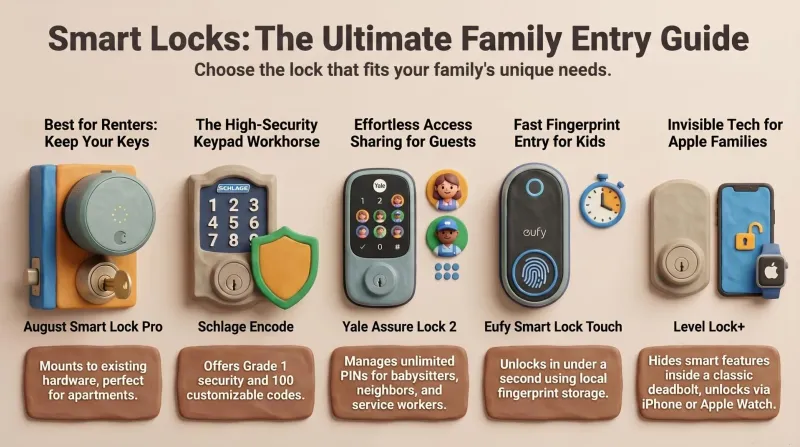
Never Get Locked Out Again: 5 Best Smart Locks for Families (Prime Day 2026)
A dad-focused guide to the best smart locks for U.S. family homes in 2026 – including August, Schlage, Yale, Eufy, and Level – with picks for renters, Apple families, fingerprint fans, and more.

Top 5 Smart Security Camera Systems for Families (2026) – Dadnology Guide
Our dad-focused guide to the 5 best smart security camera systems for U.S. families in 2026 – from Ring and Arlo to Google Nest, eufy, and Blink – with options for every budget, ecosystem, and privacy preference.