
Halo split-screen & co-op guide: Play the whole saga together
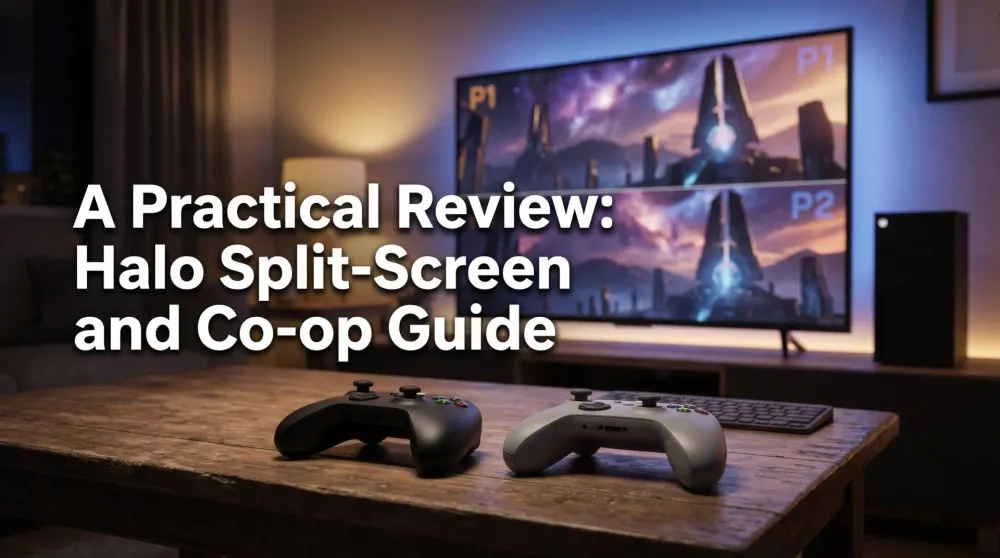
The complete Halo co-op guide. Which games have split-screen, how couch co-op works today, and which Halo games support crossplay between Xbox and PC.
This post contains affiliate links. We may earn a commission if you make a purchase, at no extra cost to you. As an Amazon Associate, Dadnology earns from qualifying purchases.
🛋️ Couch co-op lives
🪖 This guide is part of the Halo Universe Hub – your complete map of Master Chief’s saga.
Here is a truth worth shouting: Halo’s legend was built on co-op. Long before it was an esports staple, Halo was two friends on a couch, two controllers, one screen, fighting through a campaign together. That local split-screen co-op is the single thing that made Halo a phenomenon — and the great news in 2026 is that it is alive and well, even as much of the industry abandoned couch play.
But it is also genuinely confusing. Which games still have split-screen? How do you set it up today? Which ones let you team up with a friend on PC? At Dadnology we get this question constantly from parents who want a session with the kids, or with a partner, or a long-distance co-op night with an old friend. So here is the complete, practical answer — which Halo does what, and exactly how to get a co-op session going.
🎮 Which Halo games have split-screen co-op?
Let’s start with the headline question. The vast majority of the saga supports local split-screen campaign co-op, almost all of it through one package: Halo: The Master Chief Collection.
| Game | Local Split-Screen | Max Co-op Players |
|---|---|---|
| Halo: Combat Evolved | ✅ Yes (2 max) | 2 |
| Halo 2 | ✅ Yes (2 max) | 2 |
| Halo 3 | ✅ Yes (2 max) | 4 (2 local + 2 online) |
| Halo 3: ODST | ✅ Yes (2 max) | 4 (2 local + 2 online) |
| Halo: Reach | ✅ Yes (2 max) | 4 (2 local + 2 online) |
| Halo 4 | ✅ Yes (2 max) | 4 (2 local + 2 online) |
| Halo 5: Guardians | ❌ No | 4 (online only) |
| Halo Infinite (campaign) | ❌ No (cancelled pre-launch) | 4 (online only) |
The takeaway: every game in the Master Chief Collection supports local split-screen for two players on one couch, and four of them — Halo 3, ODST, Reach, and Halo 4 — let you stretch that same campaign to a full four-player squad by adding two more players online alongside your couch session. Halo Infinite never got that: 343 Industries announced in 2022 that campaign split-screen co-op was cancelled before launch, and it shipped with online-only campaign co-op for up to four players instead (its competitive multiplayer, a separate mode, does support split-screen). So the honest exception list is two games, not one: Halo 5: Guardians, which controversially shipped with no split-screen at all, and Halo Infinite, whose split-screen campaign never made it out of development. Both still support four-player co-op — just online only.
So if your goal is “play the whole saga on one couch,” the answer is: get the Master Chief Collection, and you can co-op six games locally, with only Halo 5 and Halo Infinite requiring everyone to be online for their campaigns.
🔧 How to set up split-screen co-op
The good news is that it is refreshingly simple, especially in the Collection. Here is the step-by-step:
- Boot up the Master Chief Collection and pick the game you want from the menu.
- Turn on a second controller. When the second player presses a button, they’ll be prompted to sign in — either to a second Xbox account or as a guest.
- Start any campaign mission. The screen splits automatically the moment a second player is active. No menu digging required.
- Pick your difficulty and go. We highly recommend a co-op Legendary run if you want the true classic Halo experience — fighting through the hardest difficulty together is the heart of it.
One genuinely clever feature: the Collection lets you mix local and online players in the same session. So you can have two players on the couch via split-screen and two more friends joining online simultaneously — a full four-player Halo 3 campaign with two of you sharing a sofa and two dialing in from elsewhere. It is the best of both worlds, and it is exactly how a modern family-plus-friends Halo night should work.
🌐 Crossplay: Team up across Xbox and PC
This is the feature that quietly changed everything for long-distance co-op. The Master Chief Collection supports full crossplay between Xbox and PC, meaning a player on a Series X and a player on a gaming PC can play campaign co-op and matchmaking together, no problem. Halo Infinite supports Xbox-PC crossplay too.
For parents and old friends, this is enormous. Your gaming buddy from twenty years ago moved across the country and games on a PC now? Doesn’t matter. You boot the MCC on your Series X, they boot it on their PC, you party up, and you run the campaign together exactly like you used to — just with a few hundred kilometres and a headset between you. The shared progression, the unified matchmaking, and the cross-platform support make it genuinely seamless.
This is, honestly, how a lot of us came back to Halo. The combination of crossplay, online co-op, and Game Pass means the barriers that used to make “let’s play together” hard have basically vanished. Two people who want to play Halo together can do it tonight, on whatever hardware they each own.
👨 The dad angle: The best shared screen in the house
For families, Halo’s co-op is a near-perfect fit, and not just for nostalgia. The clean, gore-free sci-fi tone (M-rated but never nasty — see each game’s review for the specifics) makes it one of the more shareable shooters for older kids, and the adjustable difficulty means you can dial it down so a younger player can genuinely contribute rather than just watch. Handing your kid the second controller for a Combat Evolved Warthog run is the kind of shared moment this hobby exists for.
And the structure suits real family life. Co-op sessions are drop-in, drop-out — someone can tap out when homework calls and rejoin later. The campaigns split into self-contained missions perfect for a single sitting. And with Quick Resume on a Series X, you can pause a co-op campaign across days without losing your place. Whether it is a couch session with the kids or a headset-on reunion with a far-flung friend, Halo co-op remains one of the best shared experiences in gaming — and the Master Chief Collection is the machine that makes it all possible.
🧭 The quick answer
To play the Halo saga together in 2026:
- For couch co-op: Get the Master Chief Collection — six games with local split-screen for two, several of them stretching to a four-player campaign once you add two more online, all at 60fps. It is also on Game Pass Ultimate if you would rather rent the whole saga than buy it. Add a second controller and you’re set.
- For long-distance co-op: Use crossplay — the MCC and Halo Infinite both let Xbox and PC players team up online with full campaign co-op.
- The two to know about: Halo 5 and Halo Infinite have no split-screen campaign co-op — both are online only (Infinite’s split-screen mode was cancelled before launch). Every other mainline game has you covered on the couch.
- The cheapest start: Game Pass gets both players the Collection and Halo Infinite for one subscription.
Couch co-op didn’t die. With the Master Chief Collection, it is better, sharper, and more flexible than it has ever been. Grab a second controller, pick a difficulty, and go finish the fight together.
🎯 Beyond the campaign: Firefight and co-op modes
Campaign co-op is the heart of Halo, but it is not the only way to play together. Firefight — the wave-based survival mode introduced in ODST and perfected in Halo: Reach — is some of the best co-op in the entire saga, and it is built for exactly this. You and up to three friends hold a position against escalating waves of Covenant, and it is endlessly replayable, perfect for a “one more round” session when you do not want to commit to a full campaign mission. Both ODST and Reach’s Firefight are in the Master Chief Collection, with full co-op support.
The two Halo Wars strategy games also offer co-op, letting two commanders team up against the AI — a completely different flavor of together-time that is well suited to a more relaxed, tactical evening. And of course, the competitive multiplayer across the Collection and Halo Infinite supports splitscreen and online play, so you can move from co-op campaigning to competing side by side. The point is that “playing Halo together” stretches well beyond the campaign — there is a co-op mode here for every mood, from frantic survival to laid-back strategy.
🛠️ Troubleshooting and tips for a smooth co-op night
A few practical pointers to keep the session running smoothly. For local splitscreen, make sure both controllers are charged and paired before you start — the most common interruption is a dying second pad mid-mission. For mixed local-and-online sessions, the host should have the strongest connection, since everyone else’s experience depends on it. For crossplay, both players simply need the game (via purchase or Game Pass) on their respective platforms; the Collection handles the matchmaking across Xbox and PC automatically once you party up.
One genuinely useful tip for families: match the difficulty to your weakest player, not your strongest. Co-op Halo is most fun when everyone is contributing, and a difficulty that is brutal for a younger or newer player will sour the night fast. You can always crank it up to Legendary for a “serious” run once everyone is comfortable. And remember Quick Resume on a Series X — if the session gets interrupted (and with kids, it will), you can suspend and pick the co-op campaign right back up later without losing a step. A little setup goes a long way toward making couch co-op the effortless, joyful thing it should be.
If you are introducing a younger or less experienced player, a couple of extra tips help enormously. Start them in Halo 3 or Combat Evolved, which have the gentlest learning curves and the most forgiving co-op design, rather than a faster, busier later entry. Let them drive the Warthog while you gun (or vice versa) so they always have a clear, fun role. And lean on the fact that in co-op, a downed player can be revived or simply respawns at the next checkpoint — nobody is ever truly out of the action for long. These small choices turn “watching Dad play” into “playing with Dad,” which is the entire point. Couch co-op is not just preserved in modern Halo; with a little thought, it is the best on-ramp there has ever been for sharing this hobby with the people you love. So grab that second controller, pick a difficulty everyone can enjoy, and start a campaign together tonight — the saga was built for exactly this, and it has never been easier to do. Couch co-op didn’t die with the old consoles; in Halo, it is alive, well, and waiting for you and a friend right now.
❓ FAQ: Halo co-op
Which Halo games have split-screen co-op?
Does Halo have crossplay co-op between Xbox and PC?
How do I set up split-screen co-op in Halo?
Can I play the whole Halo saga in co-op?
Is Halo couch co-op still worth it in 2026?
Keep this in your inbox
One email a week: what we actually watched, built and reviewed — the stuff worth a dad's time. No hype, no daily spam.
Dadnology Weekly
One email a week: the LEGO, gaming and movie news worth a dad's time — plus what we actually reviewed. No hype, no daily spam.
Disclaimer: This review and its visuals were created with the help of AI. Some links may be affiliate links – we may earn a commission if you make a purchase, at no extra cost to you.
Current deals in Gaming
Verified live discounts tracked on Amazon

Gaming · Tested by Dadnology
Marvel’s Spider-Man 2 (PS5)
5/5“Bigger, bolder, near-perfect superhero storytelling”Read our reviewPrice as of Oct 26, 09:11 PM UTC

Gaming · Tested by Dadnology
The Last of Us Part I (PS5)
5/5“A masterpiece rebuilt for the modern era”Read our review
Gaming · Tested by Dadnology
Assassin's Creed: The Ezio Collection
4.5/5“The game that fixed everything and gave us Ezio”Read our reviewYou might also like
Halo books reading order: The complete novel guide (2026)
The complete Halo books reading order. Where to start, the essential Eric Nylund trilogy, and how 30+ novels map onto the games — for new and returning readers.

Halo factions explained: Covenant, flood & Forerunners
A clear, spoiler-light guide to Halo's factions. Who the Covenant, the Flood, the Forerunners, and the Banished are — and why they matter to the saga's story.

Xbox Series X25 anniversary console revealed: $899, Nov 13
Microsoft revealed the Xbox Series X25: a translucent green, individually numbered 25th-anniversary console for $899.99, plus a $79.99 matching controller.