
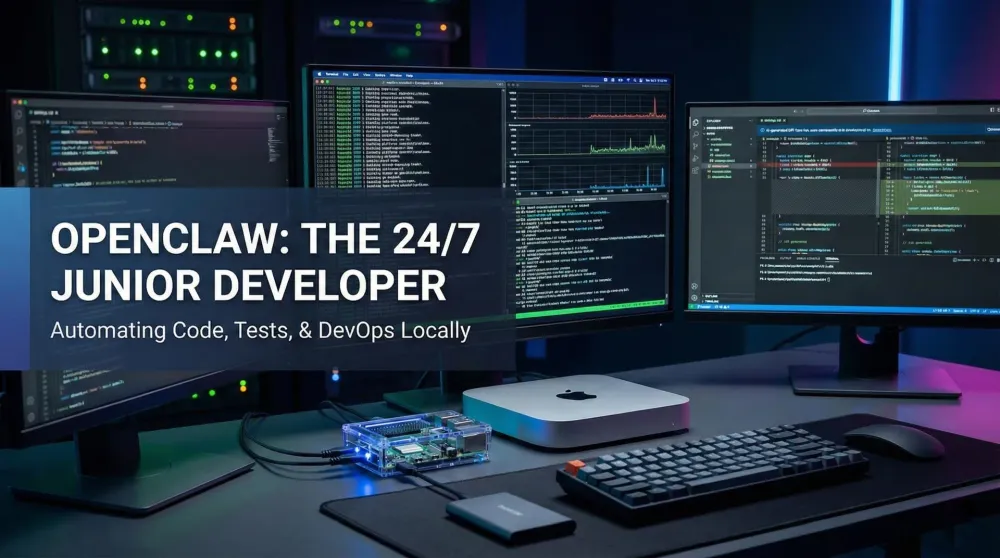
The 24-7 junior dev: Automating code, tests, and DevOps with OpenClaw
Stop paying for Copilot. Learn how to use OpenClaw to refactor code, write tests, and manage repos locally on a Mac mini or Raspberry Pi.
This post contains affiliate links. We may earn a commission if you make a purchase, at no extra cost to you. As an Amazon Associate, Dadnology earns from qualifying purchases.
⚠️ CODING SAFETY WARNING
AI writes code, but it doesn’t always write good code.
- No Production Access: Never give an AI agent ‘Write’ or ‘Deploy’ access to production environments without a human-in-the-loop (HITL) approval step.
- Review Everything: AI-generated code can contain security vulnerabilities or logic bombs. Always run automated tests (linting, unit tests) before merging.
- Credential Security: Use environment variables and secret managers. Never hardcode API keys in repositories that your agent can access.
Build fast, but build safely.
1. Introduction: Reclaiming your developer flow
🦞 This guide is part of our OpenClaw Master Hub – every guide to running your own AI agent at home, from first install to family automations.
The biggest drain on a developer’s time isn’t solving complex problems—it’s the “grunt work.” Writing unit tests, refactoring legacy code, and updating documentation are the tasks that kill “flow.”
There’s a compounding problem with cloud-based coding assistants: your proprietary code leaves your network. When you paste a function into ChatGPT or Copilot for help, that code is being processed on external servers. For open-source work, this is a minor concern. For client projects with NDAs, proprietary algorithms, or unreleased product logic, it’s a real exposure that most developers quietly ignore because the alternative (doing it manually) is worse.
OpenClaw eliminates that trade-off. By running a local coding agent on a dedicated Mac mini M4 Pro, you get the productivity of an AI coding assistant with zero data exfiltration. The model never phones home. Your source code stays on hardware you control.
Unlike cloud-based assistants, OpenClaw also has direct access to your local file system — which means it can actually run the code it writes to see if it works. That’s the critical difference: a cloud assistant suggests a test; a local agent writes the test, runs it, watches it fail, fixes the code, and runs it again until it passes. You don’t review suggestions — you review a finished diff.
2. Workflow #1: The repo janitor
Managing a growing codebase is a mess. OpenClaw acts as your 24/7 repo maintainer.
- The Task: “Claw, scan the
/srcfolder. Find any functions over 50 lines and suggest how to break them into smaller, testable modules.” - The Benefit: It performs the “boring” refactoring overnight. When you log in on Monday morning, your codebase is cleaner and better structured.
- Hardware Tip: This task requires reading thousands of lines of code. The Mac mini M4 Pro is our top pick here because its unified memory can hold your entire project in its “active thought” (context window).
3. Workflow #2: Automated test generation
Most developers hate writing tests. OpenClaw loves it.
- The Task: “Write Jest unit tests for every new function in my last three commits and ensure we have 90% coverage.”
- The Benefit: Your agent doesn’t just write the test; it executes it. If the test fails, it attempts to fix the code or the test until it passes.
- Storage: Use a Samsung T7 Shield to store your massive
node_modulesand local model caches to keep your internal drive snappy.
4. Workflow #3: Automated documentation generator
The least glamorous job in software development is keeping documentation up to date. OpenClaw makes it zero-effort.
- The Task: “Claw, scan my
/srcfolder. For every public function and class, generate a JSDoc comment and update theREADME.mdwith a current API reference.” - The Benefit: Documentation that’s actually accurate, because it’s written by the same system that can read your code. No more stale README files that describe APIs from six months ago.
- Integration tip: Pipe the output through your existing linter before committing. OpenClaw can run
eslint --fixautomatically after generating comments, so the PR diff stays clean. - Model tip: Use a coding-specific model like
deepseek-coder-v2for documentation tasks — its code comprehension is significantly better than a general-purpose 7B for structured docstring generation.
5. Choosing the right brain: Models for coding
Different coding tasks need different models. Trying to run a 70B reasoning model for boilerplate generation wastes both RAM and time.
| Task | Recommended Model | Why |
|---|---|---|
| Refactoring + architecture advice | Llama 3.1 70B (quantized) | Needs broad reasoning to understand codebases holistically |
| Test generation | DeepSeek Coder V2 | Specialized for code; produces correct assertions more reliably |
| Docstring / README writing | Mistral 7B or CodeLlama 13B | Fast, accurate for structured natural-language-from-code tasks |
| CI/CD script management | Llama 3.1 8B | Low-overhead; just needs to run shell commands and check exit codes |
The practical advice: keep a fast 8B model always loaded for interactive sessions and pull the 70B model only for overnight deep-refactor jobs when you’re not using the machine. Ollama’s OLLAMA_NUM_PARALLEL setting lets you pre-load both and switch on demand.
5.5 Real example: Refactoring a react component overnight
Here’s what a real overnight run looks like. You have a 400-line Dashboard.tsx that grew too large over six months. At 10 PM you send one message:
“Claw, open
/src/components/Dashboard.tsx. Extract all data-fetching logic into a custom hook in/src/hooks/useDashboardData.ts. Write Jest tests for the new hook. Run ESLint and fix any warnings. When done, send me a summary.”
What happens while you sleep:
- OpenClaw reads the file, identifies five fetch calls embedded in the component.
- It creates
useDashboardData.ts, moves the logic, and updates the imports. - It writes
useDashboardData.test.tswith seven test cases covering happy path, empty state, and error handling. - It runs
eslint --fixand resolves four auto-fixable warnings. - At 10:47 PM you get a Telegram message: “Done. Extracted 5 hooks, wrote 7 tests (all passing), fixed 4 lint issues. Review:
/src/hooks/useDashboardData.ts.”
What you do in the morning: You open the diff in 5 minutes, review the hook, merge. The component is now 180 lines. Tests pass. You didn’t write any of it.
This is the workflow. Not magic — the agent still makes occasional mistakes (we’ve had it generate a test that asserted the wrong state name, caught immediately by the test runner). But the rough draft that would have taken you 90 minutes is ready for a 5-minute review.
6. The battle: Mac mini vs. Raspberry Pi 5
For a coding assistant, your choice of hardware depends on whether you value Local Compute or Physical Security. If you want the buying case for either side spelled out on its own, see our dedicated Mac mini for OpenClaw and Raspberry Pi 5 OpenClaw buying guides.
| Feature | Mac mini M4 Pro | Raspberry Pi 5 (8GB) |
|---|---|---|
| Role | The 'Heavy Lifter' Brain | The 'Secure Gateway' Node |
| Best For | Running high-end coding LLMs locally (e.g., Llama 3 Coder). | Managing deployments & running small scripts via Cloud APIs. |
| Speed | Ultra-Fast (60+ tokens/sec) | Slower (Gateway only) |
| Security | Software Isolation (Sandboxing) | Physical Air-Gap (Dedicated hardware) |
| Affordability | Premium Investment (~$1000+) | Budget-Friendly (~$150 setup) |
When to choose the Mac mini M4 Pro:
If you are working on proprietary code for a client and cannot send snippets to the cloud (Claude/OpenAI), the M4 Pro is your only option. It runs 70B parameter models that are smart enough to understand complex logic without an internet connection.
When to choose the Raspberry Pi 5:
If you are a DevOps enthusiast who wants an “always-on” node to monitor your servers and run CI/CD pipelines, the Raspberry Pi 5 in an Argon ONE Case is the smarter, lower-power choice. It acts as a secure “Nervous System” that talks to the cloud for the “Brain” work.
7. Deployment: Setting up your private dev node
Getting the environment right takes an afternoon but prevents weeks of future friction.
- Isolation: Keep your coding Mac/Pi in a DMZ or at minimum on a VLAN that can’t reach production credentials or your main workstation’s SSH agent.
- SSH Keys: Generate a dedicated key pair (
ssh-keygen -t ed25519 -f ~/.ssh/openclaw_dev) and add it to your repositories with write access to dev/staging branches only. The main branch stays human-only. - Local Models: Pull coding-specific models via Ollama:
ollama pull deepseek-coder-v2:16bfor general coding,ollama pull starcoder2:15bas a backup. SetOLLAMA_KEEP_ALIVE=-1so the model stays warm between sessions. - Repo Access: Mount your code directories via NFS or configure a local Gitea instance if you prefer not to expose your GitHub credentials to the agent environment. Gitea takes 20 minutes to set up and gives you complete control.
- Notifications: Configure OpenClaw to post build results to a dedicated Slack or Discord channel (not your main dev channel). A separate
#agent-buildschannel means you can check on overnight runs without flooding your regular workflow. - Verify the circuit breaker: Before your first overnight run, test the
max_loopssetting by giving the agent an impossible task and confirming it stops after your configured limit rather than running indefinitely.
7.5 What the agent gets wrong: Managing AI code quality
The “overnight refactor” narrative sounds frictionless. In reality, there are predictable failure modes that dads building a coding agent need to know about upfront — not to avoid the setup, but to configure it intelligently.
Over-refactoring. The agent sees a 300-line function and wants to split it into eight smaller functions, each with a docstring. Sometimes that’s correct. Sometimes the original author kept it together intentionally because the sub-steps are tightly coupled and splitting them creates more indirection than clarity. The agent doesn’t know the intent. Fix: give it a conservative brief — “only extract logic that’s used in more than one place” — rather than “make this cleaner.”
Test brittleness. AI-generated tests tend to test implementation details rather than behavior. They’ll assert that a specific internal function was called with specific arguments, rather than asserting that the output is correct. When you refactor the implementation, these tests break immediately and need rewriting. Fix: add an explicit instruction: “Write tests that assert outputs and side effects, not specific internal function calls.”
Confidence without verification. The agent will tell you a refactor is complete and all tests pass. Check the actual test output in the log — occasionally it reports “tests passing” because the test runner exited cleanly, not because all tests were actually run. This is a known issue with agents that interpret shell exit codes: 0 means success, but sometimes the test suite didn’t actually run all tests. Fix: configure OpenClaw to include the full test output in its summary, not just a pass/fail verdict.
Dependency blindness. The agent refactors utils.js without knowing that three other files import specific named exports from it. If it changes a function signature, the import in FileA.js breaks silently. Fix: add a post-refactor step: “Run the build and check for import errors across the entire src directory. Report any new TypeScript errors introduced.”
These are manageable problems, not dealbreakers. The agent is a skilled but junior developer: it works fast, writes clean code, but needs explicit instructions to avoid the specific mistakes junior developers make. If your overnight runs are also slowing down or crashing outright, our OpenClaw latency & memory troubleshooting guide covers the fixes.
8. Final verdict: The end of the subscription era
For the price of a few years of “AI-as-a-Service” subscriptions, you can own a permanent, private coding employee. Whether you choose the sheer power of the Mac mini or the agile security of the Raspberry Pi, building a local OpenClaw coding hub is the smartest move a developer can make in 2026.
Pros
- Source code never leaves your network — ideal for client or proprietary projects
- One setup eliminates GitHub Copilot, Cursor, and similar subscription costs
- Agent actually executes the code it writes — catches errors before you do
- Overnight refactor jobs free up entire mornings of dev time
- Mac mini + Pi combo covers both local reasoning and secure deployment
Cons
- 70B models for complex reasoning require 48GB+ RAM — Mac mini M4 Pro is the minimum
- AI-generated code must be reviewed before merging — adds a review step
- Initial configuration (SSH keys, Ollama, model pulls) takes a few hours
OpenClaw on a Mac mini M4 Pro is the ultimate ‘DevOps’ power move. It provides a level of private, local automation that cloud services simply can’t match. For developers who value their IP and their time, this is the definitive setup.
📌 FAQ – Common questions
Can OpenClaw work with my existing IDE like VS Code?
Is the Pi 5 fast enough to index a large repo?
Is my code safe from the AI model?
How do I stop the agent from touching production systems?
What happens if the agent generates code with a security vulnerability?
Can I use this without a Mac mini — on my main development machine?
Keep this in your inbox
One email a week: what we actually watched, built and reviewed — the stuff worth a dad's time. No hype, no daily spam.
Dadnology Weekly
One email a week: the LEGO, gaming and movie news worth a dad's time — plus what we actually reviewed. No hype, no daily spam.
Disclaimer: This review and its visuals were created with the help of AI. Some links may be affiliate links – we may earn a commission if you make a purchase, at no extra cost to you.
Current deals in Tech & gadgets
Verified live discounts tracked on Amazon

Tech & gadgets · Tested by Dadnology
Apple AirPods Pro (3rd generation)
5/5“The best noise-cancelling earbuds for Apple families”Read our review
Tech & gadgets · Tested by Dadnology
Samsung T7 Shield 2TB
5/5“Small, fast, and genuinely hard to break”Read our review
You might also like
Hermes Agent's Quicksilver release: What's new in v0.19.0
Hermes Agent shipped v0.19.0 (the Quicksilver Release) on July 20 — an 80% faster cold start, Bitwarden and 1Password integration, and a real security hardening pass.
Hermes Agent hardware requirements: The 24GB sweet spot explained
The real Hermes Agent hardware requirements for running Qwen 3.6 27B locally: why agents need more memory than chatbots, the 24GB sweet spot, and what to buy.
OpenClaw 2.0 is out: Team features, and a real security warning
OpenClaw 2.0 just shipped with team collaboration and a new browser UI - but sandboxing is disabled by default, and that matters if you're running it at home.