
What is Hermes Agent? The self-improving local AI, explained
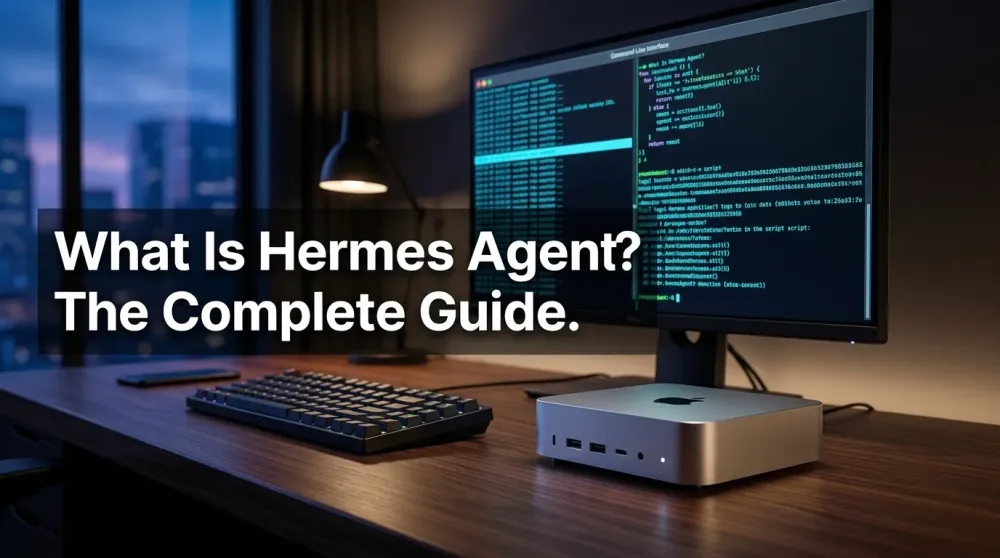
Hermes Agent is Nous Research's open-source AI agent: persistent memory, self-written skills, cron jobs — and it runs fully offline on your own hardware.
This post contains affiliate links. We may earn a commission if you make a purchase, at no extra cost to you. As an Amazon Associate, Dadnology earns from qualifying purchases.
🤖 The agent that remembers — Even with the cable pulled
🦞 This guide is part of our OpenClaw Master Hub – everything we’ve learned about running AI agents at home, from first install to family automations.
Every few months, self-hosted AI gets a moment. In 2025 it was OpenClaw — the open-source gateway that turned a Mac mini into a 24/7 digital employee, and the topic behind the most-read guides on this site. In 2026, the moment belongs to Hermes Agent: Nous Research’s MIT-licensed agent that keeps permanent memory, teaches itself new skills, and — this is the part that made the c’t 3003 crew pull the network cable on camera — runs entirely offline on hardware you might already own.
This guide is the plain-English explainer: what Hermes Agent actually is, what the five pillars mean in practice, the hardware sweet spot, and the honest security picture before you let an autonomous agent loose in a family home. (Full disclosure of where we stand: we’re setting Hermes up on our own Mac mini M4 Pro right now — the hands-on setup guide follows once we’ve genuinely lived with it.)
From chatbot to agent: The difference that matters
If you’ve only used ChatGPT in a browser tab, recalibrate: a chatbot answers, an agent acts. Hermes operates your machine — it uses the command line, writes and runs scripts, searches your files, configures software, and reports back when it’s done. You talk to it through whatever you already use: Telegram, Discord, Slack, WhatsApp, Signal, or the plain terminal, all connected through a single gateway process.
That’s the same fundamental shift OpenClaw introduced — the move from “AI that talks” to “AI that does.” What Hermes adds on top is the part that made us sit up.
The five pillars: Memory, skills, soul, crons, self-improvement
Nous Research structures Hermes around five concepts, and they’re genuinely more than marketing:
- Persistent memory. Hermes remembers your preferences, projects and environment across every session. Tell it once that your NAS lives at a certain address or that school pickup is at 3 — it’s known forever, not until the context window rolls over.
- Self-written skills. The headline feature: when Hermes solves a hard problem, it writes itself a reusable skill document so it never has to re-derive the solution. Skills are searchable, shareable, and compatible with the open agentskills.io standard.
- Soul. The agent’s standing configuration — who it is, how it behaves, what it’s for. Set the personality and boundaries once.
- Crons. A built-in scheduler for plain-language recurring jobs: “every morning at 6, summarize my RSS feeds and send them to Telegram.” It runs unattended and delivers wherever you are.
- Self-improvement. The sum of the first four: Hermes measurably gets better at your workflows the longer it runs, because every solved problem becomes permanent capability. In c’t 3003’s testing, it also proved notably stubborn in debugging — it keeps digging where other agents give up.
The fully-local story: Qwen 3.6 and the pulled cable
Hermes speaks to any LLM backend — Anthropic, OpenAI, Google, DeepSeek — but its cultural moment comes from the opposite direction: pair it with a local model via Ollama and the entire system runs on your desk, offline. The c’t 3003 demo made the point theatrically: network cable physically unplugged, and Hermes still built a small working shooter game, error-free.
The local model of the hour is Qwen 3.6 27B in 4-bit quantization — under 17GB on disk, and by current standards remarkably capable for its size. For families and anyone handling data that mustn’t leave the house (or the EU), this is the configuration that changes the calculus: no cloud account, no per-token bill, no data leaving your network. We’ve made this argument before in our Mac mini vs ChatGPT comparison — Hermes plus Qwen is that thesis, upgraded.
The hardware sweet spot: Why 24GB is the number
Here’s the practical part most coverage glosses over. The model file is only ~17GB — but agents are context-hungry. Because Hermes constantly re-reads long histories, skill documents and tool output, you want a context window of at least 64k tokens, realistically 100k–200k. That inflates the memory footprint well past the model file itself.
The realistic requirements, per c’t 3003’s testing:
- ~24GB of fast VRAM or unified memory — an Apple Silicon Mac (unified memory) or a Framework Desktop hit this naturally; a 24GB GPU does it on the PC side.
- Fast memory specifically: on ordinary DDR5 system RAM the system technically runs, but “quälend langsam” — painfully slowly. This is not a config knob you can cheat.
- Storage: the model alone is ~17GB, and you’ll collect variants — budget for it.
If that spec sounds familiar, it’s because it describes the machine our whole OpenClaw cluster already runs on: the Mac mini M4 Pro with 24GB — the exact configuration our Mac mini buying guide has recommended for a year, for exactly this reason. If you bought that box for OpenClaw, congratulations: you’re Hermes-ready without spending a cent. (For the full breakdown — the real VRAM math, quantization fallbacks for 16GB systems, and a three-way hardware comparison — see our dedicated hardware requirements guide. Not there yet? The Mac mini M4 is the entry ticket for lighter models, and a Samsung T7 Shield holds the model library, since Qwen 3.6 alone is about 17GB.)
Security, honestly: The same rules apply
An agent that can run shell commands is powerful in both directions, and our standing doctrine from the OpenClaw era transfers one-to-one — read the security sandbox guide if you haven’t. The Hermes-specific picture:
- Sandboxing is built into the architecture: Hermes can execute in six terminal backends — local, Docker, SSH, Daytona, Singularity, Modal — so isolating it from your real system is a first-class option, not a hack.
- Prompt injection remains the real threat. The moment your agent browses the web, it can encounter hidden malicious instructions embedded in pages. c’t 3003’s advice matches ours: for genuinely sensitive data, run the agent fully isolated, without network access — which Hermes, uniquely, is actually built to do.
- Offline has a quirk: without live data, smaller local models hallucinate confidently. In the c’t test, Hermes cheerfully invented tourist attractions in Hannover. Fine for coding and file work; don’t treat an offline 27B model as an encyclopedia.
What it actually does on day one: Five household jobs
Abstract pillars are nice; here’s what the documented capabilities translate to in a real house, based on the jobs we already run on our agent setup:
- The morning briefing. A plain-language cron — “every day at 6:30, summarize my RSS feeds and the family calendar, send to Telegram” — and you wake up to a digest that cost you nothing and told no cloud provider what your family reads.
- The file janitor. “Find every scanned document from 2025 in the downloads folder, rename them by date and sender, sort them into the tax folder.” Shell access plus file tools is exactly this kind of tedium, deleted.
- The homework-adjacent researcher. Summarize a PDF, explain a concept, draft a structure — processed locally, which matters the moment the input is a child’s school document rather than a public webpage.
- The household coder. The c’t demo wasn’t an accident: small scripts, automations, a quick tool for a one-off problem — this is where agent-plus-local-model already performs closest to the cloud.
- The overnight worker. Everything our passive income guide describes — research runs, content pipelines, monitoring — inherits Hermes’ cron scheduler and persistent memory, with the skill documents compounding what works.
And because memory persists, job number three hundred runs better than job number three — the agent has been your agent the whole time.
The cost math: One box vs. a stack of subscriptions
The subscription-fatigue argument deserves numbers. A cloud AI subscription runs about $20 a month, per service, forever — $240 a year that buys you a tenant’s rights, revocable and repriceable. The local stack is a one-time hardware buy: a Mac mini M4 Pro (24GB) at roughly $1,400, drawing single-digit watts at idle — our measured OpenClaw box costs under a dollar a month in electricity running 24/7. The break-even against a two-subscription household lands somewhere in year three; against a “family plan” of AI tools, earlier. And unlike the subscription, the hardware also runs your backups, your photo library and everything else a home server does. It’s the same math that made our Mac mini vs ChatGPT analysis our most-argued-about page — Hermes just improves the “what you get for it” side of the ledger.
What this means for a family household
The dad translation of all of the above: Hermes is the first agent where “the family’s data never leaves the house” is the default, not a compromise. Calendar automations, document wrangling, photo sorting, homework-adjacent research — all processed on your own hardware, with no subscription bleeding $20 a month and no terms-of-service question marks. Add the cron pillar and you get the OpenClaw promise — a digital employee that works while you sleep — with a memory that compounds.
The honest counterweight, straight from the c’t verdict: local models have caught up dramatically, but the biggest cloud models still write and reason noticeably better. Hermes with Qwen 3.6 is a brilliant worker; it’s not yet a brilliant writer. Match the tool to the job.
Hermes Agent is the most exciting thing to happen to self-hosted AI since OpenClaw’s viral moment — and the first agent designed from the ground up for genuinely local, genuinely private operation. The self-written skills are the killer feature, the 24GB sweet spot makes the hardware ask realistic, and the MIT license means nobody can take it away. We’re installing it on our own Mac mini M4 Pro now; the full hands-on setup guide and the head-to-head with OpenClaw are where we tell you whether the promise survives contact with reality.
What is Hermes Agent?
Does Hermes Agent really work offline?
What hardware do I need for Hermes Agent?
Is Hermes Agent free?
How is Hermes Agent different from OpenClaw?
Related Dadnology guide: see what’s new in the Quicksilver release (v0.19.0).
Keep this in your inbox
One email a week: what we actually watched, built and reviewed — the stuff worth a dad's time. No hype, no daily spam.
Dadnology Weekly
One email a week: the LEGO, gaming and movie news worth a dad's time — plus what we actually reviewed. No hype, no daily spam.
Disclaimer: This review and its visuals were created with the help of AI. Some links may be affiliate links – we may earn a commission if you make a purchase, at no extra cost to you.
Current deals in Other gear
Verified live discounts tracked on Amazon

Gaming · Tested by Dadnology
Marvel’s Spider-Man 2 (PS5)
5/5“Bigger, bolder, near-perfect superhero storytelling”Read our review
LEGO · Tested by Dadnology
LEGO Star Wars Millennium Falcon 75375
5/5“The fastest hunk of junk, on your desk”Read our review
LEGO · Tested by Dadnology
LEGO Star Wars Yoda Bust 75438
4.5/5“Size matters not — Display presence does”Read our reviewYou might also like
Hermes Agent hardware requirements: The 24GB sweet spot explained
The real Hermes Agent hardware requirements for running Qwen 3.6 27B locally: why agents need more memory than chatbots, the 24GB sweet spot, and what to buy.
Hermes Agent's Quicksilver release: What's new in v0.19.0
Hermes Agent shipped v0.19.0 (the Quicksilver Release) on July 20 — an 80% faster cold start, Bitwarden and 1Password integration, and a real security hardening pass.
OpenClaw 2.0 is out: Team features, and a real security warning
OpenClaw 2.0 just shipped with team collaboration and a new browser UI - but sandboxing is disabled by default, and that matters if you're running it at home.