
Hermes Agent vs. OpenClaw: Which self-hosted AI agent should you run?
Hermes Agent vs OpenClaw, compared by a household that runs one of them daily: architecture, skills, security, offline capability and who should pick which.
This post contains affiliate links. We may earn a commission if you make a purchase, at no extra cost to you. As an Amazon Associate, Dadnology earns from qualifying purchases.
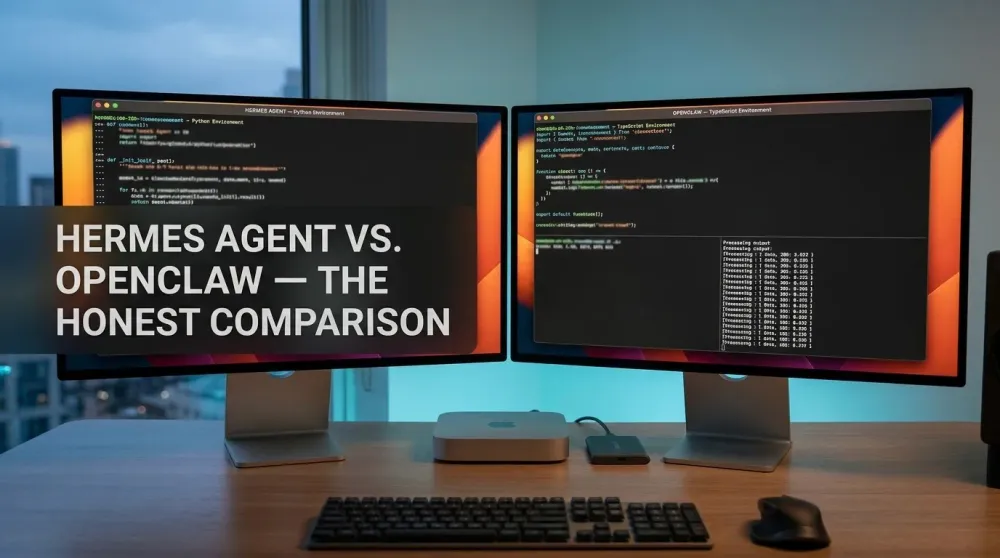
🥊 The champion, the challenger, and one Mac mini
🦞 This guide is part of our OpenClaw Master Hub – every guide to running your own AI agent at home, from first install to family automations.
For the past year, the answer to “which AI agent should I self-host?” had one word in it: OpenClaw. It’s what runs in this household, it’s what our most-read guides cover, and its Mac-mini-in-a-DMZ setup has quietly become a small genre of its own. Then Hermes Agent arrived — Nous Research, MIT license, February 2026 — and for the first time, the question has a real second answer.
This is the comparison we’d want to read: not a spec-sheet face-off between two press releases, but the view from a household that actually runs one of these things daily and is now setting up the other next to it. (Transparency: our Hermes hands-on is in progress on the same Mac mini M4 Pro our OpenClaw lives on — this page compares confirmed architecture and documented behavior, and we’ll update it as our own testing accumulates.)
Where they’re the same (and why that’s the baseline)
Strip the branding and both projects answer the same call: move from chatbots that talk to agents that act. Both connect a large language model to your actual computer — shell commands, file access, scripts, schedules. Both meet you in the chat apps you already use (Telegram, Discord, Slack — Hermes adds WhatsApp, Signal and a clean CLI through one gateway process). Both are open source and self-hosted: your machine, your rules, no subscription. And both can run fully local models via Ollama instead of cloud APIs.
That shared baseline matters, because it means the decision isn’t about capability categories — it’s about architecture, philosophy and maturity.
The five real differences
1. Python vs. TypeScript — the DNA
Hermes is built in Python, OpenClaw in TypeScript. For daily use this is invisible; for tinkering it decides which ecosystem you extend. If your own scripting lives in Python — as it does for most data-and-automation hobbyists — Hermes’ internals will feel like home turf. Node households will feel the reverse.
2. Self-written skills vs. community skills — the learning model
This is the philosophical split. When Hermes cracks a hard problem, it writes itself a reusable skill document, automatically — its capability compounds with use, and skills follow the open agentskills.io standard. OpenClaw’s skills are predominantly acquired: a large, lively community ecosystem you install from — which is both its superpower (someone has already built what you need) and, as our security guide has warned for a year, its supply-chain risk (a malicious skill is a foothold). Hermes learning from itself sidesteps that particular risk; OpenClaw’s ecosystem breadth remains unmatched.
3. Offline-first vs. online-comfortable
Both can run local models. But Hermes was demonstrated running with the network cable physically pulled — c’t 3003 had it code a working game fully offline with Qwen 3.6. That’s not a stunt; it’s the design center: for data that must never leave the house (or the EU), a truly isolated agent is the only complete answer to prompt injection, and Hermes is the first agent built to make that configuration first-class rather than heroic.
4. Sandboxing by architecture
Hermes executes through six terminal backends — local, Docker, SSH, Daytona, Singularity, Modal — so containment is a config choice. OpenClaw’s power comes with what its own docs call “spicy” system access, which is why our standing doctrine is a dedicated, isolated machine. Both end up safe when set up right; Hermes just makes “right” easier to reach.
5. Maturity and the paper trail
Here OpenClaw wins without contest. A year of viral adoption means every problem you’ll hit has a forum thread, and — self-servingly but truthfully — a shelf of guides on this site, from first install to income workflows. Hermes launched in February 2026; its documentation is good and its momentum is real (c’t 3003 called it notably stubborner in debugging — it keeps digging where others give up), but the collective experience pool is months old, not years.
| Hermes Agent | OpenClaw | |
|---|---|---|
| Maker / License | Nous Research · MIT | Open-source community project |
| Language | Python | TypeScript |
| Skills | Writes its own automatically (agentskills.io standard) | Large community ecosystem, installed |
| Memory | Persistent across sessions, by design | Session/context based |
| Offline operation | First-class (demonstrated fully offline) | Possible via local models |
| Sandboxing | 6 backends incl. Docker, built in | Manual isolation (dedicated machine doctrine) |
| Messaging | Telegram, Discord, Slack, WhatsApp, Signal, CLI | Telegram, Discord, Slack |
| Scheduler | Built-in plain-language crons | Via skills/setup |
| Maturity | Since Feb 2026 — young, fast-moving | Battle-tested, huge community |
| Hardware sweet spot | ~24GB unified memory / VRAM | Same box — from 16GB, 24GB+ ideal |
Who should run which — The honest Matrix
Choose Hermes if: you’re starting fresh in 2026 and privacy is the point — family data, work documents, anything EU-bound. The offline capability plus Docker sandboxing gives you the safest default posture available, and the self-improving skills mean your investment compounds. Also the pick if Python is your language.
Stay with OpenClaw if: it already runs your household. Switching costs real evenings, your automations work, and the ecosystem keeps growing. Nothing in Hermes invalidates a well-isolated OpenClaw setup — our security architecture stands.
Run both if: you’re the tinkering kind. The hardware requirement is identical — the same Mac mini M4 Pro (24GB) from our buying guide hosts either, and Hermes in a Docker sandbox next to a production OpenClaw is a genuinely low-risk experiment. That’s exactly the configuration we’re testing now. (Running both at once rather than sequentially changes the memory math — our hardware requirements guide covers the real budget for that setup. Starting from scratch? The Mac mini M4 is the entry point, and a Samsung T7 Shield keeps two model libraries off the system drive.)
Choose neither if: what you actually want is the best possible writing and reasoning. The honest c’t verdict matches ours: local models have closed the gap at astonishing speed, but the frontier cloud models still think and write better. Agents are for doing; for pure quality of thought, the cloud still leads.
A word for the Raspberry Pi crowd
One audience gets a clear answer: budget builders. OpenClaw famously runs on a Raspberry Pi 5 — our cheapest-and-safest Pi setup guide is built on exactly that — because with a cloud model doing the thinking, the gateway itself is featherweight. Hermes can technically play the same trick (it supports cloud backends too), but its cultural promise — the self-improving, fully local agent — dies on a Pi: a 27B model with an agent-sized context window simply doesn’t fit in 8GB of slow memory. If your budget says Pi, OpenClaw with a cloud brain remains the honest recommendation; Hermes’ local magic starts at real unified-memory hardware.
The migration question, practically
If you’re an OpenClaw household eyeing the fence, here’s what actually transfers and what doesn’t:
What transfers cleanly: the hardware (same box), the Ollama installation and every local model you’ve already downloaded (both agents talk to the same Ollama backend — your 17GB Qwen download serves either master), the messaging habit (your family already talks to a Telegram bot; which brain answers is invisible to them), and — most valuably — the workflows. A morning-briefing cron, a file-janitor routine, a research pipeline: these are ideas, not code, and they re-describe to Hermes in plain language in minutes.
What doesn’t transfer: installed OpenClaw skills (different ecosystem, different format — though Hermes will simply re-derive many of them and write its own), your agent’s accumulated context (Hermes starts with an empty memory and has to re-learn your household), and your muscle memory for the config. Budget a real weekend for a full migration — which is exactly why our recommendation for working setups is “watch, don’t switch.”
The zero-risk middle path is the one we’ve chosen ourselves: keep OpenClaw in production, stand Hermes up in a Docker sandbox on the same machine, and assign it real but non-critical jobs. If the self-improvement story holds up over weeks — if those skill documents genuinely accumulate into a smarter agent — the migration argument makes itself. If not, you’ve lost nothing but an experiment.
What we’re testing on our own box
So this page doesn’t end in theory: our Mac mini M4 Pro (24GB) is getting the side-by-side treatment now. The test plan, so you can hold us to it — identical jobs assigned to both agents over several weeks: the morning digest cron, a messy-folder cleanup, a small coding task in the c’t spirit, and a deliberately gnarly debugging problem to test the “Hermes is stubborner” claim. We’re logging setup friction, token throughput on the 24GB config, how the memory and skill documents actually develop, and which agent needs less hand-holding by week four. The results become the hands-on verdict here and the full Hermes setup guide — if you want the honest numbers rather than launch-week vibes, that’s the page to wait for.
Pros
- Hermes' self-written skills are a genuine innovation — capability that compounds with use
- First-class sandboxing (Docker among six backends) and true offline operation: the strongest privacy posture in self-hosted AI
- MIT license and one-command install lower the entry bar below OpenClaw's
- Identical hardware sweet spot — an existing OpenClaw Mac mini is already Hermes-ready
Cons
- Five months old: the community, documentation depth and skill ecosystem trail OpenClaw's by a wide margin
- Offline local models hallucinate confidently — fine for file work and code, unreliable as a knowledge source
- Switching an established OpenClaw household costs real time for marginal daily gain
- 24GB fast memory is a real entry ticket — on ordinary DDR5 system RAM, agent workloads crawl
OpenClaw made self-hosted agents mainstream; Hermes makes them self-improving and genuinely private. That’s not a dethroning — it’s the category growing up into two strong answers. Our money quote: new privacy-first starters should begin with Hermes, established OpenClaw households should stay put and watch, and tinkerers with 24GB of unified memory should do what we’re doing — run both, side by side, and let the agents compete for the job. The hands-on verdict follows when ours have.
Is Hermes Agent better than OpenClaw?
What are the technical differences between Hermes Agent and OpenClaw?
Can Hermes Agent and OpenClaw run on the same hardware?
Should I switch from OpenClaw to Hermes Agent?
Which agent is safer for a family setup?
Keep this in your inbox
One email a week: what we actually watched, built and reviewed — the stuff worth a dad's time. No hype, no daily spam.
Dadnology Weekly
One email a week: the LEGO, gaming and movie news worth a dad's time — plus what we actually reviewed. No hype, no daily spam.
Disclaimer: This review and its visuals were created with the help of AI. Some links may be affiliate links – we may earn a commission if you make a purchase, at no extra cost to you.
Current deals in Other gear
Verified live discounts tracked on Amazon

Gaming · Tested by Dadnology
Marvel’s Spider-Man 2 (PS5)
5/5“Bigger, bolder, near-perfect superhero storytelling”Read our review
LEGO · Tested by Dadnology
LEGO Star Wars Millennium Falcon 75375
5/5“The fastest hunk of junk, on your desk”Read our review
LEGO · Tested by Dadnology
LEGO Star Wars Yoda Bust 75438
4.5/5“Size matters not — Display presence does”Read our reviewYou might also like
Hermes Agent's Quicksilver release: What's new in v0.19.0
Hermes Agent shipped v0.19.0 (the Quicksilver Release) on July 20 — an 80% faster cold start, Bitwarden and 1Password integration, and a real security hardening pass.
Hermes Agent hardware requirements: The 24GB sweet spot explained
The real Hermes Agent hardware requirements for running Qwen 3.6 27B locally: why agents need more memory than chatbots, the 24GB sweet spot, and what to buy.
OpenClaw 2.0 is out: Team features, and a real security warning
OpenClaw 2.0 just shipped with team collaboration and a new browser UI - but sandboxing is disabled by default, and that matters if you're running it at home.