
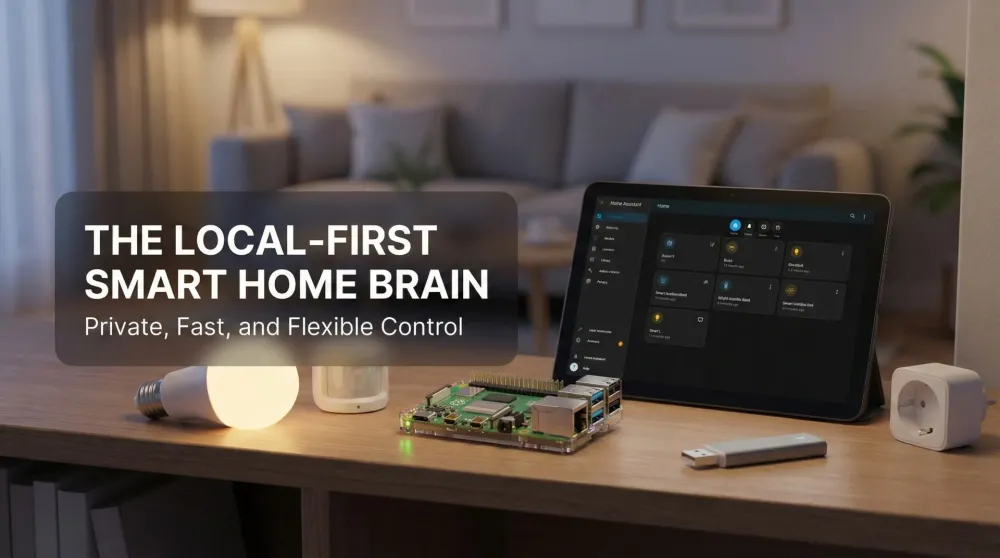
Raspberry Pi + Home Assistant – The local-first smart home that actually belongs to you
A calm, private, local-first brain for your entire smart home that unifies Hue, Ring, Zigbee, Z-Wave, Matter, and more—fast automations, beautiful dashboards, and zero cloud lock-in.
This post contains affiliate links. We may earn a commission if you make a purchase, at no extra cost to you. As an Amazon Associate, Dadnology earns from qualifying purchases.
🏠 Introduction: The smart home that finally feels yours
🧰 This review is part of The Dad Tech Essentials – the tech that actually survives family life, all in one living list.
If you’ve bounced between vendor apps, half-working automations, and fragile clouds, prepare for the click. Raspberry Pi + Home Assistant is the moment the smart home stops being marketing and starts being mechanics. Devices respond instantly, rules actually stick, and everything lives under your roof—private, fast, and wonderfully predictable. You’re not asking a server in another country for permission to dim the hallway lights. You’re telling your home what to do, and it listens.
This combo doesn’t win with one flashy spec; it wins by removing friction everywhere. One calm dashboard replaces six noisy apps. Automations run locally in milliseconds. Backups and restores are sane. And integrations cover the spectrum: Philips Hue, Ring, Zigbee, Z-Wave, Matter, Wi-Fi outlets, IR blasters, cameras, vacuum robots, thermostats, presence detection—the works. For families, the result is priceless: stuff behaves.
🧭 Setup & first impressions
You can go from zero to “wow” in an evening:
- Flash Home Assistant OS to an SD card or—ideally—an SSD for durability.
- Boot the Pi, let it settle, then open the web UI on your network.
- Onboard with your home location and first admin.
- Auto-discovery finds Hue, Ring, media players, printers, and more.
- Create starter automations: hallway motion after sunset; doorbell → chime + lights + TV pause; “Goodnight” scene to lock doors and wind down.
- Build an at-a-glance dashboard with lights, scenes, temperature, door status, and cameras.
The delight is immediate: you tap, and lights respond now. Motion flows into scenes without the cloud’s guessing game. The home starts feeling intentional.
🔌 Integrations: Hue, ring, Zigbee, Z-Wave, matter & friends
- Philips Hue – Keep the Hue Bridge for its robust mesh and scenes; expose all lights and motion sensors to Home Assistant.
- Ring – Map doorbell presses to routines: brighten foyer, pause TV, show a camera tile on the kitchen tablet, play a pleasant chime.
- Zigbee – Use a USB coordinator like the Sonoff Zigbee 3.0 (on a short extension cable) for speedy, low-power sensors and buttons.
- Z-Wave – Great for locks, thermostats, and longer-range reliability—supported when you need it.
- Matter – Add gradually; enjoy local interoperability without re-buying your home.
- Wi-Fi devices – Shelly, Tasmota, ESPHome, vacuums, IR blasters, cameras—if it’s popular, there’s probably an integration.
Home Assistant doesn’t just “work with” platforms; it orchestrates them. One trigger can align lights, sound, notifications, and cameras—precisely, predictably.
🤖 Automations: Where the magic lives
Automations are powerful, readable, and genuinely fun. Click to build, refine with YAML, or reuse Blueprints from the community. A few favorites:
- After-Sunset Path Lighting – Motion + lux sensor → warm dim lights for two minutes. No blinding midnight shocks.
- Doorbell Symphony – Ring press → TV pauses, foyer to 50%, hallway cam enlarges on the dashboard, discreet chime plays.
- Goodnight Routine – One tap → lock doors, set kids’ rooms to 20 °C, silence notifications, stop noisy devices.
- Presence & Away Mode – Everyone leaves → shut lights, lower heat, arm cameras, pause robot vacuum.
- Laundry Whisper – Power draw + vibration → single “Laundry finished” notification, not fifty.
Because it’s local-first, triggers are immediate and reliable—even when your ISP sneezes.
📊 Dashboards: Calm control for everyone
Put a tablet on the wall and turn it into mission control:
- Family dashboard – Big tap targets for lights, scenes, door status, temperature, weather, and favorite media controls.
- Power-user board – Energy charts, battery levels, sensor histories, uptime, and network pings.
- Room tabs – Lights, blinds, climate, and a live camera tile per room.
- Scenes – “Movie,” “Homework,” “Dinner,” “Goodnight”—one tap, the whole mood shifts.
No ads, no “suggested content,” no surprise redesigns. It’s your home, your layout, your taste.
🔒 Privacy & reliability: Local means peace of mind
The Pi sits quietly on your network, running your home like a steady heartbeat. Internet outage? Your routines keep working. Cloud API limits? Irrelevant to motion lights and bedtime scenes. Data stays inside your walls unless you decide otherwise. That’s not just a technical difference—it’s a lifestyle difference. It feels calmer.
Snapshots make upgrades low-risk and migration easy. Nightly backups to a NAS or cloud drive mean you can tinker without fear.
⚡ Performance tips that matter
- Prefer an SSD over microSD—snappier UI, far better longevity.
- Use Ethernet for the Pi; Wi-Fi works, wired sings.
- Put your Zigbee dongle on a short USB extension to reduce interference.
- Name areas and entities consistently early; clarity compounds.
- Schedule automatic snapshots; future-you will applaud past-you.
Follow these, and the whole system feels pro with weekend-project effort.
👨👩👧 Dad perspective: Less fiddling, more living
Parents don’t want a hobby; they want a house that listens. This setup respects your time. Kids tap Homework and the living room brightens, TV softens, and distractions fade. Grandparents use Goodnight without tech lessons. Late-night bathroom trips are warmly lit by motion. When we head out for a weekend, Away Mode quietly handles the checklist. It’s not flashy; it’s faithful—and that’s what a family remembers.
What’s underrated is how much trust a reliable smart home builds over time. In the early days of smart-home tinkering, the default assumption is “it probably won’t work.” You’d walk into a dark hallway half-expecting the motion sensor to have disconnected itself overnight. Running a local-first system changes that mental model. After several months without a single automation misfiring, you stop thinking about it — and that’s exactly the point. The home just works, and your attention goes back to the family rather than the tech stack.
There’s also a quieter bonus for parents who enjoy technology: older kids start asking how it all works. They notice the light switches have gone quiet and the routines still run themselves. That curiosity is a natural entry point into understanding automation and basic logic — without it feeling like a lesson. For a dad who set this up over a couple of weekends, that conversation is worth at least as much as the smart home itself.
💸 Cost & value: The best investment in calm
A Pi, SSD, and Zigbee/Matter coordinator often cost less than a single-brand hub—and they outlast hype cycles. Add rooms, add sensors, tweak automations; the platform grows gracefully. The real value isn’t just money saved; it’s mental overhead avoided. One brain, many devices, zero drama.
⚠️ What’s not perfect
- DIY factor – It’s a tiny computer you manage. The UI is welcoming, but curiosity helps.
- Accessory sprawl – You’ll likely add a coordinator dongle and prefer an SSD—worth it, but not a “single retail box.”
- Too many choices – Flexibility can be overwhelming. Start simple, iterate weekly.
- Quirky devices – Some Wi-Fi gadgets need custom integrations or replacing over time.
None are deal-breakers; they’re trade-offs for control.
✅ Bottom line
Raspberry Pi + Home Assistant is the smartest, most satisfying way to run a modern home. It’s private, fast, flexible, and respectful of your attention. Lights snap on, routines stick, and every major ecosystem—Hue, Ring, Zigbee, Z-Wave, Matter—plays nicely in one place. Most importantly, your home becomes yours: not a billboard, not a subscription, not a science experiment—just a reliable companion that gets better every month.
Pros
- Local-first control: private, fast, and reliable
- Works across Hue, Ring, Zigbee, Z-Wave, Matter, Wi-Fi
- Beautiful dashboards the whole family can use
- Powerful automations with snapshots and easy restores
- Scales at your pace—no vendor lock-in
Cons
- Requires a bit of DIY setup and maintenance
- Best with an SSD and a Zigbee/Matter dongle
- Flexibility can feel overwhelming at first
🗣️ Conclusion
This is the smart home we always wanted: local, calm, and completely under our control. Raspberry Pi + Home Assistant took scattered gadgets and gave them a shared language and purpose. Automations fire instantly, dashboards make sense, and there’s no subscription meter running in the background. For families, it’s the rare upgrade that adds convenience without adding noise. Ten out of ten—the best smart-home foundation you can build.
📌 FAQ – Frequently asked questions
Which Raspberry Pi model should I choose?
Do I need a Zigbee or Matter dongle?
Can I keep using the Hue and Ring apps?
Will automations keep working if the internet goes down?
How do backups and upgrades work in Home Assistant?
Is this better than buying a closed all-in-one hub?
Keep this in your inbox
One email a week: what we actually watched, built and reviewed — the stuff worth a dad's time. No hype, no daily spam.
Dadnology Weekly
One email a week: the LEGO, gaming and movie news worth a dad's time — plus what we actually reviewed. No hype, no daily spam.
Disclaimer: This review and its visuals were created with the help of AI. Some links may be affiliate links – we may earn a commission if you make a purchase, at no extra cost to you.
Current deals in Tech & gadgets
Verified live discounts tracked on Amazon

Tech & gadgets · Tested by Dadnology
Apple AirPods Pro (3rd generation)
5/5“The best noise-cancelling earbuds for Apple families”Read our review
Tech & gadgets · Tested by Dadnology
Samsung T7 Shield 2TB
5/5“Small, fast, and genuinely hard to break”Read our review
You might also like
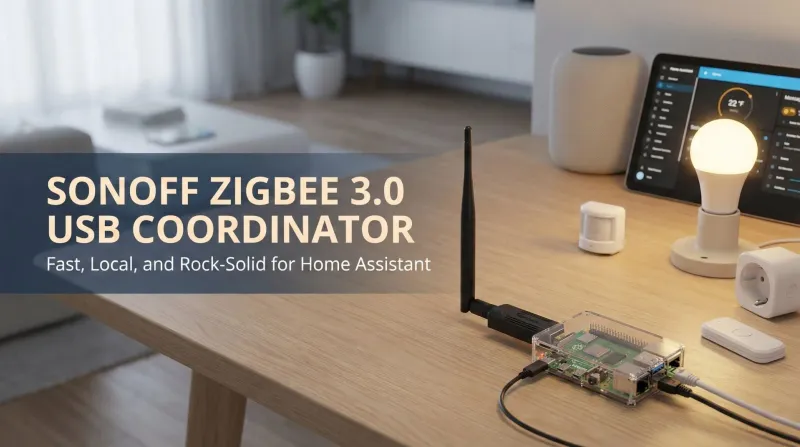
SONOFF Zigbee 3.0 USB Coordinator – The little stick that makes Home Assistant truly local
Sonoff’s Zigbee USB coordinator is the tiny upgrade that makes everything snap into place. Setup is plug-and-play on Home Assistant, pairing through ZHA or Zigbee2MQTT in minutes. Motion lights trigger instantly, buttons feel crisp, and routines keep working even when the internet drops. Add two or three Zigbee router plugs and coverage becomes bulletproof. It’s inexpensive, stable, and delightfully boring in the best way. If you want control without cloud drama, this is a 5/5, no-brainer buy for smart homes.

The ultimate Marvel Movie Night: Smart Home Cinema Setup guide
A one-tap Cinema Mode for movie night: color-matched smart lights, a Home Assistant automation, and the TV settings that actually matter.
Apple TV 4K – The streaming box that finally just works
Switching from Fire TV sticks to Apple TV 4K felt transformative. The interface is clean, responsive, and blissfully free of pushy ads. AirPlay works flawlessly for photos, videos, and quick screen mirroring, and AirPods connect instantly for late-night watching. Image quality with Dolby Vision and smooth tvOS animations make every app feel premium. If you already use iPhone or iPad, the integration is unmatched. It’s the streaming box that finally disappears and simply works, every single time, effortlessly, reliably, beautifully.