
SONOFF Zigbee 3.0 USB Coordinator – The little stick that makes Home Assistant truly local
Turn Home Assistant into a real, local-first smart-home brain. This SONOFF Zigbee 3.0 USB coordinator delivers instant, private control of lights, sensors, buttons, and plugs—no cloud required.
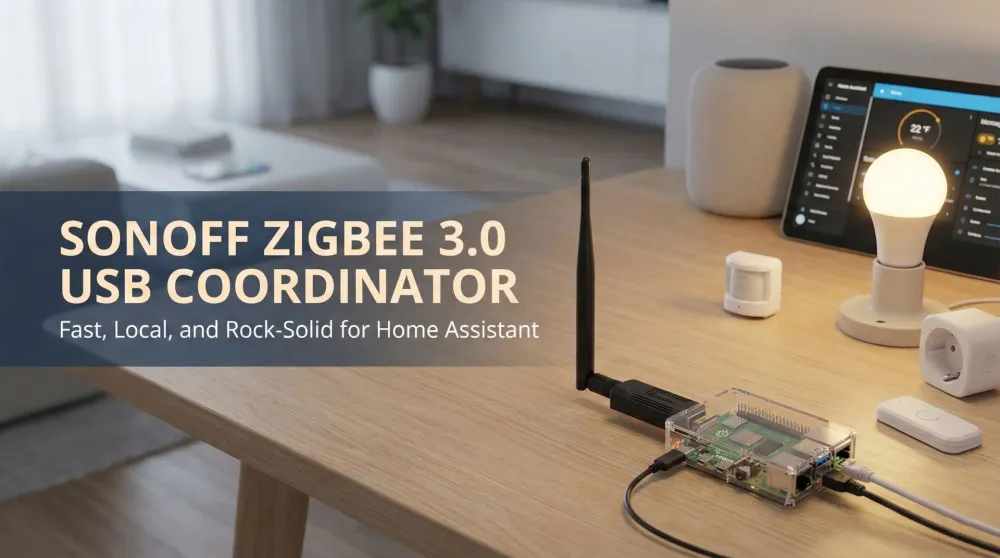
This post contains affiliate links. We may earn a commission if you make a purchase, at no extra cost to you. As an Amazon Associate, Dadnology earns from qualifying purchases.
🔌 Introduction — The stick that makes everything click
🧰 This review is part of The Dad Tech Essentials – the tech that actually survives family life, all in one living list.
There’s a moment in every smart home when frustration gives way to flow. For us, it was the day we plugged the SONOFF Zigbee 3.0 USB coordinator into a Raspberry Pi running Home Assistant. Motion lights began triggering instantly. Buttons felt snappy. Scenes ran in perfect sequence. And when the internet hiccuped, the house kept listening—because the brain is local.
If you’re done juggling vendor apps and waiting on faraway servers to decide whether your hallway light can turn on, this little stick is the difference-maker. It severs the dependency on cloud hubs, unifies Aqara, IKEA, Philips Hue (via Bridge or direct), Sonoff, Tuya Zigbee, and many more into a single, fast mesh. Paired with Home Assistant’s clean dashboards and powerful automations, the result is a calmer, more predictable home that your whole family will actually trust.
🧠 What it is (and what it isn’t)
The SONOFF is a Zigbee 3.0 USB coordinator. In plain language: it’s the radio that lets Home Assistant speak Zigbee. That covers sensors (motion, temperature, contact, leak), buttons/remotes, smart plugs, in-wall relays, and many bulbs.
It doesn’t replace a Thread/Matter border router; if you need Thread/Matter, pair it with a dedicated dongle or a smart speaker that supports Thread.
For Zigbee, though, this stick is a workhorse—affordable, stable, and fast.
🚀 Why it’s so good
- Local-first: Automations run inside your home, not on a vendor’s servers.
- Fast reactions: Motion-to-light times are often under 150 ms.
- Huge compatibility: Works with Aqara, IKEA, Sonoff, Tuya Zigbee, many Hue bulbs/sensors.
- Easy backups: Home Assistant snapshots preserve your Zigbee network.
- Rock-solid mesh: Add 2–4 router plugs and coverage becomes bulletproof.
🛠️ Quick start — ZHA or Zigbee2MQTT
You have two excellent integration paths. Both are stable and well-supported.
Option a: ZHA (built-in, zero-fuss)
- Connect the SONOFF stick using a short USB extension cable.
- Open Settings → Devices & Services.
- Home Assistant will automatically suggest Zigbee Home Automation (ZHA).
- Select the serial device (e.g.,
/dev/ttyUSB0or aby-identry). - Start pairing and add your first sensor or button.
Why ZHA? Simple, fast, native. Perfect for most users.
Option B: Zigbee2MQTT (power-user mode)
- Install the Mosquitto Broker add-on.
- Install the Zigbee2MQTT add-on and select the SONOFF dongle under “Serial.”
- Open the Zigbee2MQTT UI → click Permit Join.
- Pair devices and observe live LQI, routing, clusters, and OTA support.
- Expose entities to Home Assistant automatically.
Why Zigbee2MQTT? Granular control, huge device database, diagnostic visibility.
📡 Placement, mesh & reliability
Zigbee thrives with a good mesh. A few rules that matter enormously:
- Use a USB extension to keep the radio away from USB 3.0 interference.
- Add router plugs (always-on) to strengthen coverage.
- Pick a Zigbee channel that avoids your 2.4 GHz Wi-Fi (e.g., Wi-Fi on channel 1 or 6 → Zigbee on 25).
- Prefer Ethernet for the Home Assistant host—less jitter, fewer packet drops.
- Assign areas early for clean dashboards and automations.
Follow these and the network becomes wonderfully stable.
🤖 Real-world automations that shine
The real test of any smart home stack isn’t the demo — it’s whether the automations hold up after three months without you touching them. Here are five that have been running daily on a Raspberry Pi with this coordinator and haven’t misfired once.
After-Sunset Path Lighting uses a motion sensor paired with a LUX threshold so the hallway only lights up when it’s actually dark — not every time you walk past on a sunny afternoon. Motion triggers a warm, 30% scene that dims automatically after two minutes of no activity. Nobody has stubbed a toe since.
Door-Open Safety runs a patio contact sensor that triggers a gentle speech reminder after 22:00 if it hasn’t been closed within ten minutes. It sounds trivial until you’ve found the patio door open at midnight in November.
Laundry Whisperer monitors a smart plug under the washing machine. When the power draw drops below eight watts and stays there for five minutes, Home Assistant sends a single notification: “Laundry done.” One notification, no polling, no checking. The Zigbee plug delivers this reliably every cycle.
Kid Bedtime Scene is triggered by a single Aqara button next to the bedroom door. One press sets the room light to warm 10%, activates the nightlight, and arms the motion sensor for corridor monitoring. The child thinks it’s magic; it took about fifteen minutes to set up.
Away Mode activates when both family phones leave the home zone: lights off, sensors armed, thermostat drops a degree, TV standby switched off at the plug. It runs entirely locally — still works even if the internet is down.
Small automations. Compounding quality-of-life, every day.
🕸️ Building a solid Zigbee mesh
A Zigbee mesh is only as good as its weakest link — which is usually the coordinator sitting on a short cable behind a desk full of USB 3.0 drives. The radio interference alone can halve your usable range.
Start with placement. The coordinator should sit on a 50 cm USB extension cable, away from USB 3.0 ports, hard drives, and routers. A shelf-mounted Raspberry Pi with the stick pointing outward into open air is the ideal setup. Range in this configuration easily covers a two-storey house for sensors within reasonable line of sight.
Add router plugs strategically. Every always-on Zigbee plug (IKEA Tradfri, Sonoff S26, or similar) automatically acts as a router, extending the mesh. Two to three plugs in hallways or common rooms is usually enough to make the network bulletproof. Battery-powered sensors are end devices — they don’t route. So a sensor-heavy setup on the second floor with no routers in between will struggle regardless of how powerful the dongle is.
Channel selection matters. Zigbee 2.4 GHz shares spectrum with Wi-Fi. If your router uses Wi-Fi channels 1–6, set Zigbee to channel 25; if you’re on channel 11, channel 15 or 20 is a safe bet. You configure this once in ZHA or Zigbee2MQTT and then forget it. Skipping this step is the single most common cause of intermittent dropouts in otherwise well-planned setups.
A mesh planned this way becomes genuinely boring — devices join, stay joined, and respond in under 200 ms, every time.
🧭 Hue or direct Zigbee?
You’ve got options:
- Keep the Hue Bridge for robust lighting + native scenes.
- Pair bulbs directly to the SONOFF coordinator for a single unified mesh.
- Mix both and unify them under Home Assistant.
All work well. If your Hue setup is large and stable, keeping the Bridge is the calmest route.
🔒 Privacy & independence
The beauty of this stick?
Your smart home finally answers to you, not to cloud outages, subscription paywalls, or server delays.
Automations stay local. Data stays at home.
And your family gets a smart home that just works.
🧪 Pro tips for the best performance
- Prefer an SSD for Home Assistant.
- Use Helpers for “Guests,” “Quiet Hours,” “Vacation Mode.”
- Trim Recorder history to 7–14 days.
- Let battery sensors sleep.
- Keep monthly snapshots.
These tiny investments keep your system smooth and future-proof.
🧰 Troubleshooting cheat sheet
- Slow motion lights → Use local Zigbee sensors, not cloud devices.
- Random device dropouts → Add router plugs, change Zigbee channel, avoid USB3 noise.
- Pairing fails → Bring device closer; reset before pairing.
- Weird routing → In Zigbee2MQTT → re-pair near intended router.
Nothing dramatic—just typical Zigbee housekeeping.
👨👩👧 Dad perspective — Calm, predictable, reliable
Kids tap “Homework” and the living room shifts instantly.
Grandparents tap “Goodnight” and walk to warm, dim hall lights.
Late-night bathroom trips don’t blind anyone.
And when the internet dies, your routines keep running.
This is what a smart home should feel like.
⚠️ What’s not perfect
- Zigbee only (Thread/Matter requires an extra dongle).
- A bit of DIY spirit helps.
- Some off-brand sensors need quirks or manual settings.
Trade-offs — but absolutely worth it.
✅ Bottom line
The SONOFF Zigbee 3.0 USB coordinator is the easiest, cheapest, most impactful upgrade you can make to Home Assistant.
It turns frustration into flow, chaos into calm, and cloud-dependence into true local control.
Fast, private, reliable — a perfect 5/5.
Pros
- Instant, local Zigbee control
- Works with ZHA and Zigbee2MQTT
- Huge compatibility with sensors, plugs, bulbs
- Rock-solid mesh with a few routers
- Affordable and easy to back up
Cons
- Zigbee only—no Thread/Matter
- Some devices require quirks
- Initial mesh planning takes an evening
🗣️ Conclusion
If you want Home Assistant to feel like an appliance, not a project, this is the key piece of hardware.
Fast pairing, instant automations, wide compatibility, and total independence from cloud ecosystems.
For families that want reliability without drama, it’s simply unbeatable.
Ten out of ten.
📌 FAQ — Frequently asked questions
ZHA or Zigbee2MQTT — which should I choose?
Do I need the Hue Bridge if I use this coordinator?
How do I improve range and stability?
Will everything still work if the internet goes down?
Does this dongle support Matter or Thread?
Keep this in your inbox
One email a week: what we actually watched, built and reviewed — the stuff worth a dad's time. No hype, no daily spam.
Dadnology Weekly
One email a week: the LEGO, gaming and movie news worth a dad's time — plus what we actually reviewed. No hype, no daily spam.
Disclaimer: This review and its visuals were created with the help of AI. Some links may be affiliate links – we may earn a commission if you make a purchase, at no extra cost to you.
Current deals in Tech & gadgets
Verified live discounts tracked on Amazon

Tech & gadgets · Tested by Dadnology
Apple AirPods Pro (3rd generation)
5/5“The best noise-cancelling earbuds for Apple families”Read our review
Tech & gadgets · Tested by Dadnology
Samsung T7 Shield 2TB
5/5“Small, fast, and genuinely hard to break”Read our review
You might also like
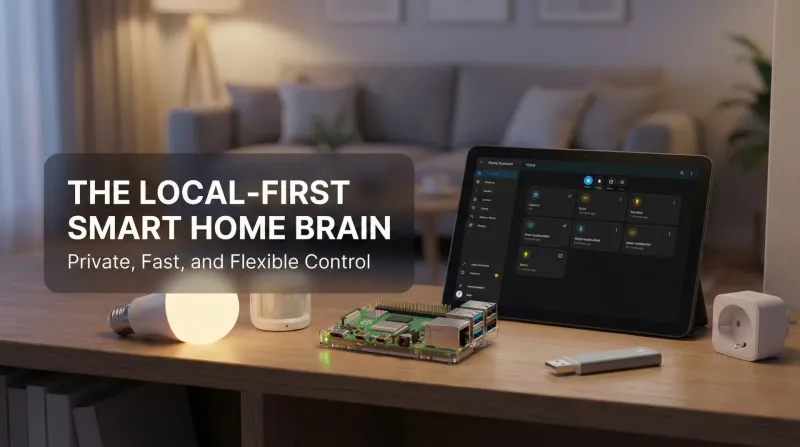
Raspberry Pi + Home Assistant – The local-first smart home that actually belongs to you
This Raspberry Pi + Home Assistant setup is the moment the smart home finally feels yours. Local control is instant and private; nothing breaks when a vendor’s cloud stumbles. Philips Hue, Ring, Zigbee, Z-Wave, Matter, Wi-Fi gadgets—all coordinate in one gorgeous dashboard. Automations are addictive, presence works, and backups keep everything safe. Even the family notices: lights behave, doorbells pause TV, bedtime scenes just happen. It’s flexible, fast, reliable, and fun. Ten out of ten, no contest, every single day.

The ultimate Marvel Movie Night: Smart Home Cinema Setup guide
A one-tap Cinema Mode for movie night: color-matched smart lights, a Home Assistant automation, and the TV settings that actually matter.

Apple TV 4K – The streaming box that finally just works
Switching from Fire TV sticks to Apple TV 4K felt transformative. The interface is clean, responsive, and blissfully free of pushy ads. AirPlay works flawlessly for photos, videos, and quick screen mirroring, and AirPods connect instantly for late-night watching. Image quality with Dolby Vision and smooth tvOS animations make every app feel premium. If you already use iPhone or iPad, the integration is unmatched. It’s the streaming box that finally disappears and simply works, every single time, effortlessly, reliably, beautifully.