
Samsung T7 Shield review: The drive that fixed Apple's storage pricing
The external SSD we recommend in almost every Mac guide we write, and the one actually plugged into our own desk. Fast, pocket-sized, IP65-rated and a fraction of what Apple charges for internal storage.
This post contains affiliate links. We may earn a commission if you make a purchase, at no extra cost to you. As an Amazon Associate, Dadnology earns from qualifying purchases.
💾 The drive I recommend constantly
There is a slightly awkward thing about writing buying guides for a living: you end up recommending the same product over and over, and eventually somebody reasonably asks whether you actually own the thing.
In this case, yes. The Samsung T7 Shield turns up in nearly every Mac guide on this site — the photography comparison, the passive income setup, every piece of advice that ends with “and do not pay Apple for internal storage” — because it is the drive plugged into our own desk, and it has never given me a reason to look for a different one.
So it has earned its own honest write-up rather than another one-line mention. Here is what it actually is, what living with it is like, and the two situations where I would tell you to buy something else.
📋 What it actually is
The specifications, from Samsung’s own datasheet rather than a retailer listing.
| Specification | Samsung T7 Shield |
|---|---|
| Sequential read | Up to 1,050 MB/s |
| Sequential write | Up to 1,000 MB/s |
| Interface | USB 3.2 Gen 2 (10 Gbps), USB-C |
| Capacities | 1TB, 2TB, 4TB |
| Dimensions | 59 x 88 x 13 mm |
| Weight | 98 grams |
| Environmental rating | IP65 dust and water resistant |
| Drop resistance | Up to 3 metres |
| Encryption | AES 256-bit hardware |
| Warranty | Three years |
Those numbers describe something quite specific: a drive fast enough that you stop thinking about speed, small enough that you stop thinking about where to put it, and tough enough that you stop thinking about it entirely. That is the whole review in a sentence, and the rest of this is the evidence.
🤏 The size is the feature
The dimension line above undersells this, because 59 by 88 by 13 millimetres does not mean much until it is in your hand.
It is smaller than a phone and thicker than a credit card, at 98 grams. It disappears behind a Mac mini. It disappears into a jacket pocket. It sits under a laptop in a bag without you noticing it is there, and there is no power brick, because it runs off the single USB-C cable.
That last detail matters more than the spec sheet suggests. A drive that needs its own power supply is a drive that stays on the desk, and a drive that stays on the desk is one you cannot hand to somebody, take to a shoot, or throw in a bag on the way out. This one goes wherever the work goes, and that changes how you use it.
The rubberised shell is the other half of it. This is not a delicate object you handle carefully — it has a grippy, slightly soft casing that makes it feel like a tool rather than a gadget. Samsung rates it IP65 against dust and water and specifies survival from three metres, which in practical terms means a knock off a desk is an event you shrug at rather than one that starts a conversation about data recovery.
I have not deliberately tested the three metre claim, and I am not going to. The point is not that you should drop it. The point is that you stop being careful, and not being careful is enormously freeing for something that holds your photographs.
⚡ The speed, and what it actually buys
Samsung rates it at up to 1,050 MB/s reading and 1,000 MB/s writing over USB 3.2 Gen 2. Those are the headline numbers and they are the ones printed on the box.
What that translates into is more useful. Offloading a full memory card is a coffee-making interval, not a lunch break. Copying a large project across happens while you are still deciding what to do next. And the thing that genuinely surprised me: a Lightroom catalog living on this drive feels identical to one on the internal SSD. Not “acceptable”, not “close enough” — the same. Culling is instant, previews render as fast as they do internally, and after the first week I stopped noticing which drive anything was on.
That single fact is why this drive is the answer to Apple’s storage pricing. The argument against external storage was always that it would feel like a compromise, and at these speeds it does not. Photo editing is limited by processor and memory long before it is limited by a drive doing a thousand megabytes a second.
🧮 The money argument
This is the part that actually matters, and it is not close.
Apple charges several times what this drive costs for the equivalent internal upgrade. That is the well-known part. The less-discussed part is what you get for the premium: storage soldered to a logic board, which cannot be replaced when it wears out, cannot be expanded, and is thrown away with the computer when the computer is retired.
The T7 Shield inverts every one of those. It costs a fraction as much. When this Mac is replaced, the drive plugs into the next one and keeps working — same data, no migration, no ceremony. If it ever fails, you replace a drive rather than a computer. And if you need more space, you buy more space instead of buying a whole new machine to get it.
The arrangement that follows is the one in all our Mac guides: take one step up from base internal storage so macOS has room to breathe, refuse every further tier, and put everything that grows — photo library, video projects, archives — on a drive like this one. Our RAM and storage guide works through the whole configuration decision, but the drive half of it is this.
📸 Where it sits in a photo workflow
For photography specifically, the T7 Shield occupies the middle of the chain, and it is worth being clear that it is not the only link.
Cards come off the camera through a reader. A fast drive does not help at all if the reader is the bottleneck, which is a mistake that is easy to make and easy to fix — a proper dual-slot reader keeps the import as fast as the drive can accept it.
From there, the catalog and the working files live on the T7, the machine does the editing, and the finished work goes wherever finished work goes. The drive is fast enough to be invisible in that sequence, which is the highest compliment you can pay a piece of storage.
One habit worth building early: keep your working drive and your backup drive separate. It is tempting, when a 2TB drive feels enormous, to put the Time Machine backup on it too. Do not. A backup volume competing for space with a growing photo library eventually loses that competition, and it loses it silently, which is the worst way to discover anything about a backup.
⚠️ Two reasons to buy something else
A five-star rating on this site means the product is perfect for the job it was built to do, not that it has no limits. This one has two, and both are about buying the wrong tool rather than the tool being bad.
If you edit video seriously off the drive, buy Thunderbolt instead. This is a USB 3.2 Gen 2 device at 10 gigabits per second. On a Mac with Thunderbolt 5 there is vastly more bandwidth available than this drive can use, and for heavy video timelines running directly from external storage, that headroom is real work rather than a spec-sheet trophy. For photography the gap is irrelevant. For video it is not.
If you need one drive to hold everything forever, buy differently. The largest T7 Shield is 4TB. That is a lot, but a videographer or anyone archiving years of work will pass it, and the answer then is a NAS or a multi-bay enclosure rather than a stack of portable drives. Our Synology DS225+ review covers that side, and our home media server guide covers when each one makes sense.
Everything else is minor. Three years of warranty is standard rather than generous. There is no bundled case, though the shell rather removes the need for one. And it is a black rectangle, which is either fine or an aesthetic disappointment depending on how you feel about black rectangles.
Pros
- Around 1,050 MB/s read and 1,000 MB/s write, fast enough that a Lightroom catalog on it feels internal
- 98 grams and smaller than a phone, so it genuinely travels rather than living on the desk
- IP65 rated and specified to 3 metres, which means you stop handling it carefully
- Bus powered over one USB-C cable, no adapter and no second cable to lose
- Costs a fraction of Apple's internal upgrade and moves to your next machine
- AES 256-bit hardware encryption available if you want it
Cons
- USB 3.2 Gen 2 will not saturate a Thunderbolt 5 port, so heavy video work wants a faster drive
- 4TB is the ceiling, which a serious video archive will eventually outgrow
- Three-year warranty is standard rather than class-leading
- No case included, though the rugged shell largely makes the point moot
- Easy to mistakenly use as both working drive and backup target, which ends badly
The T7 Shield is the drive that makes Apple’s storage pricing a choice rather than a trap. It is fast enough that working from it feels no different to working internally, small and rugged enough that you stop thinking about it, and cheap enough against a factory upgrade that the comparison is faintly absurd. It does exactly the job it was built for and it does it without ever asking for attention, which is why it is the one on our desk and the one in nearly every Mac guide we write. Buy Thunderbolt instead if you cut video off the drive; otherwise this is the answer.
If you are still working out which machine to attach it to, our Mac mini accessories guide covers the rest of the desk, and the headless setup guide covers the case where this drive ends up in a machine you never look at.
📌 FAQ – Common questions
How fast is the Samsung T7 Shield in real use?
Is the T7 Shield fast enough for editing photos directly from it?
What is the difference between the T7 and the T7 Shield?
Should I buy the T7 Shield instead of upgrading Apple's internal SSD?
Can you use the T7 Shield for Time Machine backups?
Does the T7 Shield need its own power supply?
Is the T7 Shield a good choice for Thunderbolt 5 Macs?
Keep this in your inbox
One email a week: what we actually watched, built and reviewed — the stuff worth a dad's time. No hype, no daily spam.
Dadnology Weekly
One email a week: the LEGO, gaming and movie news worth a dad's time — plus what we actually reviewed. No hype, no daily spam.
Disclaimer: This review and its visuals were created with the help of AI. Some links may be affiliate links – we may earn a commission if you make a purchase, at no extra cost to you.
Current deals in Tech & gadgets
Verified live discounts tracked on Amazon

Tech & gadgets · Tested by Dadnology
Apple AirPods Pro (3rd generation)
5/5“The best noise-cancelling earbuds for Apple families”Read our review

You might also like
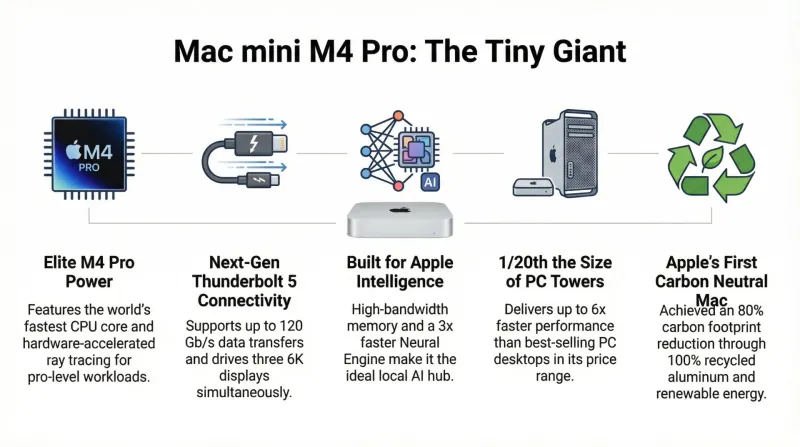
Small box, big dad energy: Why the Mac mini M4 Pro is the ultimate 5x5 desk transformer
The Mac Mini M4 Pro is a 'Wolf in Sheep’s Clothing.' It’s unassuming in size and whisper-quiet in operation, yet it packs enough punch to make the Mac Studio redundant for 90% of users. Personal Rating: 5/5.
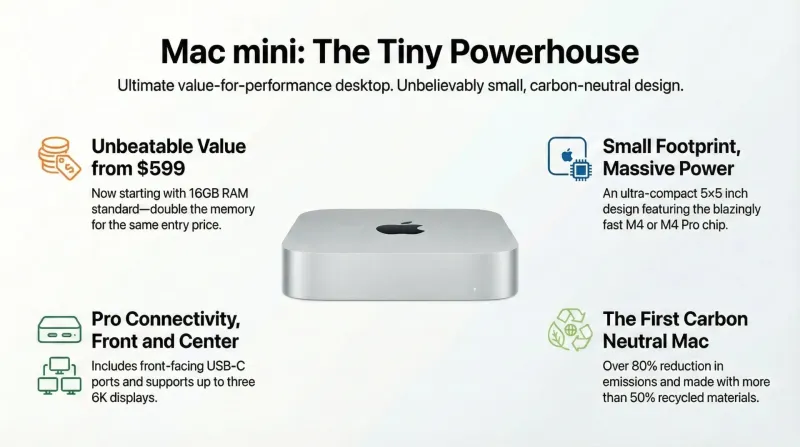
The invisible powerhouse: Why the M4 Mac mini is the ultimate dad-hack for 2025
The Mac Mini M4 has matured from a budget entry point into a 'niche filler for every niche.' It is a silent office workhorse, a carbon-neutral milestone, and a 'ghost desktop' all in one. Personal Rating: 5/5.

Is a Mac mini good for small business local AI?
If the reason you have not adopted AI is that client data cannot leave the building, this is the cheapest honest answer — with four real caveats.