
Apple Watch Series 11 review: The most practical Apple product I own
Not the flashiest Apple product, but genuinely the most practical one I own: messages on the wrist, a wake-up alarm that doesn't wake the household, and a Nike Sport Loop that disappears on skin.

This post contains affiliate links. We may earn a commission if you make a purchase, at no extra cost to you. As an Amazon Associate, Dadnology earns from qualifying purchases.
🛠️ This review is part of the Best Tech for Dads – explore the gear that actually survives family life.
The Apple Watch Series 11 is not the Apple product that gets the keynote applause — that’s the iPhone, or these days the Vision Pro. But months into daily wear, it might be the most practical thing I own. Not because of the health dashboard, which I’ll admit I barely open. Because of the boring stuff: the notifications on my wrist, the alarm that doesn’t wake my wife, the timer that’s always on my arm, and Siri setting a reminder before I’ve even finished the sentence.
That’s the honest framing for this review. I’m not going to oversell the health platform, because for me it isn’t the point. The point is a small screen that quietly removes a dozen small frictions from a day, every single day, without ever asking me to think about it. For the Dadnology community, that earns a 5 out of 5.
What that spec sheet actually means day-to-day: the screen is always readable, the battery comfortably survives a full day of wear including a workout, and none of it requires a single setup decision after the first pairing.
A quick note on honesty, since this site runs on real ownership, not spec sheets: the watch I actually wear day to day is a Series 10 (46mm, Diamond Black aluminum, GPS + Cellular) — everything described below, from the notification mirror to the alarm to the Nike Sport Loop, works identically on it. We recommend the Series 11 as the one to buy today because it adds two concrete upgrades over the Series 10: 5G cellular instead of LTE, and up to 24 hours of Always-On battery life instead of 18. Nothing else in this review changes between the two.
Wearing it every day: The Nike Sport Loop and the hybrid face
I wear the Nike Sport Loop in Black/Blue, and it’s the detail that made the watch disappear on my wrist in the best way. It’s a soft, quick-drying woven fabric with a hook-and-loop closure rather than a rubber strap, with reflective yarn woven in that catches the light on an evening dog walk. No hot, sweaty strap after a gym class, no stiffness after wearing it all day. It doesn’t feel like “wearing tech”; it feels like wearing a watch.
The other detail I’d tell any dad to get right is the watch face. I run the Nike Hybrid face — the one with a digital-style time display rather than analog hands — because it’s simply the most legible option at a glance, in bright sun or half-asleep at 6am. Combined with the Always-On display, this is where the Series 11 quietly wins: it behaves like a real watch. The time is always there. No wrist flick required, no waking the screen. That single change — a screen that’s just on — is most of why this feels like a watch again rather than a gadget you have to activate.
The feature that actually matters: Notifications on your wrist
Here’s my honest answer to “what do you actually use this for”: it’s the notification mirror. Messages, Mail, WhatsApp, Home Assistant alerts, Ring doorbell pings — all of it lands on my wrist, and I can glance and decide in two seconds whether it’s worth pulling my phone out. Most of the time it isn’t. That alone changes how often my phone comes out of my pocket during the day, which is a genuine quality-of-life win in a house with kids who want your attention, not your phone’s.
WhatsApp deserves a specific mention here, because it now has a proper native watch app rather than a stripped-down notification. I can read a message and fire back a quick reply right from the wrist — useful more often than I expected, especially mid-task with wet or full hands.
The alarm and the timer: Small features, biggest wins
If you’d told me a year ago that the alarm would be one of my favorite features on an Apple Watch, I’d have laughed. But it is. The alarm vibrates directly on your wrist — no sound, no waking your partner, no waking the kids down the hall. Waking up quietly, on your own schedule, without disturbing a sleeping household is a small thing that matters enormously in a family home.
The timer is the same story from the kitchen. It’s always on my arm, so I never have to remember which app I set it in or where my phone is buried under a pile of school folders. Between the alarm and the timer, these are the two features I’d genuinely miss most if the watch disappeared tomorrow — ahead of anything health-related.
Fitness tracking: Where I actually use it
I use the Watch to track workouts, mainly gym classes — start a session, get a heart-rate read and a calorie estimate, and see a clean summary afterward. It does that job well and without friction. Where I’ll be honest and unglamorous: the deeper health dashboard — sleep score, the hypertension notifications that watch for signs of chronically elevated blood vessel response over a 30-day window, the on-demand blood oxygen readings — is there, it works, and I look at it rarely. It’s a genuine safety net I’m glad exists. It is just not the reason I put this watch on every morning.
Workout tracking itself is straightforward: pick the activity type, and the watch handles heart-rate zones and calorie estimates without any manual input. For gym classes specifically, it’s smart enough to distinguish a burst of intervals from a steady warm-up, which means the summary afterward is actually useful rather than a flat average that tells you nothing.
One small everyday convenience worth flagging: even though the Watch has no built-in thermometer, you can pin the current outdoor temperature straight onto the watch face as a complication. It sounds trivial until you’re deciding whether the kids need a jacket without unlocking your phone.
GPS or GPS + cellular: The honest comparison
This is the real decision most buyers face, so here’s the straight answer.
| Question | GPS | GPS + Cellular |
|---|---|---|
| Price (42mm / 46mm) | $399 / $429 | $499 / $529 |
| Works without your iPhone nearby | No — needs Wi-Fi or a paired phone | Yes — calls, WhatsApp, messages independently |
| Best for | Most people, phone is usually close by | Runs, dog walks, drop-offs without the phone |
| Battery impact | Standard, up to 24 hours | Slightly higher drain when using cellular actively |
| Dad verdict | The sensible default | Worth it if you genuinely leave the phone behind |
I have the Cellular model, and the moment it earns its keep is walking the dog. No phone, no bag, just the watch — and I can still take a call or answer a message if something at home needs me. If that scenario doesn’t apply to you, save the money and get GPS.
The one real downside: Charging it every night
Everything above is praise, so here’s the honest counterweight: this watch needs a charger every single night, full stop. It is not a multi-day fitness tracker, and if that’s what you actually want, look elsewhere. We’ve made peace with it by fixing the charging routine itself rather than fighting the battery.
The Apple Watch Magnetic Fast Charger to USB-C Cable snaps on with zero fiddly alignment in the dark, and gets a genuinely useful charge in well under an hour — plenty for a quick top-up before the school run if you forgot overnight. If you want the whole Apple stack tidied onto one nightstand pad, an Anker MagGo 3-in-1 charging station charges the iPhone, Watch and AirPods together instead of three cables fighting for the same outlet.
Long-term experience: Months in, no drawer retirement
Plenty of wearables have a honeymoon period — exciting for the first week, then quietly retired to a drawer by month two. The Series 11 hasn’t gone that way, and I think the reason is precisely that none of its best features are novelties. An alarm, a timer, a notification mirror and Siri don’t get boring, because they were never a gimmick to begin with — they’re just the daily mechanics of running a household, moved two inches closer to hand.
The one thing that has changed over time is which band I reach for. The Nike Sport Loop lives on for gym days and dog walks, and I’ve swapped it out for a dressier option on occasions that call for it — the ability to change the whole look of the watch in ten seconds without buying a new device is an underrated part of owning one. Software updates have added the odd new watch face and refined Siri’s response time, but nothing has ever forced a re-learn. It simply keeps doing the job.
Family fit: Does it survive real life?
Yes, without qualification. It’s on my wrist through gym sessions, chores, dog walks and every school pickup, and the Nike Sport Loop shrugs off sweat and rain without complaint. It’s genuinely kid-proof in the sense that matters most for a dad: it doesn’t need babying, and it doesn’t demand attention. Siri handles the fastest interactions — “set a reminder,” “set an alarm for 6,” “what’s on my calendar” — quickly enough to use one-handed while holding a toddler or a leash.
Pros
- Notification mirroring for Messages, Mail, WhatsApp, Home Assistant and Ring means far fewer reasons to pull out your phone
- The vibrating alarm and always-with-you timer are small features that solve real, daily household problems
- Always-On hybrid display makes it read like a real watch, not a gadget you have to wake up
- Cellular model genuinely lets you leave the phone at home and stay reachable
- Nike Sport Loop is comfortable enough to forget you're wearing tech
Cons
- Still a nightly charge — this is not a multi-day battery watch
- Fully locked to the Apple ecosystem; you need an iPhone for setup and daily use
- The deeper health features (hypertension notifications, sleep score) are a nice safety net, not something I check often
Conclusion: The unglamorous MVP of the Apple ecosystem
After months of daily wear, the Apple Watch Series 11 has earned a spot I didn’t expect: the most practical Apple product in the house, ahead of anything with a bigger screen. Not because of the health dashboard, but because of the notifications, the alarm, the timer and Siri — the unglamorous daily friction it quietly removes.
If you’re already in the Apple ecosystem, get the GPS model unless you genuinely leave your phone behind often enough to justify Cellular. Either way, spend the extra few dollars on a band you’ll actually forget you’re wearing — the Nike Sport Loop did that for me — and fix the nightly charging routine with a proper magnetic charger rather than fighting it.
The Final Word: Not the flashiest Apple product, but honestly the most useful one I put on every single morning. 5/5.
Is the Apple Watch Series 11 worth it?
Should I get the GPS or GPS + Cellular Apple Watch Series 11?
How long does the Apple Watch Series 11 battery last?
Can you reply to WhatsApp from the Apple Watch Series 11?
Does the Apple Watch Series 11 need an iPhone?
Apple Watch Series 10 vs Series 11 — what's actually different?
Keep this in your inbox
One email a week: what we actually watched, built and reviewed — the stuff worth a dad's time. No hype, no daily spam.
Dadnology Weekly
One email a week: the LEGO, gaming and movie news worth a dad's time — plus what we actually reviewed. No hype, no daily spam.
Disclaimer: This review and its visuals were created with the help of AI. Some links may be affiliate links – we may earn a commission if you make a purchase, at no extra cost to you.
Current deals in Tech & gadgets
Verified live discounts tracked on Amazon

Apple AirPods Pro (3rd generation)
Delivers immersive Spatial Audio and Noise Cancellation. Ideal for privacy and focus during long editing sessions.
Price as of Oct 11, 09:14 PM UTC. Subject to change.

Samsung T7 Shield 2TB
Fast, rugged USB-C storage. The essential companion to avoid Apple's overpriced internal SSD upgrades.
Price as of Oct 11, 09:15 PM UTC. Subject to change.
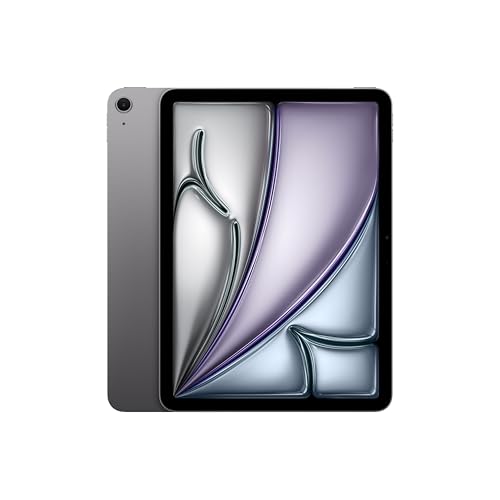
Apple iPad Air (M4, 11-inch)
Price as of Oct 11, 09:14 PM UTC. Subject to change.
You might also like
MacBook Neo review: A windows family switches to Mac
Bought as a second school machine by a Windows family, the MacBook Neo made a switch we expected to be painful almost boring. The Photos app alone justifies it if you carry an iPhone. 5/5 after a few weeks - with the honest note that a few weeks is what this is.

iPad air 11-inch (M4) review: The second most-used device in the house
The iPad Air 11-inch M4 is close to a perfect product: fast, light, an excellent Liquid Retina display for browsing and media, and — paired with an Apple Pencil (USB-C) — a genuinely good tool for school learning. iCloud makes it the natural second screen for photos shot on the iPhone. After the iPhone, it is the most-used device in our house. A 5/5.

Matchbox (2026) review: John Cena delivers the ultimate die-cast action comedy
Forget flying cars in outer space: Matchbox delivers heavy, crunchy vehicular carnage and genuine laugh-out-loud humor. Watching a box truck launch off a moving flatbed is childhood carpet nostalgia perfected. Rating: 4.5/5.