
Best Amazon Devices for a Family Home (2026 Buyer's Guide)
Our dad-tested guide to the Amazon devices that actually earn a place in a family home: the Echo Show 15 organizer, Kindle readers, a TV soundbar, and an air monitor.
This post contains affiliate links. We may earn a commission if you make a purchase, at no extra cost to you. As an Amazon Associate, Dadnology earns from qualifying purchases.
🏠 This guide is part of our Amazon Prime Day 2026 Deals Hub — our curated buying guides of the gear actually worth a dad’s money.
The Amazon Gadgets That Actually Earn Their Place
Amazon will sell you a smart microwave, a wall clock, a sticky-note printer, and roughly nine hundred variations of a speaker shaped like a hockey puck. Most of it is clutter. It arrives, it dazzles for a weekend, and by the next school term it lives in a drawer next to the dead remote controls and the chargers for phones you no longer own. We are a tech-dad blog with opinions, and our default stance on the Amazon hardware catalogue is healthy suspicion: the vast majority of it solves a problem you didn’t have.
But not all of it. A small handful of Amazon devices genuinely earn their keep in a busy household, the way a good frying pan earns its spot on the hook. This guide is about that handful. It’s for the dad who’s tired of the family calendar living in four different heads, the kid who won’t put the tablet down, the TV that sounds like it’s broadcasting from inside a biscuit tin, and the nagging question of what’s actually floating around in the air at home. Five devices, each solving one real problem, none of them bought just because they were on a deal.
Here’s the honest methodology: we judged each one on whether it survives the only test that matters, which is do you still use it three months later? We weighted things that fit real family life — a shared screen the whole house can see, a reading device that gets people off the doomscroll, a five-minute upgrade that makes movie night better, and quiet data about the air your kids breathe — over feature lists and “works with 60,000 smart devices” bragging. Where an Amazon gadget is a solution in search of a problem, we’ll tell you to skip it. And yes, every one of these drops hard around Prime Day, so there’s no reason to pay full RRP.
The unifying idea here is one device, one job, done well. We’ve ranked them in order of how much they change daily family life, starting with the one that pulls a chaotic household onto a single page. Let’s dig in.
1. Amazon Echo Show 15 — The Family Command Center
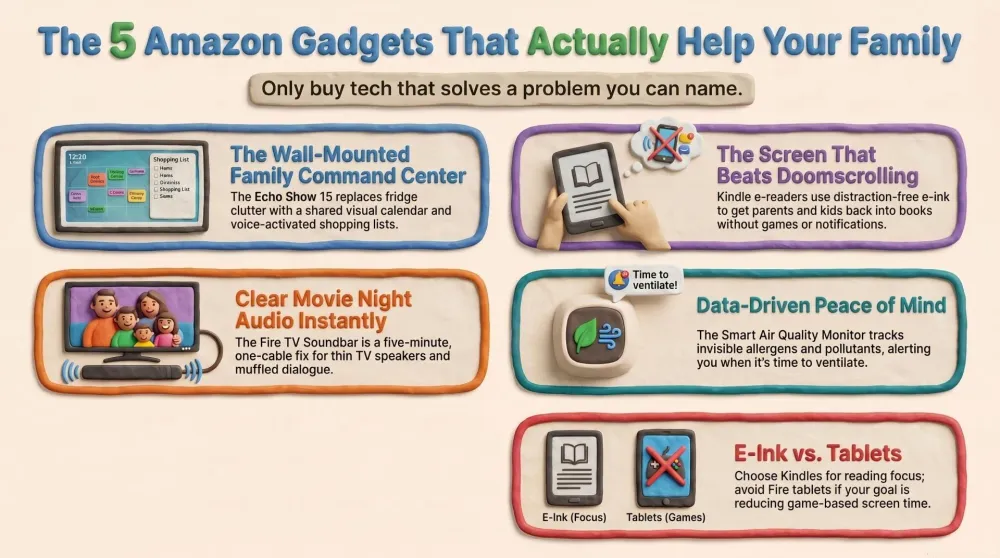
If there’s one Amazon device that genuinely changes how a household runs, it’s this one. The Echo Show 15 is a 15.6-inch smart display you hang on the wall like a picture frame, and its whole reason to exist is to drag the scattered logistics of family life — who has football, when the dentist is, what’s for dinner, what’s run out of the fridge — onto a single screen everyone walks past. It is the closest thing to a household operating system Amazon makes.
AdAmazon Echo Show 15 (opens in a new tab)
Best overall: a 15.6-inch wall-mounted family command center for the shared calendar, shopping lists, reminders, and photos.

What it does well
The killer feature is the shared family calendar. Sync everyone’s calendars to it and the entire week is right there on the wall, colour-coded by person, where the whole family sees it instead of living in your head until something gets double-booked. Pair that with a shopping list anyone can add to by voice (“Alexa, add nappies to the list”) that syncs to your phone at the shop, and sticky-note reminders the kids can leave each other, and you’ve replaced a fridge covered in curling Post-its with one tidy hub.
When nobody’s actively using it, it falls back to being a genuinely lovely digital photo frame, cycling your family photos in full landscape — which, honestly, is the feature that earns it a permanent spot on the wall even on the days nobody touches the calendar. It does the usual Alexa tricks too (timers, weather, music, smart-home control, video calls), and the widget layout is customisable, so you can build a dashboard that matches how your house actually works.
Where it falls short
It’s a wall-mount device first, and that’s the catch: stand it on a counter and the whole point evaporates, so you’ll want to commit to drilling a couple of holes. The single forward speaker is fine for podcasts and timers but is not a music speaker — don’t buy this expecting room-filling sound. It’s also locked firmly into the Amazon and Alexa ecosystem, so if your family lives entirely in Google or Apple calendars, expect a little setup friction getting everything to sync. And like any camera-equipped display, it needs sensible placement (more on privacy below).
Who should buy it
The household that’s drowning in logistics — multiple kids, multiple schedules, two working parents, and a fridge that’s lost the calendar war. Mount it in the kitchen or hallway where everyone passes, and within a week it becomes the thing the family actually checks. As a smart speaker in a spare room it’s wasted; as a command center on the wall, it’s the best Amazon device for a family, full stop.
2. Amazon Kindle Paperwhite Signature Edition — The Screen That Doesn’t Feel Like a Screen
Here’s the device that quietly becomes the most-borrowed thing in the house. The Kindle Paperwhite Signature Edition is an e-reader, and the single most important thing to understand about it is what it isn’t: it is not a tablet. It runs an e-ink display — electronic paper, not a glowing LCD — which means it does exactly one thing, reading, with no apps, no video, no browser, and no notifications buzzing you out of a chapter.
AdAmazon Kindle Paperwhite Signature Edition (opens in a new tab)
Best reading device: a glare-free e-ink screen that gets parents off the doomscroll and back into a book, with weeks of battery.
What it does well
That e-ink screen is the whole magic. It looks like printed paper, it’s glare-free in bright sun (you can read it on the beach or in the garden, where a phone is a mirror), and it doesn’t blast your eyes with blue light at 11pm — so it’s the one screen you can take to bed without sabotaging your sleep. For a parent whose evening “relaxation” has quietly degraded into doomscrolling the news until midnight, swapping the phone for this is a genuine quality-of-life upgrade. You hold a book again, not an infinite feed.
The Signature Edition adds the perks worth having: an auto-adjusting front light that warms up at night, wireless charging, and 32GB of storage that holds a library you’ll never finish. Battery life is measured in weeks, not hours, so it’s never the thing that’s dead when you want it. It’s waterproof enough to survive a bath or a poolside, and the built-in dictionary means you (or a kid) can tap any word for a definition without leaving the page.
Where it falls short
It’s black-and-white only, so it’s no good for graphic novels, magazines, or cookbooks with glossy photos — this is a device for text. It’s tied into Amazon’s book ecosystem (though it handles your own files and library books fine via Libby). And the Signature Edition carries a premium over the standard Paperwhite for features — wireless charging, the auto light sensor — that not everyone will use, so if you’re frugal, the base Paperwhite reads identically.
Who should buy it
Any adult in the house who used to read and somehow stopped, replaced by a phone. If “I want to read more but I always end up scrolling instead” is you, this is the fix — it removes the distraction by design. Buy the Signature Edition if you want the nicest version with wireless charging and the warm-light sensor; buy the standard Paperwhite if you want the same reading experience for less.
3. Amazon Kindle Kids (16GB) — The Anti-Doomscroll Device for the Next Generation
Every parent knows the screen-time fight, and most of us have lost it more often than we’d admit. The Kindle Kids is the rare screen you can hand a child and feel good about, because — like the grown-up Paperwhite — it’s an e-ink reader, not a tablet. No games, no YouTube, no ads, no notifications. Just books, on a calm screen, with a chunky kid-proof cover and a guarantee that assumes it’ll get dropped.
AdAmazon Kindle Kids (16GB) (opens in a new tab)
Best for kids: distraction-free, ad-free reading with parental controls and a two-year worry-free guarantee.
What it does well
It’s distraction-free by design, which is the entire point: there’s nothing on it to pull a kid away from the story, because the hardware physically can’t run a game. Parental controls let you set reading goals, see what they’re reading, and lock the thing down, while the built-in dictionary and Word Wise hints quietly support early and reluctant readers without making it feel like homework. Reading streaks and achievement badges turn “go read” into something a kid actually wants to do — gamification used for good, for once.
The practical bits are dad-friendly too. It comes with a kid-proof cover, a subscription to Amazon Kids+ (a big library of age-appropriate books) for a year, and crucially a two-year worry-free guarantee: if it breaks, even if your kid is the cause, Amazon replaces it. For a device living in a child’s backpack, that guarantee is worth as much as any feature. Battery lasts weeks, so it’s not the thing dying at bedtime.
Where it falls short
It’s strictly for reading, and a younger child may push back when they realise there are no games — that’s a feature for you and a bug for them, so set expectations. The screen is black-and-white, so heavily illustrated picture books lose something. And the bundled Kids+ subscription is free for the first year, then it’s a monthly cost you’ll want to remember exists before it quietly renews.
Who should buy it
The parent of a 7-to-12-year-old who wants their child reading more and staring at a tablet less. If you’ve watched a “reading device” turn into a games console the moment your back was turned, the Kindle Kids is the one that can’t. It’s the most genuinely useful kids’ gadget Amazon sells, precisely because of everything it refuses to do.
4. Amazon Fire TV Soundbar Plus — The Five-Minute Movie-Night Upgrade
Modern TVs are gorgeous and impossibly thin, and that thinness comes at a cost: the speakers are terrible. Dialogue gets lost, explosions sound like someone shaking a crisp packet, and you find yourself riding the volume up for whispers and down for action. The Fire TV Soundbar Plus is the no-nonsense fix — a soundbar with a wireless subwoofer that you plug in with one cable and immediately wonder how you tolerated the built-in speakers for so long.
AdAmazon Fire TV Soundbar Plus (opens in a new tab)
Best TV audio add-on: a simple plug-and-play soundbar with subwoofer that fixes thin built-in TV speakers in five minutes.
What it does well
The appeal is simplicity plus impact. One HDMI cable, and you go from thin TV audio to proper, room-filling sound with actual bass from the included subwoofer. Dialogue gets clear and centred (no more squinting your ears to catch what a mumbling actor said), and movie night gets a genuine cinema-lite lift for very little money or effort. It supports Dolby Atmos and DTS for the spatial stuff, has a dedicated dialogue-boost mode that’s a small revelation for late-night viewing without waking the kids, and a night mode that tames the explosions.
It pairs neatly with any TV, not just Fire TVs, and doubles as a Bluetooth speaker for music when the telly’s off. For a household that watches a lot of films and shows but has zero appetite for a six-speaker surround-sound project with cables stapled around the room, this is exactly the right amount of upgrade.
Where it falls short
It’s a soundbar, not a home-cinema system — it’ll massively beat your TV speakers, but it won’t fool an audiophile or match a dedicated multi-speaker setup. The Atmos “height” effect from a single bar is more suggestion than full overhead immersion. And while setup is genuinely easy, you do need a free HDMI eARC port on your TV to get the best out of it, so check the back of your set first.
Who should buy it
The dad who’s annoyed every single night that he can’t hear the dialogue, but who has no interest in a weekend of speaker-wiring. This is the 90%-of-the-benefit-for-10%-of-the-hassle pick: a single, simple box that makes everything you watch sound dramatically better. For most families, that’s the right trade.
5. Amazon Smart Air Quality Monitor — Quiet Data for Peace of Mind
This is the most optional device on the list, and we’ll be honest about that — but for the right household it’s a quiet bit of reassurance. The Smart Air Quality Monitor is a small, unobtrusive puck that measures what’s actually in the air your family breathes: fine particulates, humidity, temperature, carbon monoxide, and VOCs (the off-gassing fumes from cleaning products, new furniture, and cooking). It turns “the air feels a bit stuffy” into actual numbers.
AdAmazon Smart Air Quality Monitor (opens in a new tab)
Best peace-of-mind gadget: tracks particulates, humidity, and VOCs and pings Alexa when the air your kids breathe goes off.
What it does well
It measures the invisible stuff — the slow, low-level air quality issues a smoke alarm completely ignores. You get a clear reading on your phone and on any Echo display, and crucially it ties into Alexa Routines: when the particulate count spikes (you burnt the toast, or it’s high-pollen season), it can ping your phone, announce it on your speakers, or automatically switch on a compatible smart air purifier or fan. That automation is where it goes from “neat gadget” to “actually useful” — the air gets fixed before anyone notices the problem.
For a family where someone has allergies or asthma, or in a home that cooks a lot or has had recent renovation, that data is genuinely worth having. It’s also a nudge toward good habits: seeing humidity creep up tells you to crack a window, and watching VOCs spike after a cleaning blitz makes you ventilate properly. Small device, sensible job.
Where it falls short
It’s a sensor, not a solution — it tells you the air is bad, but you still need a purifier or an open window to actually fix it, so it’s most useful paired with other kit. It has no built-in screen, so you’re reliant on the app or an Echo to read it, and it needs a power outlet rather than running on battery. And for a home with no allergy sufferers and decent ventilation, it can edge into “data for data’s sake” territory — interesting, but not essential.
Who should buy it
The dad who wants peace of mind rather than a guess — especially with an allergy- or asthma-prone kid, a lot of home cooking, or a newly renovated room that still smells of paint. If you already run an air purifier, this is the brain that tells it when to work. If your home is airy and nobody wheezes, it’s a nice-to-have you can comfortably skip.
How They Compare: The Family-Home Showdown
Five devices, five completely different jobs — so the comparison isn’t about which is “best” but about which problem in your house is loudest. Here’s the side-by-side.
| Feature | Echo Show 15 | Kindle Paperwhite | Kindle Kids | Fire TV Soundbar | Air Quality Monitor |
|---|---|---|---|---|---|
| Type | Smart display | E-ink reader | E-ink reader (kids) | Soundbar + sub | Air sensor |
| Best for | Family logistics | Parents reading | Kids reading | Movie night | Peace of mind |
| Family use | Shared hub on the wall | Whole-house book device | Screen-time fix | Better TV for everyone | Allergy / air alerts |
| Where it lives | Kitchen wall | Nightstand / bag | Kid's backpack | Under the TV | Living room / nursery |
| Verdict | Best overall | Best reading device | Best for kids | Best TV audio | Best optional extra |
The table makes the shopping logic clear: you’re not picking one winner, you’re matching a device to the problem that bugs you most. Logistics chaos points to the Echo Show 15; a household that’s stopped reading points to the Kindles; bad TV sound points to the soundbar; and a wheezing kid points to the air monitor. Buy for the problem, not the deal.
How to Choose: A Decision Framework
If you’ve read this far, here’s how to decide without filling a basket you’ll regret.
If your family’s logistics live in four different heads — buy the Echo Show 15. A shared, wall-mounted calendar and list does more for household sanity than any other device here, provided you mount it where everyone actually walks past.
If anyone in the house used to read and now just scrolls — buy the Kindle Paperwhite. It’s the same trick the kids’ version does, for grown-ups: a screen with nothing on it but books, glare-free and easy on the eyes at bedtime.
If you want a kid reading more and gaming less — buy the Kindle Kids. It physically can’t become a games console, which is the entire point, and the two-year guarantee means you won’t flinch when it gets dropped.
If you can never hear the dialogue and don’t want a wiring project — buy the Fire TV Soundbar Plus. One cable, a huge upgrade, done in five minutes.
If someone has allergies or you simply want data over guesswork — add the Smart Air Quality Monitor. It’s the optional one, best paired with a purifier so it can actually act on what it sees.
The one decision that trips people up: e-ink versus tablet. If your goal is reading and less screen time, you want the e-ink Kindle, not a glowing colour Fire tablet that’ll quietly fill up with games. They look superficially similar and do completely opposite things to a child’s attention. Get this one right and the rest is easy.
AdAmazon Echo Show 15 (opens in a new tab)
Best overall: a 15.6-inch wall-mounted family command center for the shared calendar, shopping lists, reminders, and photos.
The meta-advice, in proper tech-dad spirit: don’t buy an Amazon device because it’s clever, buy it because it solves a problem you can name out loud. “We keep double-booking” earns the Echo Show 15. “The kids won’t read” earns a Kindle. “I can’t hear the telly” earns the soundbar. If you can’t finish the sentence “this fixes the problem where we…”, leave it in the basket — that’s how the drawer of dead gadgets fills up.
Common Mistakes to Avoid
- Buying gadgets you’ll use twice. The smart microwave, the bedside Echo Spot, the third puck-shaped speaker — if you can’t name the daily problem it solves, it’s clutter. The five devices here all earn their keep; most of the catalogue doesn’t.
- Confusing a Kindle e-reader with a Fire tablet. This is the big one. A Kindle is e-ink, reading-only, distraction-free. A Fire tablet is a colour tablet that runs games and video. If you buy the tablet expecting the screen-time cure, you’ve bought the exact opposite. Match the device to the goal.
- Standing the Echo Show 15 on a counter. It’s designed to be wall-mounted where the whole family passes. Stuck on a worktop in a corner, it loses the one thing that makes it worth owning — being seen by everyone, every day.
- Skipping the privacy basics. Any always-listening device deserves a few minutes of setup: mute the mic when you want privacy, turn on auto-delete for your voice history in the Alexa app, and don’t put a camera-equipped display in a bedroom. Sensible, not paranoid.
- Paying full RRP in late June. Every device here drops hard around Prime Day. Buying Amazon’s own hardware at full price during Amazon’s own sale event is leaving money on the table.
Pros
- One shared family calendar everyone in the house can actually see
- Voice shopping list and sticky-note reminders replace a fridge full of Post-its
- Doubles as a lovely full-landscape family photo frame when idle
- Customisable widgets and full Alexa smart-home control built in
- Wall-mounted hub the whole family checks within a week
Cons
- Designed for wall mounting — the point is lost if you stand it on a counter
- Single speaker is fine for timers but not a music speaker
- Locked into the Amazon and Alexa ecosystem, with setup friction for Google or Apple calendars
Conclusion: The Bottom Line
After sorting the genuinely useful Amazon hardware from the drawer-filling clutter, the honest take is simple: there are exactly five devices worth a family’s money, and each one solves a real problem rather than inventing a new one.
The standout is the Echo Show 15 — a wall-mounted command center that finally gets a chaotic household onto one shared calendar, list, and photo frame. The Kindle Paperwhite Signature Edition is the anti-doomscroll reading device the whole house ends up borrowing; the Kindle Kids is the screen you can hand a child and feel good about, because it can’t become a games console; the Fire TV Soundbar Plus is the five-minute fix for dialogue you can never quite hear; and the Smart Air Quality Monitor is the optional peace-of-mind pick for allergy-prone homes.
The Final Word: if you buy one Amazon device for your family this year, make it the Echo Show 15 and mount it on the kitchen wall. Everything else on this list is bought to solve a specific problem you can name — and everything not on this list is probably clutter. Period.
Related Dadnology guides: Best WiFi Routers & Mesh Systems for a Busy Home (2026) · Prime Day 2026 · Best Budget Robot Vacuums
Related Dadnology review: Best Cordless Power Tools for DIY Dads (2026 Buyer’s Guide)
What are the best Amazon devices for a family home in 2026?
Is a Kindle the same as a Fire tablet?
Is the Echo Show 15 worth it for a family?
Will a Kindle actually get my kids to read more?
Do I really need an air quality monitor at home?
Are Amazon devices a privacy risk in a family home?
Keep this in your inbox
One email a week: what we actually watched, built and reviewed — the stuff worth a dad's time. No hype, no daily spam.
Dadnology Weekly
One email a week: the LEGO, gaming and movie news worth a dad's time — plus what we actually reviewed. No hype, no daily spam.
Disclaimer: This review and its visuals were created with the help of AI. Some links may be affiliate links – we may earn a commission if you make a purchase, at no extra cost to you.
You might also like
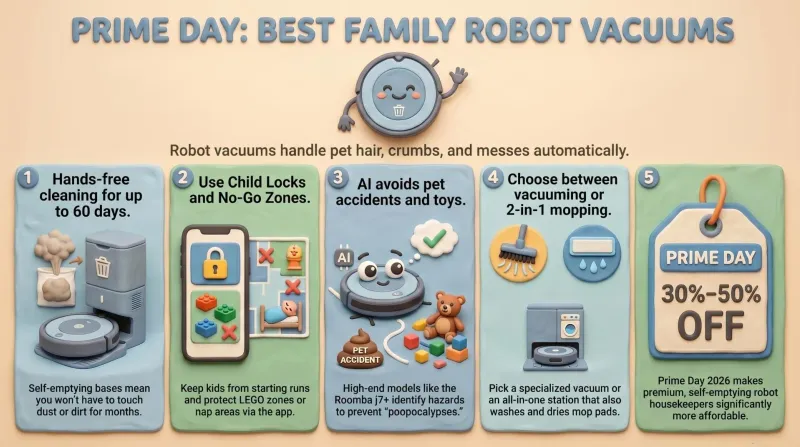
Prime Day 2026: 5 Best Robot Vacuums for Family Households
Our dad-focused Prime Day guide to the top 5 robot vacuums in 2026 that keep family homes clean – from self-emptying Roombas to powerful all-in-one stations from Shark, Dreame, and eufy.
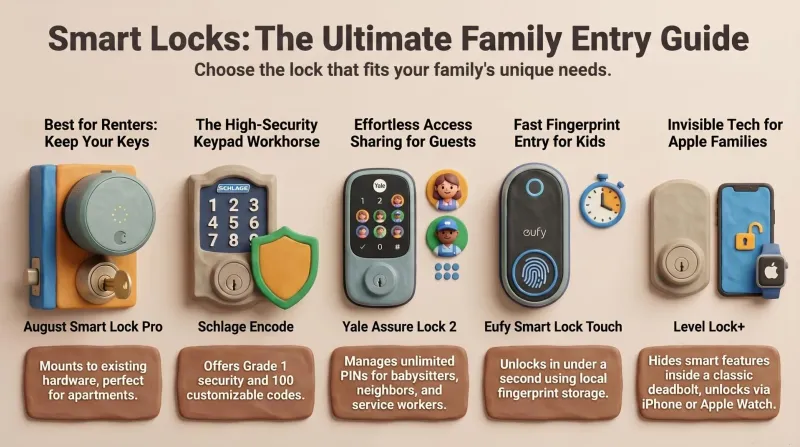
Never Get Locked Out Again: 5 Best Smart Locks for Families (Prime Day 2026)
A dad-focused guide to the best smart locks for U.S. family homes in 2026 – including August, Schlage, Yale, Eufy, and Level – with picks for renters, Apple families, fingerprint fans, and more.
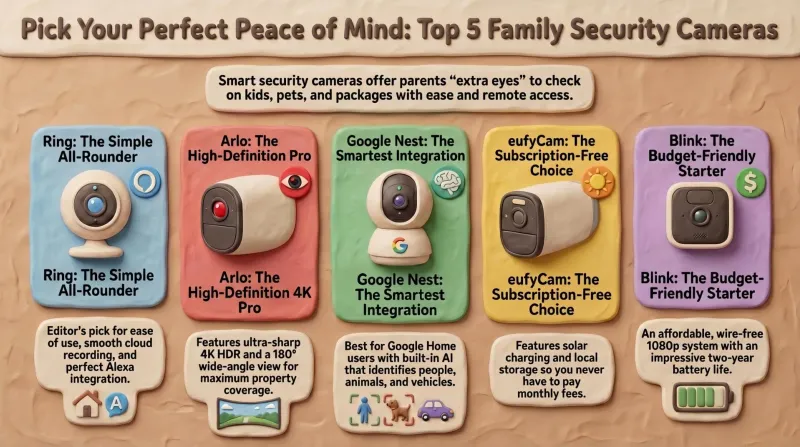
Top 5 Smart Security Camera Systems for Families (2026) – Dadnology Guide
Our dad-focused guide to the 5 best smart security camera systems for U.S. families in 2026 – from Ring and Arlo to Google Nest, eufy, and Blink – with options for every budget, ecosystem, and privacy preference.