
What is OpenClaw? The definitive guide to your private AI agent revolution
Stop chatting, start tasking. Learn how OpenClaw (formerly Clawdbot) transforms local AI into a proactive digital employee.
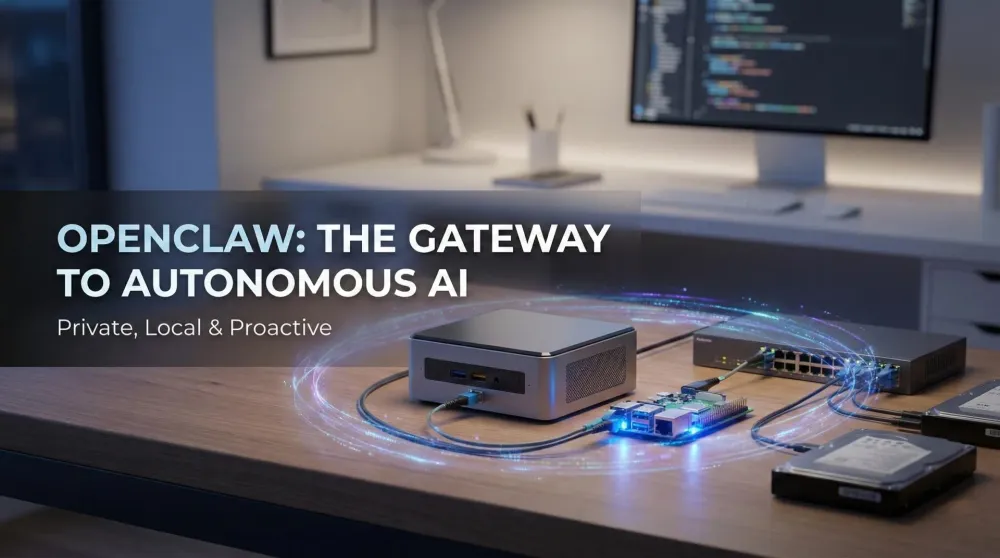
This post contains affiliate links. We may earn a commission if you make a purchase, at no extra cost to you. As an Amazon Associate, Dadnology earns from qualifying purchases.
1. Introduction: The death of the Chatbox
🦞 This guide is part of our OpenClaw Master Hub – every guide to running your own AI agent at home, from first install to family automations.
For the last few years, we’ve been stuck in a “Chatbox” loop. You ask a question, the AI answers, and then it waits. It’s passive. It’s reactive. And frankly, it’s a bit of a chore.
OpenClaw (formerly known as Clawdbot and Moltbot) represents the end of that era. We are moving from Chatbots to Agents.
An agent doesn’t just talk; it does. If you ask OpenClaw to “Summarize the PDFs on my desktop and email the highlights to my wife,” it doesn’t explain how you could do it—it actually opens the files, reads them, and sends the email. It is a persistent, proactive digital employee that lives on your hardware, under your rules.
2. What exactly is OpenClaw?
At its core, OpenClaw is an open-source gateway. It acts as the bridge between a Large Language Model (the “Brain”) and your computer’s operating system (the “Hands”).
While tools like ChatGPT are confined to a browser tab, OpenClaw has “System Access.” Through a secure interface (usually a chat app like Telegram or Discord), you send commands to your agent, which it executes locally on your machine.
The evolution: One project, three names
You might have heard this project called different things. Here is the quick history:
- Clawdbot: The original viral name.
- Moltbot: A brief rebranding due to trademark requirements.
- OpenClaw: The current, permanent name of the open-source project.
3. The architecture: Brain vs. Nervous system
To understand how OpenClaw works, you have to separate the Intelligence from the Action. We call this the “Brain vs. Nervous System” model.
- The Brain (The LLM): This provides the reasoning logic. It can be a local model running via Ollama on your Mac mini, or a high-end cloud API like Anthropic’s Claude 3.5.
- The Nervous System (OpenClaw): This is the gateway. It provides the “skills”—the ability to browse the web, read files, execute shell commands, and manage your calendar.
| Component | Role | Example |
|---|---|---|
| Brain | Reasoning & Decision Making | Llama 3.1, Claude 3.5, Mistral |
| Nervous System | Execution & System Access | OpenClaw |
| Interface | How you talk to the agent | Telegram, Discord, Slack |
| Hardware | The physical home | Mac mini, Raspberry Pi, VPS |
4. Why you need an AI agent (and not just a subscription)
Why go through the effort of setting up a local agent when you can just pay $20/month for ChatGPT Plus? It comes down to three pillars: Privacy, Persistence, and Power.
4.1. Radical privacy (the DMZ strategy)
When you use a cloud chatbot, you are sending your data to a third party. When you use OpenClaw on a dedicated Mac mini or Raspberry Pi, your sensitive files stay on your hardware. We highly recommend isolating your agent in a “DMZ” (Isolated Network) so it can work for you without ever seeing your private family photos or bank logins.
4.2. 24/7 Persistence
OpenClaw doesn’t sleep. It can monitor your inbox, track price drops on external SSDs, or perform SEO research while you are at work or asleep. It is an “always-on” node in your digital life.
4.3. Cost efficiency (the “Abo-Killer”)
As we explored in our Mac mini vs. ChatGPT Comparison, owning your hardware pays for itself in less than three years compared to expensive subscriptions.
5. Choosing your OpenClaw hardware
The “right” hardware depends on whether you want to run the “Brain” locally or in the cloud.
Option a: The powerhouse (local brain)
If you want 100% privacy with a local LLM, you need RAM.
- Recommendation: Mac mini M4 (24GB+ RAM).
- Why: Apple’s unified memory is the only way to run “smart” models (like 70B parameters) in a compact, silent form factor.
- Essential Extra: You’ll need an HDMI Dummy Plug to keep the GPU active for 24/7 headless operation.
Option B: The gateway (cloud brain)
If you are comfortable using APIs (like Claude or OpenAI) for reasoning, your local hardware only needs to manage the “Nervous System.”
- Recommendation: Raspberry Pi 5 (8GB).
- Why: It’s incredibly cheap, draws almost no power, and provides a physical “air-gap” between the AI and your main computer.
- Learn More: Read our Raspberry Pi 5 OpenClaw Guide.
6. What OpenClaw can (and can’t) do: Honest use case Matrix
Before you buy hardware, check whether your use case actually matches OpenClaw’s strengths. A lot of the hype oversells the “magic” and undersells the setup effort.
| Use Case | OpenClaw Fit | Notes |
|---|---|---|
| Morning news briefing via Telegram | Excellent | Runs on a Pi; minimal setup; immediate value |
| Local document Q&A (PDFs, tax docs) | Excellent | Mac mini 24GB+ recommended for accuracy |
| Automated price monitoring + alerts | Excellent | Low-power Pi handles this 24/7 easily |
| Coding assistant / repo janitor | Very Good | Needs Mac mini M4 Pro for 70B models; review all output |
| Home automation via Home Assistant | Very Good | Requires SkyConnect dongle and Matter devices |
| Financial research and analysis | Good with caveats | AI can hallucinate data; always verify via SEC EDGAR |
| Autonomous social media posting | Use with caution | Needs human approval step; risk of off-brand output |
| Replacing your accountant or advisor | No | AI is a research tool, not a licensed professional |
7. The “dad litmus test” — Is OpenClaw right for you?
Three questions. Answer honestly.
1. Do you have 4–6 hours for initial setup? This isn’t plug-and-play. Installing Ollama, configuring OpenClaw, setting up Telegram, and sandboxing properly takes a focused afternoon. If you can’t carve that out, wait until you can — a half-finished setup is worse than no setup.
2. Are you comfortable with a terminal?
You don’t need to be a developer, but commands like ollama pull llama3.3 and sudo pmset -a disablesleep 1 need to be something you can type without panic. If that looks like hieroglyphics, start with our Raspberry Pi guide — it has more hand-holding.
3. Do you have a specific task you want automated? The most common failure mode is “I set it up, asked it what to do, and it didn’t know.” OpenClaw isn’t a magic 8-ball. It needs a job. If you have “I want to stop spending 90 minutes every Sunday reading tech news,” that’s a job. If you have “I want to be more productive,” that’s not a job — it’s a vibe.
If you answered yes to all three, you’re ready. If you answered no to one or more, fix that first.
7.5 The “brain vs. Nervous system” in practice
The architecture model makes more sense with a concrete example. Here’s how it plays out when you send the command: “Research the best NAS drives under €200 and send me a comparison.”
Step 1 — OpenClaw receives the command via Telegram. It parses the intent: “web research + comparison + output via Telegram.”
Step 2 — The Nervous System activates the browser skill. OpenClaw opens a headless browser, searches three sources (a tech review site, a pricing aggregator, and a community forum), and pulls the relevant data. This is OpenClaw’s work — no AI reasoning yet.
Step 3 — Data is packaged and sent to the Brain. OpenClaw takes the scraped text, formats it as a structured prompt, and sends it to the LLM (either Ollama locally or Claude via API): “Here is data on NAS drives under €200. Compare them on capacity, speed, noise, and price. Format as a three-row table.”
Step 4 — The Brain reasons and responds. The LLM generates the comparison table. It doesn’t “browse the internet” — it only sees the structured data OpenClaw already fetched. That’s the privacy boundary: the LLM sees what OpenClaw shows it, nothing else.
Step 5 — OpenClaw delivers the result to your Telegram chat. Total time: 45–90 seconds.
That’s the full loop. The Nervous System handles I/O; the Brain handles reasoning. Either part can be swapped independently: you can upgrade from Llama 3 to Llama 4 without touching OpenClaw, or add a new skill without changing your model.
8. How to get started: The high-level roadmap
Ready to build your digital employee? The process is simpler than it looks:
- Prepare the Hardware: Set up a dedicated machine (Mac mini or Pi) and ensure it has a stable internet connection.
- Install the Engine: Download and install Ollama (for local models) or get your API keys ready.
- Deploy OpenClaw: Use the one-line installer script provided by the OpenClaw team.
- Connect Your Interface: Link the agent to Telegram or Discord so you can “text” your computer from your phone.
- Isolate & Secure: Follow our Security & Sandboxing Guide to ensure your agent stays in its sandbox.
8.5 The learning curve: What to expect in the first 30 days
Setting up OpenClaw isn’t a single afternoon event. It’s a 30-day learning process. Here’s what actually happens:
Days 1–3 (Setup and first tests): You follow the install guide, pull your first model, connect Telegram, send the first command. Something doesn’t work — the most common first-day issue is macOS TCC permission blocking OpenClaw from accessing your home directory. You fix it. The first successful automated task (a news brief, a folder summary) lands, and the potential clicks.
Days 4–7 (First real workflows): You configure your first scheduled tasks. Some work great. One loops and you have to kill it. You learn to write cleaner completion conditions in your prompts. You discover that the 7B model you initially pulled is too slow for your patience, or that the 70B model is too RAM-hungry for your hardware. You resize.
Days 8–14 (Refinement): The novelty phase ends and you start assessing whether this actually fits your life. This is where people either find the two or three workflows that genuinely save them time and stick with them, or realize they overcomplicated the setup and cut back to the essentials. Either outcome is valid.
Days 15–30 (Production stability): The workflows that survived two weeks are your real use cases. They run reliably. You check the Telegram channel every morning like a dashboard. The agent has become infrastructure — you stop thinking about it the way you stop thinking about your router. That’s the goal state.
The dad who understands this curve doesn’t get discouraged by day-5 friction. The first week is always the hardest. Week four is the payoff.
9. Final verdict: The future of personal computing
OpenClaw isn’t just a toy for developers; it’s the first step toward a future where everyone has a private, tireless assistant. Whether you’re using it to earn passive income or just to manage your digital life, the shift from “Chat” to “Agent” is the most significant tech trend of 2026.
Pros
- Complete privacy — your data never leaves your hardware
- Open-source: free to use, inspect, and modify
- Works 24/7 without your attention once configured
- One-time hardware cost vs. perpetual subscription fees
- Skills ecosystem covers research, coding, home automation, finance, and more
Cons
- 4-6 hours of initial setup required; not plug-and-play
- Terminal comfort is required — this is not a GUI application
- 70B models for serious reasoning require Mac mini M4 Pro; Pi alone is a gateway only
OpenClaw is the definitive gateway for anyone serious about personal AI. It offers the perfect balance of open-source flexibility, autonomous power, and local security. It is the “brain” your home server has been waiting for.
📌 FAQ – Common questions
Is OpenClaw free?
Do I need to know how to code?
Can OpenClaw delete my files?
Why should I use OpenClaw instead of just the ChatGPT app?
How long does the initial setup actually take?
What is the minimum hardware to start with?
Can OpenClaw break things on my computer?
Keep this in your inbox
One email a week: what we actually watched, built and reviewed — the stuff worth a dad's time. No hype, no daily spam.
Dadnology Weekly
One email a week: the LEGO, gaming and movie news worth a dad's time — plus what we actually reviewed. No hype, no daily spam.
Disclaimer: This review and its visuals were created with the help of AI. Some links may be affiliate links – we may earn a commission if you make a purchase, at no extra cost to you.
Current deals in Tech & gadgets
Verified live discounts tracked on Amazon

Tech & gadgets · Tested by Dadnology
Apple AirPods Pro (3rd generation)
5/5“The best noise-cancelling earbuds for Apple families”Read our review

You might also like

The state of OpenClaw: Mid-2026 update & what's new
Three months is a long time in agentic AI. Here's what changed for OpenClaw since the start of 2026—new skills, local-inference hardware, and where it's heading.
Hermes Agent's Quicksilver release: What's new in v0.19.0
Hermes Agent shipped v0.19.0 (the Quicksilver Release) on July 20 — an 80% faster cold start, Bitwarden and 1Password integration, and a real security hardening pass.
OpenClaw 2.0 is out: Team features, and a real security warning
OpenClaw 2.0 just shipped with team collaboration and a new browser UI - but sandboxing is disabled by default, and that matters if you're running it at home.