
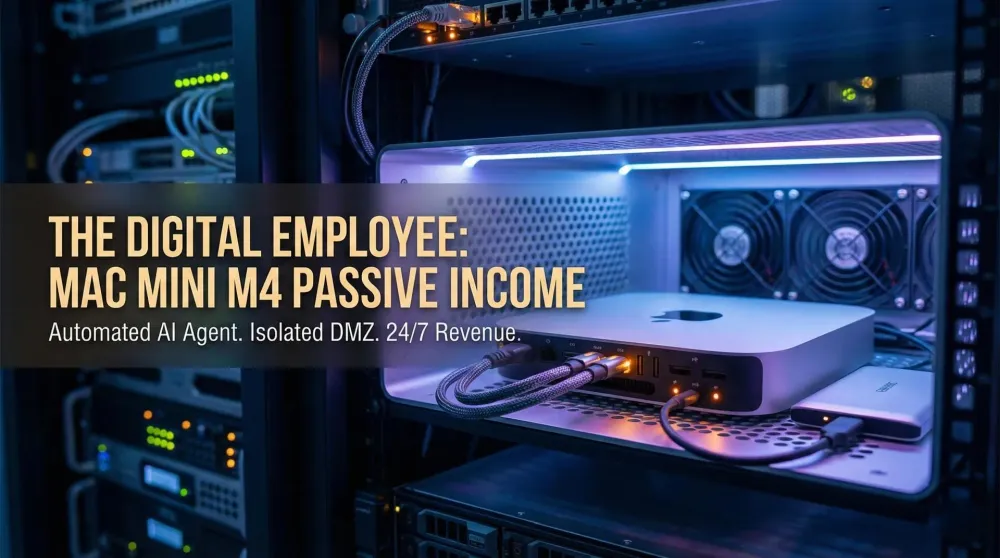
The digital employee: Earning passive income with an isolated Mac mini M4 AI agent
Turn your isolated Mac mini M4 into a 24-7 revenue generator. Learn how to use OpenClaw in a DMZ for SEO research, affiliate hunting, and content automation.
This post contains affiliate links. We may earn a commission if you make a purchase, at no extra cost to you. As an Amazon Associate, Dadnology earns from qualifying purchases.
1. Introduction: The “sandbox” business model
🦞 This guide is part of our OpenClaw Master Hub – every guide to running your own AI agent at home, from first install to family automations.
Most people think of AI agents as personal assistants that need to read their emails or manage their calendars. But if you’re like us at Dadnology, you’ve secured your Mac mini M4 in a DMZ (Isolated Network) for maximum safety (our security sandbox guide walks through that setup step by step). You might be wondering: “If it can’t see my data, what is it good for?”
The answer is simple: It’s your newest employee.
An isolated Mac mini is the perfect platform for a Digital Worker. It doesn’t need to know your private life to scan the public web, analyze market trends, or find affiliate deals. By keeping it separate from your normal network, you can let it run experimental scripts 24/7 without risking your family’s privacy.
2. Strategy 1: The automated SEO Researcher
The hardest part of growing a blog is staying ahead of trends. Your isolated agent can solve this by acting as a high-speed research department.
- The Workflow: Using OpenClaw and its browser capabilities, the agent scans Google News, Reddit, and tech forums for keywords in your niche (e.g., “M4 benchmarks” or “AI Agent updates”).
- The Task: It summarizes the top 5 trending topics every morning and generates an article outline based on current search intent. The outline includes a suggested title, a keyword list, 5–7 section headers with one-sentence briefs, and 2–3 competitor articles already ranking for the topic.
- The Profit: Instead of spending 2 hours researching, you spend 10 minutes reviewing a pre-written brief and deciding which topics to write. This allows you to publish more content, driving more traffic and affiliate revenue.
- The Real Advantage: You’re not just faster — you’re earlier. The agent running at 5 AM catches trend signals before your competitors who check manually at 9 AM. In affiliate and news-adjacent niches, being first by 4 hours on a trending topic can mean capturing 70% of the search traffic for that query.
Pro Tip: Configure the agent to save briefs as Markdown files to a designated
/output/folder rather than a shared Google Doc. Keeping data off cloud services is the point of the isolated setup. Pull the files to your main computer via Tailscale when you’re ready to write.
3. Strategy 2: The 24/7 affiliate deal hunter
If you run a niche site, “Deal Posts” are your highest converters. But prices change in minutes. Your Mac mini never sleeps—use that to your advantage.
- The Workflow: Program your agent to monitor specific product pages (Amazon, Best Buy, etc.) using a “headless” browser skill.
- The Task: When a product drops below a historical price threshold (e.g., a LEGO set hits 40% off), the agent triggers a notification.
- The Profit: You are the first to post the deal on your blog or social media. Being first often means winning the affiliate cookie and the commission.
| Task | Manual Effort | AI Agent (Isolated) | Monthly Value |
|---|---|---|---|
| Trend Research | 10+ Hours/Week | Automated (Nightly) | $400+ (Saved Time) |
| Price Tracking | Impossible to do 24/7 | Continuous Scanning | $100-500 (Commissions) |
| Drafting Content | 4 Hours/Post | Outline in 2 Minutes | $200+ (Output boost) |
4. Strategy 3: Faceless social content production
Video is king in 2026, but making it takes forever. The M4’s Neural Engine is a beast at video processing.
- The Workflow: Your agent takes your latest blog post and uses a local model (via Ollama) to script a 60-second “Tech Tip” for TikTok or YouTube Shorts.
- The Task: It uses a local Text-to-Speech (TTS) engine to generate a voiceover and pairs it with stock footage or screenshots it takes itself.
- The Profit: You build a social media following that drives traffic back to your site, all without ever appearing on camera or touching your main workstation.
- The Catch: Video is where the base 256GB SSD dies. A week of generated clips, stock footage and TTS audio will fill it, and macOS gets unpleasant when the boot volume runs dry. Point the render output at an external drive from day one — a Samsung T7 Shield costs a fraction of Apple’s internal storage upgrade and unplugs when you want the files somewhere else (our review covers how it holds up as a permanently-attached work drive).
5. Strategy 4: Automated newsletter and digest production
Email lists convert better than social followers, and building one doesn’t require you to write every edition manually.
- The Workflow: Your agent monitors your chosen RSS feeds, curates the week’s top 5 stories relevant to your niche, and drafts a newsletter edition as a Markdown file.
- The Task: “Claw, pull this week’s top stories from my RSS list. Write a 300-word digest in the Dadnology voice — practical, no hype, one opinion per story. Save to
/newsletter-drafts/2026-W22.md.” - The Review Step: You spend 10 minutes editing and approving. The agent handles the formatting, scheduling, and sometimes even the send via API (ConvertKit and Mailchimp both have API access).
- Why this works: Your readers get consistent, curated content. You maintain editorial control without the 4-hour weekly writing block. The key is that the agent is doing research and structuring — the opinion layer stays yours.
Setting up a basic DMZ (30-minute version)
If you haven’t isolated your Mac mini yet, here’s the minimum viable setup:
- Router config: Create a second SSID or VLAN — most modern routers (Asus, Ubiquiti, Fritzbox) support this natively. Call it “DMZ” or “AI-Server.”
- Connect the Mac mini to the DMZ network only. It can reach the internet but cannot reach your main LAN segment (your NAS, family devices, etc.).
- Run it headless. Once it is configured you will never sit in front of this machine again — you drive it over Screen Sharing or SSH. macOS behaves oddly with no display attached, though: screen sharing can drop to a 1024x768 desktop and some GPU-accelerated tasks idle down. A four-pound HDMI dummy plug makes the Mac believe a monitor is connected and removes the whole class of problem. Our guide to running a Mac mini headless walks through the full setup, including the login and auto-restart settings that decide whether the machine comes back on its own after a power cut. It is the cheapest part of this build and the one people skip twice before buying.
- Data handoff: Use Tailscale (free tier) to create a secure overlay network. Your main computer can pull files from the DMZ Mac without opening firewall ports.
- No cloud storage on the DMZ machine. Don’t sign into iCloud, Google Drive, or Dropbox on the agent box. Data leaves only via Tailscale pull from your main machine.
That’s it. You now have a sandboxed digital worker that can scan the web, run scripts, and generate content — without a path to your family’s photo library or banking details.
5.5 Realistic ROI: What you can actually expect
The “Mac mini pays for itself in three months” claim deserves scrutiny. Here’s an honest breakdown:
Time savings (conservative estimate):
- SEO research and content briefs: 3 hours/week saved → 12 hours/month
- Price monitoring and deal alerts: 1 hour/week saved → 4 hours/month
- Newsletter curation: 2 hours/week saved → 8 hours/month
- Total: ~24 hours/month freed up
If your time is worth €50/hour (freelance rate), that’s €1,200/month in recaptured productivity. The Mac mini M4 costs €599. Even at half those numbers, the payback period is under 2 months.
Direct revenue (harder to project, more variable):
- Affiliate commissions from deal-first posts: €50–500/month depending on traffic and niche
- Content output increase (more articles published): €100–400/month at typical display ad RPM
- Direct revenue: highly variable — treat it as a bonus, not a guarantee
The honest caveat: These numbers assume you actually use the system consistently. The single biggest predictor of ROI is whether you configure workflows that fit your real daily process, not aspirational ones. The dad who sets up a morning brief he actually reads every day gets 5× the value of the one who sets up a complex financial trading monitor he checks twice and forgets.
Electricity cost: M4 at idle draws ~4W. At full inference load: ~30W. Running 24/7 at an average of 8W: 70 kWh/year. At €0.30/kWh, that’s ~€21/year. Not a cost that factors into any reasonable payback calculation.
One more entry for the ROI column: the same box does double duty. When it isn’t earning, the M4 is also our pick for family photo editing — our best Mac mini for photography (M4 vs. M4 Pro) comparison breaks down which configuration that workload actually needs. If the “business” in question is a real small business rather than a solo side project, the calculus shifts — see is a Mac mini good for small-business local AI for the multi-user version of this setup.
6. Security check: Why the DMZ is a business advantage
Running “Money-making” scripts can sometimes involve using third-party libraries or scraping tools that are “spicy” from a security perspective. By running these on an isolated Mac mini M4, you gain Digital Sovereignty:
- Zero Leakage: Even if a script is compromised, it has no path to your main network.
- No Cloud Fees: Unlike AWS or DigitalOcean, you aren’t paying for “compute hours.” Your electricity cost on an M4 is roughly $2/month, even at full load.
- Dedicated IP: If you use a service like Tailscale, you can securely access your “Worker” from your phone while at the park with the kids, without opening ports in your firewall.
6.5 What happens when something goes wrong
The “passive” in passive income is aspirational. These agents need occasional maintenance, and knowing what breaks most commonly saves you from discovering it at the worst moment.
The agent gets stuck in a loop. A price-monitoring script that encounters a site with bot detection may retry infinitely, eating CPU and filling your logs. Add max_retries: 3 to any scraping workflow, and configure the agent to report and skip rather than retry a blocked URL indefinitely. Check your logs once a week — not because something will always be wrong, but because catching a stuck task early is much easier than debugging 10,000 identical log entries.
The model produces off-brand output. You check the newsletter draft and it reads like a LinkedIn post — optimistic, vague, full of business-speak. The agent has drifted from your system prompt. This happens most often after a model update in Ollama (new weights, slightly different defaults). Fix: keep a system-prompt.txt file in version control so you can revert to the last working prompt immediately. Compare the current output to your best historical example and tweak the prompt rather than accepting the drift.
Storage fills up silently. The SEO research workflow can generate gigabytes of scraped HTML in a week if you’re not pruning old files. This is the argument for keeping the agent’s working data on an external SSD rather than the boot drive: when a runaway workflow does fill something up, it fills up a disk you can wipe instead of the one macOS is running from. Add a cleanup step to each workflow: “After generating today’s brief, delete any research files older than 7 days from /research-cache/.” This costs you one extra line of instruction and prevents the eventual “out of disk space” crash that happens at the exact worst moment.
The affiliate deal workflow fires on stale prices. Some price-tracking sites cache prices aggressively; your agent captures a cached “low price” that’s already gone by the time readers click. Add a verification step: the agent fetches the price a second time 30 minutes after the initial alert before posting publicly. This reduces false alarms significantly without meaningfully slowing the deal-detection pipeline.
6.7 Mid-2026 update: What’s changed since publication
This guide keeps earning its keep, so here’s the honest state of play as of July 2026. The workflows stand — nothing above has aged out, and the sandbox-first architecture has only become more standard advice across the community. Three developments are worth your attention:
- Local models crossed the usefulness line. With Qwen 3.6 27B running on 24GB hardware, the “brain” of these workflows can now live entirely on your own machine — zero API costs per run changes the ROI math for the research- and digest-heavy strategies in particular. Our Mac mini vs ChatGPT comparison has the updated cost picture.
- There’s a second agent in town. Hermes Agent — MIT-licensed, self-improving, built for fully-offline operation — is the first serious alternative to the OpenClaw setup this guide is built on. The workflows transfer conceptually one-to-one; our head-to-head comparison covers whether it changes anything for income setups (short version: not yet for running systems, worth a look for new builds).
- The bigger picture got its own guide. This page stays the deep dive on the Mac mini setup; for the full map of what earns money with AI at home — including the budget Raspberry Pi tier and the grift to avoid — start with our new umbrella guide.
7. Final verdict: The ROI of the M4 hub
The Apple Mac mini M4 started at around $599, and it is now the outgoing generation — Apple’s current base model is the Mac mini M6 at $899. For a headless, always-on scraping-and-drafting box, the older M4 is still the smarter buy while clearance stock lasts: this workload never touches the extra speed the M6 adds. Either way, if it saves you 5 hours of research a week and generates just two extra affiliate sales, it pays for itself in under three months.
In the world of “Dad Tech,” we often justify purchases as “toys.” But with an isolated AI agent setup, this is the first toy that actually buys you more time and puts money back in your pocket.
Not sure which configuration to order? Our Mac mini buying guide for OpenClaw breaks down exactly how much RAM your agent needs — and if you’re starting from zero, the full Mac mini M4 OpenClaw setup guide takes you from unboxing to your first Telegram reply. Wondering about the new alternative everyone’s talking about? Our Hermes Agent vs OpenClaw comparison covers whether the challenger changes this playbook (spoiler: the workflows transfer).
Pros
- M4 idle power draw around 2-5 watts — runs 24/7 for less than a dollar a month in electricity
- DMZ isolation means experimental scripts can't reach your family's data
- Pays for itself in under 3 months if it saves 5 hours of research weekly
- Newsletter and content workflows scale output without scaling your time investment
- No recurring cloud compute fees — you own the hardware, you own the margin
Cons
- Base 16GB sufficient for research, but video processing needs 24GB+ M4 Pro
- Web-scraping tools occupy a legal gray area — always respect robots.txt and terms of service
- AI-generated outlines need human editorial review before publishing
Isolating your Mac mini M4 in a DMZ isn’t a limitation—it’s the foundation of a secure, automated business. Stop treating your AI agent as a chatbot and start treating it as your most efficient, lowest-cost employee.
📌 FAQ – Common questions
Does the Mac mini need to be 'on' all the time?
What is the best way to get data 'out' of the DMZ?
Is web scraping legal?
How do I set up the Tailscale pull method safely?
Can I do this with the base 16GB model?
Keep this in your inbox
One email a week: what we actually watched, built and reviewed — the stuff worth a dad's time. No hype, no daily spam.
Dadnology Weekly
One email a week: the LEGO, gaming and movie news worth a dad's time — plus what we actually reviewed. No hype, no daily spam.
Disclaimer: This review and its visuals were created with the help of AI. Some links may be affiliate links – we may earn a commission if you make a purchase, at no extra cost to you.
Current deals in Tech & gadgets
Verified live discounts tracked on Amazon

Tech & gadgets · Tested by Dadnology
Apple AirPods Pro (3rd generation)
5/5“The best noise-cancelling earbuds for Apple families”Read our review

You might also like
Hermes Agent's Quicksilver release: What's new in v0.19.0
Hermes Agent shipped v0.19.0 (the Quicksilver Release) on July 20 — an 80% faster cold start, Bitwarden and 1Password integration, and a real security hardening pass.
Hermes Agent hardware requirements: The 24GB sweet spot explained
The real Hermes Agent hardware requirements for running Qwen 3.6 27B locally: why agents need more memory than chatbots, the 24GB sweet spot, and what to buy.
OpenClaw 2.0 is out: Team features, and a real security warning
OpenClaw 2.0 just shipped with team collaboration and a new browser UI - but sandboxing is disabled by default, and that matters if you're running it at home.