
Which Kindle to buy: Paperwhite, basic Kindle or Kindle Kids?
Which Kindle to buy as a gift: Paperwhite, basic Kindle, Kindle Kids or Colorsoft? From a dad and a daughter who read on two Kindles every week.

This post contains affiliate links. We may earn a commission if you make a purchase, at no extra cost to you. As an Amazon Associate, Dadnology earns from qualifying purchases.
There are two Kindles in our house, and both get used every week. I read on the newest Kindle Paperwhite. Our daughter reads on my old Kindle, one of the models without a front light. We both read a lot, and if you asked us what the best thing about a Kindle is, we would give the same answer: it is just the book, and nothing else.
That daily use makes the differences between the models very concrete for us. The Paperwhite with its light is a dream to read on. The model without a light is still a very good e-reader, and our daughter loves hers, but in the evening the light is simply more practical. And that is the first piece of good news for anyone buying a Kindle today: every current Kindle has a front light.
This guide explains the current Kindle range and which model to give to whom. The facts come from Amazon’s product pages; the opinions come from two readers who use them every week.
Why a Kindle at all
A Kindle does one thing. It has no social media, no notifications and no games, so a reader opens a book and stays in it. For an adult who wants to read more and scroll less, that alone is the reason to buy one. For a child, it is the difference between reading and drifting off into a game.
The display is the other reason. Kindles use a glare-free e-ink screen that looks like paper and reads well even in bright sunlight, unlike a tablet or phone. And the battery lasts for weeks, not hours. On holiday, the Kindle is the one device that never needs a charger.
Kindle Paperwhite: Our pick
The Kindle Paperwhite is the Kindle we would give to almost every reader, and it is the one I use myself. The current model has a 7-inch high-contrast display, an adjustable warm light that goes from white to amber, fast page turns and a waterproof design. Amazon quotes up to 12 weeks of battery on a single charge, and the newest model has a replaceable battery.
For me, the light is what makes it. Reading in bed at night, the warm light is gentle on the eyes, and in daylight the screen looks like paper. It is a dream to read on, and I would not want a Kindle without a light again.
The bigger 7-inch screen also matters for someone who reads a lot: more text per page, fewer page turns. And waterproof means the bath and the beach are not a risk.
Kindle Paperwhite Signature Edition: For the reader who wants everything
The Paperwhite Signature Edition is the same reading experience with extras: a light that adjusts itself to the room, 32GB of storage, no ads, and in the newest model an aluminum design and double-tap page turns. Amazon also quotes up to 12 weeks of battery.
The auto-adjusting light is a real convenience for someone who reads in many places, from the train to the bedside. For most readers, the standard Paperwhite is enough. The Signature Edition is the luxury version, and a lovely gift for someone who already reads every day.
Kindle (basic): The good budget choice
The basic Kindle is the smallest and lightest. The newest model has a 6-inch glare-free display with a front light and adjustable brightness, opens books faster than the previous generation, has up to 6 weeks of battery and, like the Paperwhite, a replaceable battery.
It is a very good e-reader, and our daughter’s older Kindle shows how much a basic model can carry a reader: she reads a lot on hers. Compared with the Paperwhite, the basic Kindle has a smaller screen, no warm light and no waterproof design, and the battery lasts less long. For an occasional reader, a commuter or a tight budget, it is the right choice.
Kindle Kids: For young readers
For children, the Kindle Kids is the version to buy. It is built for reading only, with no apps, videos, games or notifications, and it includes a year of Amazon Kids+ with thousands of books for children aged 6 to 12. The newest model is thinner and lighter, with a 6-inch glare-free display and up to 6 weeks of battery. Amazon says children read on their Kindle for an hour a day on average.
Kids+ renews automatically after the first year unless you cancel. Note that in your calendar when you set it up.
Kindle Colorsoft Kids: For comics and graphic novels
The Kindle Colorsoft Kids is the color Kindle for children. Its paper-like color display brings covers and comics to life, and it includes a cover, 12 months of Amazon Kids+ and a 2-year worry-free guarantee, according to Amazon. Amazon also points out that the color display is optimized for color reading and differs from the black-and-white display of the other models.
For a child who reads mostly comics and graphic novels, it is the better gift. For a child who reads mostly novels, the standard Kindle Kids is enough.
What we learned from two Kindles in one house
A few things become obvious when a dad and a daughter both read on Kindles. Right now I am in the middle of a Mitch Rapp thriller by Vince Flynn, and she reads young adult novels, so the two Kindles see very different books.
The front light matters more than anything else on the spec sheet. Our daughter’s Kindle without a light is a great reader in daylight. But much of a family’s reading happens in the evening, in bed, on a dark car ride home. That is when the light makes the difference. Since all current Kindles have one, this is no longer a decision, but it is the reason we would not buy an old used model without a light.
Screen size matters for heavy readers. The 7-inch Paperwhite shows more text per page, and over a long book, that is noticeably more comfortable.
A shared library is worth setting up. With Amazon’s family features, books bought on one account can be shared within the household, so a parent and a child can read the same series without buying it twice. Set this up before the Kindle is wrapped.
And the right first book matters as much as the device. For a child who is ready for a long series, our Harry Potter book reviews start with the first volume, and our age guide to Percy Jackson helps decide when that series fits. For dads, the Halo books in reading order are a good long winter project.
Setting up a Kindle for a child
A Kindle Kids is easy to hand over, but ten minutes of setup before Christmas make it much better. Amazon’s Parent Dashboard is where it happens. According to Amazon, parents can add books from their own account to the child’s library, see reading progress, adjust the age filters and set a device bedtime. That last one is worth using: a child who reads under the covers until midnight is a happy reader and a tired one the next morning.
The other setup step is choosing the first books. Kids+ brings thousands of titles, but children often read more when the first book is one they already wanted. Load one or two of those before wrapping, so the Kindle opens straight into a story.
How long a Kindle lasts
Kindles are not devices people replace every year. Ours are proof of that: our daughter’s model is old enough to predate the front light, and it still does its job every week. Two things make the current generation even more durable. The battery lasts weeks, so it goes through far fewer charge cycles than a phone or tablet. And the newest Kindle and Kindle Paperwhite have a replaceable battery: if it ever wears out, the back panel opens for a quick swap, according to Amazon.
That makes a Kindle one of the better-value gifts in tech, and one that rarely ends up in a drawer. Spread over the years it is used, it costs very little per book read.
A case is worth it
A Kindle travels: in a school bag, a handbag, a beach bag. A simple cover protects the screen from keys and pens, and it is a small, useful extra to put next to the gift. Make sure the case matches the exact model and generation, because Kindle sizes change between generations, and a cover for the previous Paperwhite will not fit the newest one.
Which Kindle for whom?
| Reader | Kindle | Why |
|---|---|---|
| Adult who reads a lot | Paperwhite | 7-inch screen, warm light, waterproof |
| Adult who wants the best | Paperwhite Signature | Auto light, 32GB, no ads |
| Occasional reader, tight budget | Kindle (basic) | Small, light, front light |
| Child 6 to 12 | Kindle Kids | Kids+ library, reading only |
| Child who loves comics | Colorsoft Kids | Color for graphic novels |
| Teenager who reads a lot | Paperwhite | Grows with them, warm light |
Before you buy a Kindle
If the goal is reading, do not buy a tablet. A tablet has games and videos one tap away; a Kindle does not. If the goal is apps and learning games, our family tablet guide is the better place to start, and for the other Amazon devices in a family home, see our Amazon devices guide.
Skip the cheap used Kindle without a front light, however tempting the price looks. It works, and our daughter loves hers, but evening reading is so much easier with a light that we would not buy one today.
And put the Kids+ renewal in your calendar. The first year is included with Kindle Kids; after that, it renews automatically, so decide in advance whether your child still uses the library enough to keep it.
The bottom line
For most readers, the Kindle Paperwhite is the one to buy: a 7-inch high-contrast display with warm light, waterproof, and weeks of battery. It is the Kindle I read on, and a dream in the evening. The basic Kindle is the good budget choice, and every current model has the front light that our daughter’s older Kindle lacks. For children, Kindle Kids adds a year of Kids+ and keeps the device about reading only, and the Colorsoft Kids is the pick for comic fans.
The Final Word: Buy the Paperwhite for anyone who reads a lot, and make sure it has a light. Every current Kindle does.
Which Kindle is best for most people?
Is the Paperwhite worth it over the basic Kindle?
Do all Kindles have a backlight?
Which Kindle is best for kids?
Is a Kindle better than a tablet for reading?
Keep this in your inbox
One email a week: what we actually watched, built and reviewed — the stuff worth a dad's time. No hype, no daily spam.
Dadnology Weekly
One email a week: the LEGO, gaming and movie news worth a dad's time — plus what we actually reviewed. No hype, no daily spam.
Disclaimer: This review and its visuals were created with the help of AI. Some links may be affiliate links – we may earn a commission if you make a purchase, at no extra cost to you.
Current deals in Tech & gadgets
Verified live discounts tracked on Amazon
Tech & gadgets · Tested by Dadnology
Apple AirPods Pro (3rd generation)
5/5“The best noise-cancelling earbuds for Apple families”Read our review

You might also like
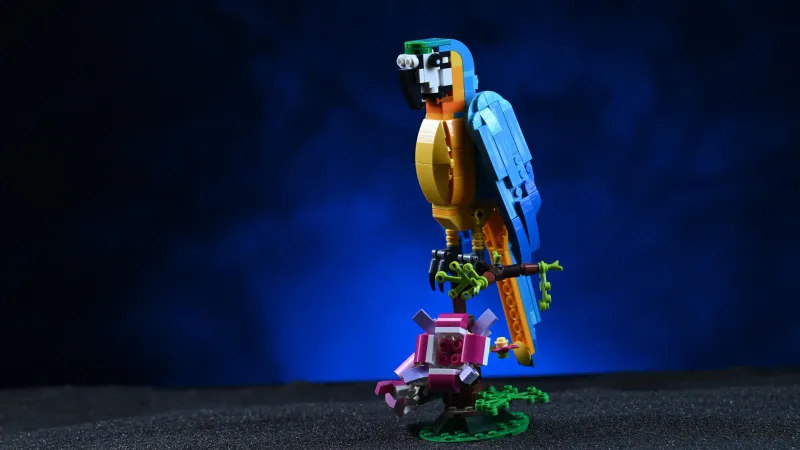
The best LEGO Creator 3-in-1 animal sets: The big and small gifts we keep buying
The best LEGO Creator 3-in-1 animal sets, big and small: shark, parrot, T. rex, panda, lion and dragon, plus the hummingbird, flamingo, spider, puppy and cat.

The best stocking stuffers for kids: Small LEGO, Pokémon and toy gifts that get played with
The best stocking stuffers for kids: small LEGO NINJAGO, City and Pokémon sets, Schleich figures, Playmobil and Bruder, from brands we buy without hesitation.

Best LEGO Minecraft sets – Dad-tested picks for every age & budget
The Creeper (21276) is the default pick for any Minecraft fan's shelf, the Pickaxe Mine (21277) is the best pure playset, and the Baby Pig House (21268) is the ideal first set for a 7-year-old. LEGO Minecraft rewards matching the set to how your kid actually plays — smashers need playsets, collectors need mobs.