
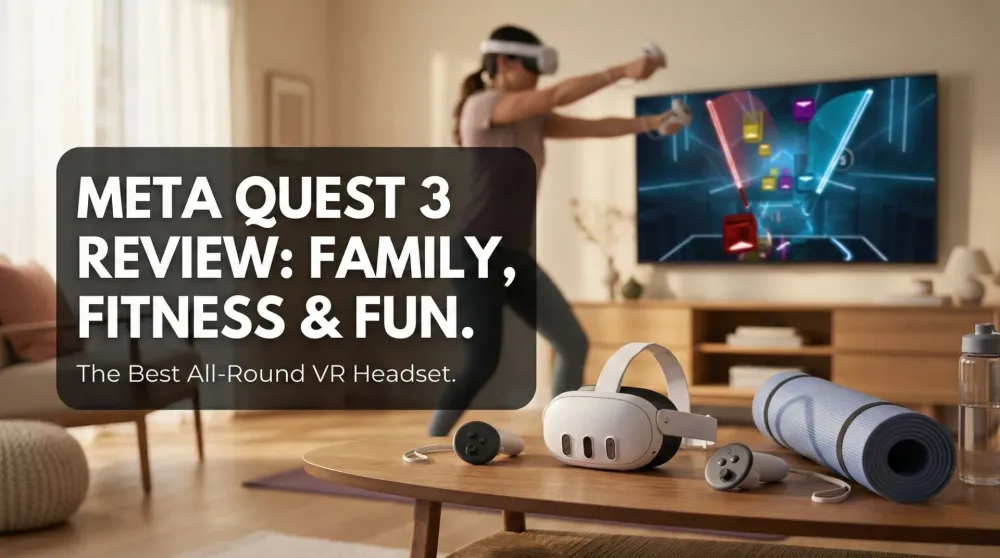
Meta Quest 3 (512GB) Review – The Best All-Round VR Headset for Families, Fitness & Fun
Until Apple Vision Pro fits the budget, Meta Quest 3 (512GB) is our go-to VR: incredible games, reliable passthrough, and easy sharing. Productivity and movie clarity aren’t Vision-Pro level, but for gaming, fitness, and mixed reality fun, it’s a 4.5/5 family favorite.
This post contains affiliate links. We may earn a commission if you make a purchase, at no extra cost to you. As an Amazon Associate, Dadnology earns from qualifying purchases.
🎮 Introduction — The “fun first” headset that covers almost everything
🧰 This review is part of The Dad Tech Essentials – the tech that actually survives family life, all in one living list.
I’ve been daydreaming about Apple Vision Pro since announcement day. It’s the North Star for spatial computing: mind-bending clarity, desktop-class productivity, a “personal cinema.” But while I save up for that future, the Meta Quest 3 (512GB) has become my everyday reality—and, honestly, it’s a blast. When friends visit, it’s the headset that turns even the most tech-skeptical into instant evangelists. When I need a ten-minute reset after work, it’s the gadget that delivers sweaty fun without leaving the living room.
Let’s be clear up front: Quest 3 isn’t perfect for my two most demanding use cases—serious productivity and cinema-level movie clarity. The displays don’t match Vision Pro’s pixel density or lens magic, and small text can look softer than I’d like for multi-hour desktop sessions. Likewise, cloud gaming/Remote Play works and is fun, but fast-moving detail never looks as razor-sharp as a good TV or monitor.
Everything else? Quest 3 nails it—from rhythm workouts to mixed reality party games to hand-it-to-a-friend “wow” moments. If you want to love VR today without spending Vision-Pro money, this is the all-purpose headset to get.
AdMeta Quest 3 (512GB) (opens in a new tab)
All-round VR that’s easy to share: great games, mixed reality, and the best value island for families who want to jump into VR today.

🧱 Design, build & comfort — Good out of the box, great with the right strap
Quest 3 is light enough that you can play a full rhythm set without feeling front-heavy, but like almost every standalone headset, the stock strap is “fine, not fantastic” for long sessions or pass-and-play with multiple head sizes. The upgrade that changed our usage pattern was the BOBOVR S3 Pro Battery Strap: it counterbalances the front weight, adjusts quickly when you hand it to the next person, and adds enough juice that you stop thinking about the battery until the party’s over.
👉 Read our full BOBOVR S3 Pro Battery Strap review here: BOBOVR S3 Pro Battery Strap Review
AdBOBOVR S3 Pro Battery Strap (opens in a new tab)
A big comfort win for pass-and-play: better balance, quick swaps between players, and extra battery when the party goes long.
The Touch Plus controllers are excellent: they’re natural to hold, inputs land exactly where your fingers expect, and tracking stays locked even when you’re windmilling through a Beat Saber chorus. For mixed reality apps, controller and hand-tracking both work, but when precision matters—table tennis serves, mini-golf putts—the controllers remain king.
One seasonal caveat: summer heat. It’s not unique to Meta—every sealed headset gets toasty. We naturally shift to shorter sessions or early-morning workouts when the temperature spikes. In cooler months, hours can disappear in the best possible way.
🚀 Setup & everyday UX — “It just works” moments for non-techy guests
Quest 3’s setup is about as painless as VR gets. Inside-out tracking means no base stations, the guardian boundary draws itself quickly, and first-time tutorials are short and effective. The home UI is intuitive; you can hand the headset to a newcomer and say “Click the app tile in front of you,” and they’ll figure it out without you hovering like an IT admin.
YouTube, browser, and store are straightforward, and pairing the controllers is an “it just works” affair. Software updates happen in the background while it charges. This matters when you want VR to be a family activity, not a fussy hobby.
🖼️ Displays & optics — Good, but not Vision-Pro good
If your personal dream is a razor-sharp virtual 4K theater or a multimonitor Mac/PC replacement, Quest 3 delivers a good experience, not a perfect one. Movies and series are enjoyable—the giant-screen novelty is real, the immersion is delightful—but pixel structure and text sharpness remind you this is a gaming-first display stack, not an Apple-class micro-OLED jewel.
For browsing and casual YouTube, it’s perfectly fine. For editing documents or poring over code for hours, the softness becomes noticeable—especially if you’re picky about subpixel rendering. That said, my family happily watches trailers, YouTube channels, and short shows in VR when the TV is occupied, and it never feels like a compromise for that use.
🔊 Audio & microphones — Solid for built-in, better with buds
The open-ear speakers do a respectable job for games, but if you’re trying to watch a late-night movie with dialogue clarity or push bass in rhythm titles, pairing low-latency earbuds or a decent pair of on-ears is worth it. Mic quality is clear enough for in-game chat and party coordination; nobody complained they couldn’t hear me over a Synth Riders set or during a Walkabout round.
🎯 Gaming focus — Why Quest 3 is my “instant fun” machine
Here’s where the headset shines brightest. The library is wide and surprisingly deep, and the best titles translate five minutes of free time into a legitimate mood boost.
- Beat Saber: Still the VR gateway drug. The first time you slice a diagonal red block on beat, your brain lights up. It’s perfect stress relief: two songs, heart rate up, grin on.
- Synth Riders: A more dance-like flow with lovingly charted tracks. We pass the headset between players and cheer each others scores.
- Eleven Table Tennis: If you’ve ever loved real-world ping pong, this is dangerously accurate. Spin control, flicky backhands, the rhythm of a rally—it’s all here.
- Walkabout Mini Golf: The best “hangout” game in VR. Relaxed, social, and weirdly meditative, with course designs that range from cozy to spectacular.
- Racket Club: A cardio sleeper hit—quick to pick up, surprisingly technical to master.
Beat Saber (Quest) (opens in a new tab)
The ultimate VR rhythm workout—dad-tested stress relief that doubles as cardio.
The key is approachability. You can onboard a grandparent in Walkabout in two minutes. You can get a teen hooked on Eleven before you’ve finished your coffee. And if you want to blow off steam, Beat Saber is a more joyful treadmill than anything with a belt and a motor.
🧩 Mixed reality & passthrough — The bridge that brings newcomers in
Quest 3’s color passthrough is a huge psychological safety net. People who feel uneasy about “being cut off from the room” relax immediately when they realize they can still see their surroundings. Mixed reality apps use your space as a canvas, which turns “VR” from a weird tech demo into an approachable playground that includes your couch, coffee table, and dog.
Is the passthrough as sharp as a real-world view? Of course not. But it’s functional and useful, and it adds a layer of comfort that keeps first-timers from ripping the headset off the second they lose track of the door.
🍿 Movies & series — Good for casual viewing, not a home cinema killer
We watch trailers, short shows, and YouTube with zero friction. It’s fun to “sit” in a virtual theater and shove the screen way bigger than your living-room TV. Dialogue is intelligible, colors look good, and the novelty factor carries a lot of weight.
That said, if you’re chasing home-theater perfection—inky blacks, crisp subpixel fonts, unmatched pixel density—Vision Pro plays in a different league right now. If your bar is “cozy big screen while everyone else uses the TV,” Quest 3 hits the mark. If your bar is “this replaces a cinema projector,” manage expectations.
💼 Productivity & cloud gaming — Works, but this isn’t its home court
You can connect to a virtual desktop, line up multiple windows, and get basic tasks done. It’s absolutely cool; it’s also not how I want to spend a full workday. Text clarity and eye comfort still trail conventional monitors, and the soft-focus feel creeps in during long sessions.
Cloud gaming via Xbox Game Pass or PlayStation Remote Play is a blast for slower genres, racing games, and anything turn-based. Twitchy shooters and fast competitive titles feel softer than on a TV—playable, yes, but not preferable if you care about visual crispness.
🧑🤝🧑 Sharing & party play — The social superpower
This is secretly Quest 3’s best feature: it brings people in. We routinely pass the headset around in Synth Riders or Beat Saber, trading songs and setting dares. In Walkabout, you can hand someone the controllers and say, “Putt toward the lighthouse,” and they’ll do it—no tutorial manuals required.
We’ve had more than one friend order a Quest after a single evening of demos. That “wow, I didn’t know it could feel like this” moment is real, and it’s contagious.
🏋️♀️ Fitness & motivation — The treadmill that smiles back
VR fitness apps are shockingly motivating. It’s not about targeting VO₂max; it’s about tricking your brain into wanting to move. Rhythm games ramp your heart rate without the “ugh” factor. We keep a simple “two songs a day” rule and end up doing four because it’s fun. Add arm weights sparingly if you’re comfortable, and you’ll feel the burn the next day.
🔋 Battery, storage & the 512GB choice
Baseline battery life covers casual use; the BOBOVR battery turns “I should stop soon” into “We can keep going.” For storage, 512GB is overkill for a minimalist but perfect if you like keeping a wide library installed—rhythm packs, MR titles, fitness apps, and captured clips. If you hate micro-managing storage, this capacity is the “buy once, stop thinking” option.
🔧 Accessories that actually matter
- BOBOVR S3 Pro Battery Strap — comfort and endurance in one.
- Sweat-friendly face interface — rhythm games get spicy; wipeable pads are worth it.
- Simple stand — keeps the headset accessible so you use it more.
⚠️ Limitations & real-world quirks
- Clarity ceiling: Movies and text remind you this isn’t micro-OLED.
- Heat: Hot rooms shorten sessions; it’s the nature of the beast.
- Cloud gaming sharpness: Fun, not monitor-level crisp.
- Stock strap: Fine for short bursts; invest if you’ll share or play often.
🧭 Who should buy Quest 3 (512GB)?
- Families and first-timers who want joyful VR right now.
- Parents who crave ten-minute stress relief that doubles as cardio.
- Social players who love pass-and-play and approachable mixed reality.
- Anyone okay with good (not perfect) movie/productivity performance while chasing great gaming and fitness.
Pros
- Fantastic game library for fitness, rhythm, and sports
- Mixed-reality passthrough that’s friendly for first-timers
- Comfortable controllers; easy pass-and-play
- Great value; simple setup; intuitive UI
- Huge app ecosystem and community
Cons
- Display clarity trails Apple Vision Pro for text/cinema use
- Cloud gaming and remote play are fun but not razor-sharp
- Warm in summer; comfort benefits from a better strap
🗣️ Conclusion
Meta Quest 3 (512GB) is the VR you actually use. It’s the headset that turns a spare ten minutes into a grin, a family night into a memory, and a skeptical friend into a believer. It can do movies, browsing, and basic productivity, but its soul is fun—the active, social, come-on-just-one-more-song kind. Until Apple Vision Pro slips into more budgets, Quest 3 is the obvious all-round pick. For gaming, fitness, and mixed reality joy, it’s a 4.5/5 without hesitation.
Weighing it against Sony? Our PlayStation VR vs Meta Quest 3 comparison settles which headset fits your family setup.
📌 FAQ – Meta Quest 3
Is Meta Quest 3 good for first-time VR users?
Can I use Quest 3 for movies, browsing, and productivity?
How does it handle pass-and-play at parties?
Does cloud gaming work well?
What’s the best accessory to buy first?
Keep this in your inbox
One email a week: what we actually watched, built and reviewed — the stuff worth a dad's time. No hype, no daily spam.
Dadnology Weekly
One email a week: the LEGO, gaming and movie news worth a dad's time — plus what we actually reviewed. No hype, no daily spam.
Disclaimer: This review and its visuals were created with the help of AI. Some links may be affiliate links – we may earn a commission if you make a purchase, at no extra cost to you.
You might also like
AirPods 4 Review – Affordable ANC Earbuds for Apple Families
For Apple users who want simple, reliable earbuds with real ANC at a lower price, AirPods 4 hit the mark. They pair instantly, sound lively for pop and podcasts, and stay comfy for long sessions—even with their one-size design. ANC is good (not Pro-level), but easily strong enough for chores, commutes, and study sessions. If you need the best noise cancelling, Adaptive mode, and head-nod call answer, the AirPods Pro 3 are the upgrade. Otherwise, AirPods 4 are a great family buy.
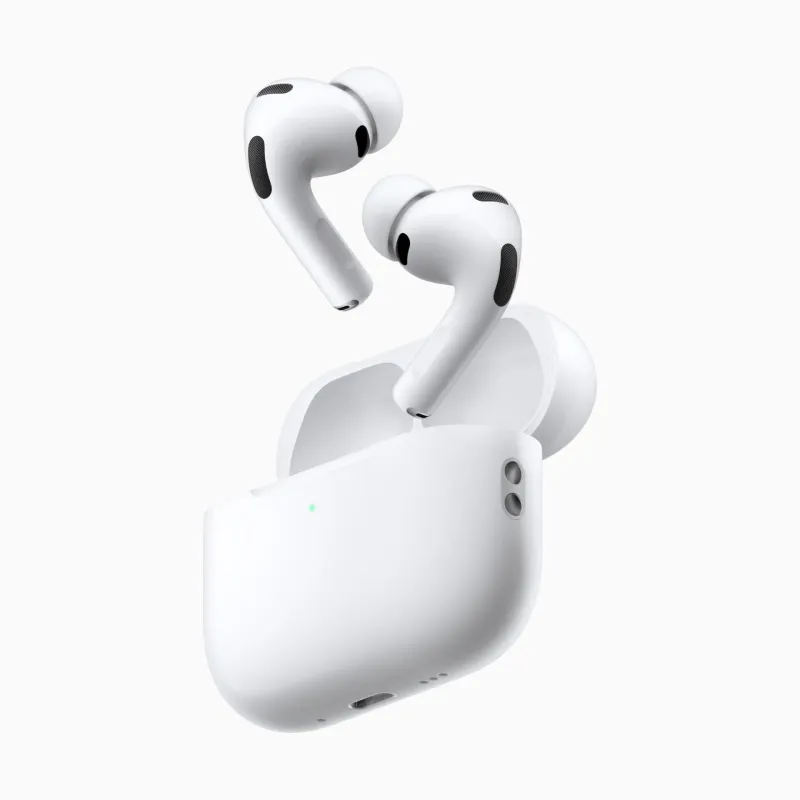
AirPods Pro 3 Review – The Best Noise-Cancelling Earbuds for Apple Families
AirPods Pro 3 deliver the most effortless everyday audio we’ve used: superb ANC, natural Adaptive mode, and instant, reliable switching across Apple TV, iPhone, and iPad. Head-nod call answer is a clever quality-of-life upgrade, and comfort is strong even after hours. Live translation—also supported on Pro 2—is a “welcome to the future” moment we’ll deep-dive soon. If you live in Apple’s world and want earbuds that disappear while you enjoy music, movies, and calls, these are a 5/5 pick.
Samsung T7 Shield Review: The Drive That Fixed Apple's Storage Pricing
The external SSD we recommend in almost every Mac guide we write, and the one actually plugged into our own desk. Fast, pocket-sized, IP65-rated and a fraction of what Apple charges for internal storage.