
Beyond the hype: 7 mind-bending truths I uncovered about the Apple Vision Pro
Beyond the marketing, seven mind-bending truths reveal what the Apple Vision Pro really is: a prototyping engine, a gaming display, a spatial memory machine, the ultimate Mac accessory, a parenting focus hack, a travel productivity tool, and a platform that improves with time.
This post contains affiliate links. We may earn a commission if you make a purchase, at no extra cost to you. As an Amazon Associate, Dadnology earns from qualifying purchases.
🥽 This guide is part of our Apple Vision Pro Hub — Mac Virtual Display workflows and the accessories that actually help at work and home.
When the Apple Vision Pro launched, the conversation was dominated by two things: its futuristic promise and its eye-watering price tag. It was framed as a glimpse into tomorrow — beautiful, powerful, and largely out of reach for anyone who didn’t live in a keynote slide. Critics focused on what it couldn’t do. Enthusiasts focused on the demo videos.
Both missed the more interesting story.
As with every new computing platform — the iPhone in 2007, the iPad in 2010 — the most valuable discoveries didn’t come from Apple’s marketing. They emerged from users experimenting, pushing, and quietly building things nobody planned for. Over a year into real-world Vision Pro ownership, seven genuinely unexpected truths have surfaced. Together, they paint a much clearer picture of what the Vision Pro actually is today versus what it was sold as: a radically faster prototyping environment, a surprisingly capable gaming display, a time machine for family memories, the most powerful Mac accessory Apple has ever built, a parenting hack hiding in plain sight, a dead-time converter for travel, and a platform that genuinely improves with use rather than against it.
None of these were in the keynote. All of them are worth knowing before you decide whether this device deserves a spot in your life — or your home office.
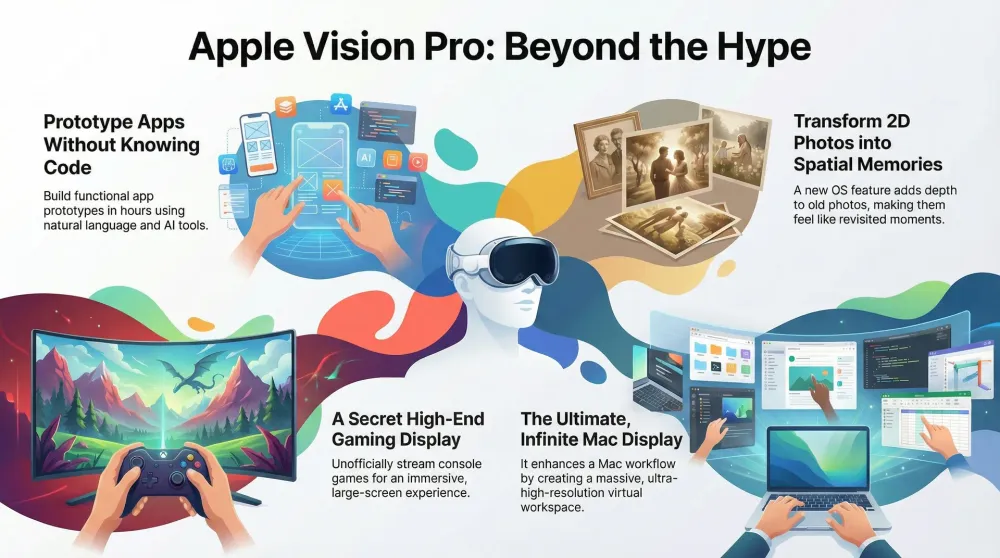
1. You can prototype an app without understanding code
The Vision Pro isn’t eliminating code — but it is eliminating the need to understand it in order to experiment.
A growing community of users with no formal development background are building functional visionOS app prototypes using AI-assisted workflows. The process typically starts with Apple’s boilerplate sample projects as a structural skeleton. From there, features — virtual objects, interactive menus, spatial anchoring behaviors — are added by describing the desired behavior in plain language to AI tools like Claude or GPT-4. When the AI produces code, it gets pasted into the project. When it throws errors, the error messages get fed back in for iteration. Screenshots of broken UI states become debugging inputs.
The result isn’t production-ready software. It’s not going on the App Store. But it is a fully interactive prototype — something you can put on the headset, walk around in, and share with others — built in hours rather than the weeks or months a traditional development cycle would require.
For designers, product managers, and creative technologists, this dramatically lowers the barrier to exploring spatial ideas. The Vision Pro becomes less of an end-product and more of a rapid materialization engine: you think of something, describe it, and hold it in your hands (virtually speaking) before the idea has time to go stale. For dads who’ve always had “I want to build something” in the back of their minds but never had the technical runway to start, this is the most significant shift the AI coding wave has produced at the consumer level.
The underlying shift is about abstraction. In traditional software development, you had to understand the machine to tell it what to do. The AI layer means you can now operate at the level of intent — describe the outcome, not the mechanism — and the machine translates. That’s not a small thing.
2. It’s a high-end console gaming display — If you’re willing to hack it
Apple never marketed the Vision Pro as a gaming console. The official gaming story is thin: some Apple Arcade titles, a handful of native visionOS games, controller support. It’s a footnote compared to the productivity and creativity narrative.
Unofficially, resourceful users have turned it into one of the most personally impressive gaming displays available to consumers — at any price.
The setup requires a capture card, a Mac, and streaming software, but the concept is straightforward: route console video output through the capture card, stream it into the Vision Pro via the Mac, and play on a screen that fills your entire field of view. With properly configured software and a wired network connection keeping latency minimal, the result works for fast-paced competitive games — not just ambient experiences.
Put practically: imagine sitting in what looks like an IMAX theater, except the screen is positioned exactly where you want it, the size is whatever you choose (most users settle around 150–200 inch equivalent), and you’re the only person in the audience. Your PlayStation DualSense pairs via Bluetooth to your iPad or Mac running the capture stream. The haptic feedback of the controller adds a tactile dimension the display can’t provide — and in this configuration, the combination is genuinely remarkable.
Is it officially supported? No. Is it slightly absurd to use a spatial computing headset as a gaming monitor? Yes. Does it work? Very much so — and for dads with limited time and space who want a serious gaming setup without a dedicated room or large TV dominating the living room, this configuration is worth knowing about. It converts a $3,500 productivity tool into a world-class personal gaming experience during the hours when the rest of the house is asleep.
3. Your old photos can come back as spatial memories
One of the most emotional features of the Vision Pro has nothing to do with productivity targets, workflow optimization, or technical benchmarks.
With visionOS 2, Apple introduced depth reconstruction for standard 2D photos. The algorithm analyzes existing flat images and synthesizes subtle parallax depth — the kind of gentle layering that separates foreground subjects from backgrounds and gives a photo a sense of dimension it never had. Panoramas wrap around your field of view instead of stretching awkwardly across a flat screen. Wide shots become environments you can turn your head inside.
Old moments — holiday photos, family portraits, travel shots from before the kids were born — suddenly feel different. Not technically spectacular. Just present. The difference is hard to articulate precisely because it operates below the level of conscious processing: it’s not that the photo looks sharper or more colorful. It’s that it feels less like a record of something that happened and more like a portal back to where you were standing when you took it.
For many users, including dads who’ve spent years archiving iPhone photos they rarely actually look at, this is the feature that makes Vision Pro feel personal rather than experimental. Pulling up a photo of your kid at age two and experiencing it spatially rather than scrolling past it on a 6-inch screen is a qualitatively different thing. It’s not nostalgia as content. It’s nostalgia as environment.
Apple hasn’t loudly marketed this. They demonstrated it briefly during the original Vision Pro reveal and moved on. The users who’ve discovered it tend to describe the experience in unusually quiet terms — the opposite of the hype language around every other Vision Pro feature. That quietness is the tell. It landed differently because it does something different.
4. The Vision Pro isn’t a Mac replacement — It’s the ultimate Mac accessory
The framing that caused the most confusion at launch was the implicit suggestion that Vision Pro might replace the Mac. It was never going to do that. The Vision Pro’s native compute isn’t designed for the kinds of sustained, heavy workloads that define professional Mac use. Running complex Lightroom catalogs, rendering 4K video timelines, or compiling large codebases natively on visionOS — it’s possible in some scenarios, but it’s not where the device shines.
Where it genuinely transforms the experience is as a display and spatial interface layer for a powerful Mac.
In this configuration — Vision Pro paired with an M4 Pro Mac mini or MacBook Pro — the roles are cleanly divided. The Mac handles all computational heavy lifting: large photo libraries, complex video timelines, demanding rendering tasks, anything that benefits from sustained CPU and GPU performance. The Vision Pro becomes the spatial interface: an ultrawide virtual display that extends far beyond what any physical monitor setup could provide, combined with native visionOS apps (Messages, Safari, Notes, Slack) floating in the periphery.
The practical result: a photographer’s Lightroom workspace that spans what would require three physical monitors, with the culling grid on the left and the editing module dominating the center. A developer’s setup with the IDE front and center and documentation, Slack, and Terminal floating at adjustable distances around them. A writer’s environment with reference materials pinned to spatial locations that stay put, even when you get up to make coffee and come back twenty minutes later.
The Vision Pro also introduces something physical monitor setups can’t do: environmental separation. When the kids are home and the noise level rises, you can use the immersion dial to gradually blend out the physical world and work inside a virtual mountain studio or neutral grey room. The Mac keeps running. Your work keeps loading. The chaos of a family home becomes optional context rather than unavoidable distraction.
Using an Apple Magic Trackpad and Magic Keyboard completes the setup — physical input devices that pass through the Vision Pro’s cameras and remain usable even when you’re fully inside an Environment.
5. visionOS focus modes are the best parenting hack nobody talks about
The Vision Pro’s Focus modes — tied to Apple’s broader Focus system from iOS and macOS — enable something genuinely remarkable for parents who work from home. It’s also, somehow, one of the least-discussed features in the device’s entire marketing history.
Here’s the setup. You configure a specific visionOS Environment (say, the Bora Bora lagoon or the neutral “Mount Hood” forest) to activate whenever your Work Focus is running. When you switch to Work Focus on your iPhone — either manually or on a schedule — it propagates automatically to every connected Apple device. On the Vision Pro, that means the environment switches, non-work notifications are suppressed, and Notification Center stops surfacing the background noise of family life. You’ve presumably already configured your Work Focus to allow only critical contacts (school, emergency numbers) through. Everything else waits.
The immersion slider, in this context, becomes a literal do not disturb dial for your attention rather than just a visual preference. At 0% you’re fully present in the physical room — kids visible, dog audible, chaos ongoing. At 100% you’re in a virtual space where your children can be loud two meters behind you and you simply don’t register it. Not because you’ve gone somewhere else. Because you’ve drawn a functional perimeter around your attention that the physical environment can’t breach.
For any parent trying to sustain deep work inside a shared family home — which describes the majority of people working remotely, whether they have a dedicated office or not — this is one of the most practical things the Vision Pro does. It doesn’t require a soundproofed room or a separate address. It requires a device you already have and a Focus configuration that takes twenty minutes to set up.
The feature that parents consistently miss isn’t the display. It isn’t the apps. It’s the environmental separation available on demand, tied to the same Focus infrastructure they’re already ignoring on their iPhone.
6. The Vision Pro transforms dead time into productive time
Home use is how most people evaluate the Vision Pro. Travel reveals a different device.
Train journeys, flight layovers, airport gates — these are locations where a laptop is physically awkward, a phone screen is objectively too small for sustained work, and a tablet gets bumped or glared at from every angle. They’re also where working parents accumulate the most genuine dead time: hours that exist between responsibilities, technically available but practically difficult to use. The Vision Pro changes the equation in ways that are hard to appreciate until you’ve experienced it.
The Ultrawide Mac Virtual Display operates over Wi-Fi Direct, which means the Mac doesn’t need to be in your bag overhead — it can sit in a bag under the seat with a 6-7 meter range to spare. Your entire virtual workspace is available on a red-eye flight at whatever size you want it. Most users settle around 150 inches equivalent. That’s a wider working surface than any physical monitor most people have at home.
The battery situation matters here, and it’s worth being specific: the included pack delivers roughly two hours. An Anker 737 Power Bank extends that to five-plus hours — transcontinental flight territory, without needing to hunt for a seat near a power outlet. This is a real configuration that real users run on long-haul travel.
Watching a 3D movie on that 150-inch virtual screen while your family sleeps around you is the kind of experience that stops feeling like novelty and starts feeling like value. The person in the adjacent seat cannot see your display. The Vision Pro is, counterintuitively, less intrusive as a travel device than a laptop screen that reflects light off the window and tilts into the person behind you.
The practical upside for time-pressured parents: you can work a full productive shift on a long flight, arrive with something done, and feel like you reclaimed time that usually evaporates. A $3,500 device that genuinely converts four hours of dead travel time per trip pays a different kind of dividend than one that sits on a desk being impressive.
7. The Vision Pro gets more useful in year two, not less
Most consumer technology follows a predictable arc: maximum excitement at unboxing, declining novelty over the following weeks, gradual slide into a drawer somewhere. The Vision Pro inverts this with unusual consistency.
visionOS has received meaningful updates since the device launched. Ultrawide virtual display mode, improved audio routing, better app compatibility, refined eye tracking, new environments, expanded native app support — the device shipping today is measurably more capable than the hardware that launched. Apple’s track record with iOS and macOS suggests this continues, not stalls.
The app ecosystem has grown in kind. This is less obvious from the outside, but the shift from “iPad apps ported into a floating rectangle” toward genuine spatial-native design is real and accelerating. Apps built specifically for the Vision Pro canvas — where virtual objects have depth, where content can be spatially anchored to real-world locations, where interaction happens through eye contact and subtle gesture — are increasingly what new visionOS releases look like. That catalogue was thin at launch. It’s thicker now, and growing.
Your personal spatial content grows too. Every spatial photo and spatial video taken on iPhone 16 or later hardware accumulates in your library as immersive memories. In year two, you have a year’s worth of this footage — milestones, ordinary Tuesday afternoons, moments with your kids that would have been flat photos and are now environments you can step back into. That library is richer in month eighteen than it was in month one.
Then there’s the device itself. Eye tracking and the gesture input system are genuinely learned skills. Users who persisted past the first few weeks — past the calibration curve and the initial hand-fatigue of figuring out what’s a deliberate gesture and what isn’t — consistently report that the interface feels significantly faster and more natural at six to twelve months than it did in week one. The device didn’t improve. They did.
The counter-intuitive implication is one worth sitting with before you buy: the Vision Pro is a poor first-week purchase and a strong long-term investment. That’s the opposite of how most consumer technology works. Most devices degrade against expectations as time passes. This one, for a specific kind of committed user, tends to grow into them.
Pros
- AI-assisted prototyping makes spatial app experiments accessible without formal dev skills
- Console gaming via capture card creates a legitimate personal IMAX setup
- Spatial memories feature turns passive photo archives into something genuinely moving
- As a Mac display and spatial interface layer, it transforms how professional workflows feel
- Focus mode integration creates on-demand environmental separation for deep work at home
- Travel sessions are genuinely productive with Ultrawide Mac display and extended battery
- visionOS updates mean the device keeps improving — year two is better than year one
- The passthrough quality allows full physical keyboard and peripheral use even in Environments
Cons
- Native Vision Pro compute not suited for heavy standalone workloads — needs a Mac host
- Gaming setup requires capture card and configuration — not plug-and-play
- Price point keeps it firmly in early adopter territory for most families
- Battery life limits standalone sessions; external power bank required for extended use
- App library still maturing — spatial-native apps remain the minority
Conclusion: A platform defined by discovery
What makes the Apple Vision Pro compelling isn’t what it was designed to do — it’s what people are discovering it can become. From AI-assisted creation and improvised gaming setups to spatial memories and limitless Mac workspaces, the most interesting use cases have emerged organically from users willing to push beyond the keynote narrative.
This is still the beginning of spatial computing. The hardware is real, the experiences are real, and the surprises keep coming. If these early experiments are any indication, the future of Vision Pro won’t be defined by marketing slides — it’ll be written by the people willing to spend a Tuesday night figuring out what else it can do.
Related Dadnology guides: Spatial Computing at Home · YouTube is Finally Native on Apple Vision Pro · Essential Accessories for Apple Vision Pro
Buy now(Ad)
📌 FAQ – Apple Vision Pro in real-world use
Is the Apple Vision Pro worth buying right now, or should I wait?
Can I really use the Vision Pro productively for work?
Is Vision Pro good for gaming?
Do I need special accessories to enjoy the Vision Pro?
Is the Apple Vision Pro mainly for developers and tech enthusiasts?
Keep this in your inbox
One email a week: what we actually watched, built and reviewed — the stuff worth a dad's time. No hype, no daily spam.
Dadnology Weekly
One email a week: the LEGO, gaming and movie news worth a dad's time — plus what we actually reviewed. No hype, no daily spam.
Disclaimer: This review and its visuals were created with the help of AI. Some links may be affiliate links – we may earn a commission if you make a purchase, at no extra cost to you.
Current deals in Tech & gadgets
Verified live discounts tracked on Amazon

Tech & gadgets · Tested by Dadnology
Samsung T7 Shield 2TB
5/5“Small, fast, and genuinely hard to break”Read our review
Tech & gadgets · Tested by Dadnology
Apple iPad Air (M4, 11-inch)
5/5“One of the best products Apple has ever made”Read our reviewYou might also like
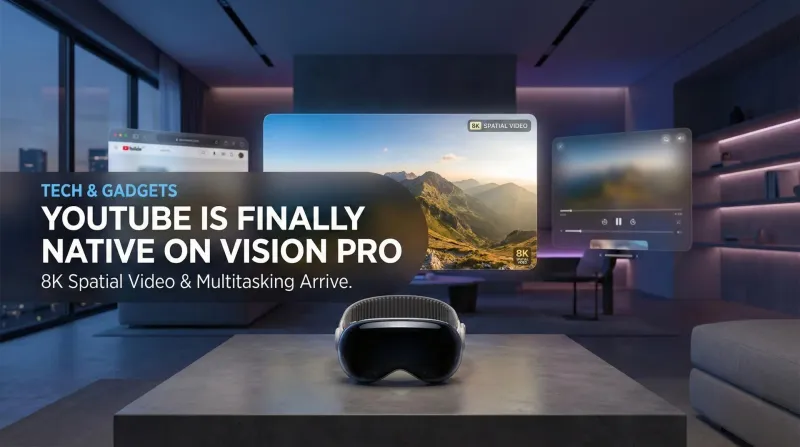
YouTube is finally native on Apple Vision Pro: Here is why it changes everything
No more Safari workarounds. Google has finally released the native YouTube app for visionOS. Here is a breakdown of the 8K, 360°, and multitasking features.
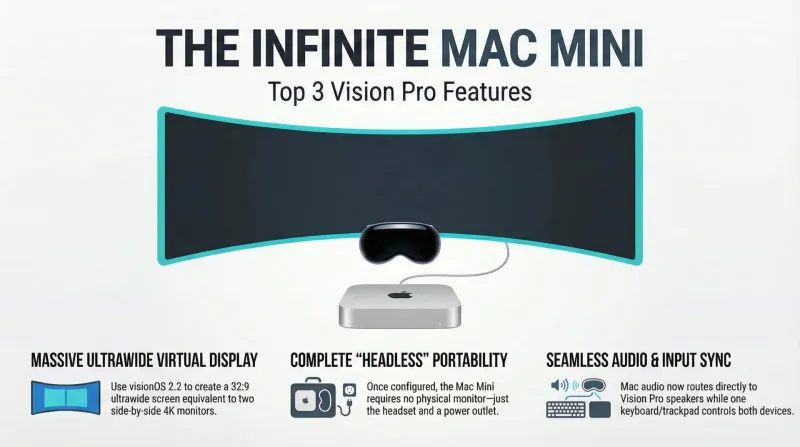
Spatial computing at home: The Dadnology guide to Mac Virtual Display
Ditch the triple-monitor clutter. Learn how to turn your Mac Mini into a 100-inch virtual workstation using the Apple Vision Pro.
Apple Vision Pro 2 is here — Why it matters for dads and families
Dadnology’s take: Vision Pro 2 looks like the first headset to truly blend cinema-quality visuals with a practical, portable workspace. We haven’t tested it yet, but early reports of sharper micro-OLED panels, smoother motion, and a more comfortable band align with what our audience wants for movie nights, short gaming bursts, and photo pre-edits. As Meta Quest 3 owners, we’re excited to compare clarity and text legibility once units arrive and then publish a full, hands-on review based on testing.