
Ring vs Blink for a family home: Which one should you actually buy?
Ring and Blink are both Amazon, both Alexa-friendly, and priced the opposite way round to how people assume. Which one actually fits a family home.
This post contains affiliate links. We may earn a commission if you make a purchase, at no extra cost to you. As an Amazon Associate, Dadnology earns from qualifying purchases.
🏠 Two Amazon systems, one bad assumption
Ring and Blink are both owned by Amazon, both work with Alexa, and both come up constantly when a family starts shopping for cameras. The usual framing is simple: Ring is the premium one, Blink is the budget one.
That framing is right about the hardware and wrong about the bill. Blink cameras are genuinely cheaper to buy. But the subscription — the part you pay every year for as long as you own the system — flips the moment you have more than a couple of cameras, and it flips against Blink.
We are not neutral here and it would be dishonest to pretend otherwise. We have run Ring in our own house since November 2021, now across nine cameras and a full alarm system — the detail is in our four-year Ring review. We have not lived with Blink for four years, so what follows is four years of hands-on Ring experience set against Blink’s specifications, pricing and capabilities. Where that distinction matters, we say so.
💰 The subscription maths nobody checks
This is the section that should change your mind, so let us do it with real numbers rather than adjectives.
| Plan | Covers | Monthly | Yearly |
|---|---|---|---|
| Blink Basic | One device | $3.99 | $39.99 |
| Ring Solo | One device | $4.99 | $49.99 |
| Ring Multi | All devices, one address | $9.99 | $99.99 |
| Blink Plus | Unlimited devices | $11.99 | $119.99 |
| Ring Pro | All devices + 24/7 monitoring | $19.99 | $199.99 |
Read that middle pair again. Ring’s unlimited-device plan is $20 a year cheaper than Blink’s. The brand everyone recommends as the budget option is the more expensive one to run, the moment you stop being a one-camera household.
At one camera Blink genuinely wins: $39.99 a year against Ring’s $49.99, on cheaper hardware. That is a real saving and it is why Blink deserves its reputation.
At four cameras — which is what a house with a front door, a back door, a driveway and a garden ends up with — you are on the unlimited tier either way, and Ring is cheaper every single year, forever. Over five years that is a hundred dollars, on top of a system that also does alarms.
The lesson is not “Blink is bad”. It is that the sticker price on the camera is the smaller half of the decision, and almost every comparison stops at the sticker price.
🔐 The difference that actually decides it: Blink has no alarm
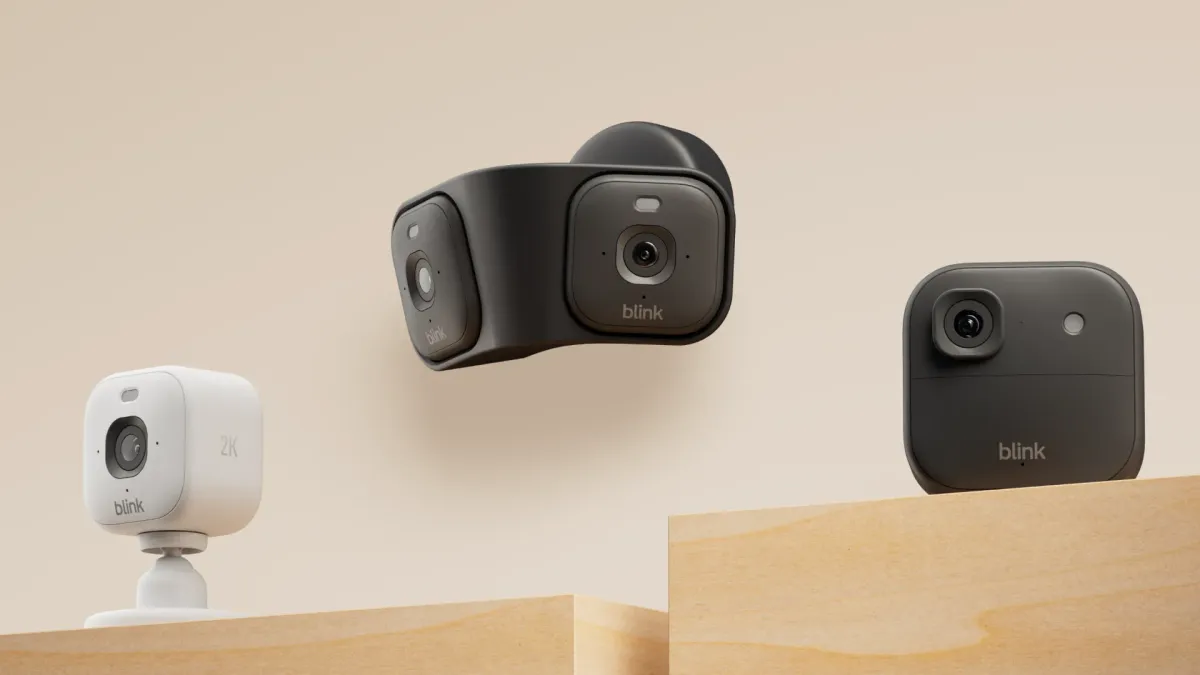
Everything above is a pricing argument. This one is structural, and for a lot of families it ends the discussion before pricing is even relevant.
Blink makes cameras. Ring makes a security system.
Ring sells contact sensors, motion detectors, a keypad, a base station with a siren, and optional professional monitoring — the Ring Alarm 8-Piece Kit is the entry point most families start with. Our house has sensors on three basement windows, two terrace doors and the front door. When the system is armed and a window opens, a siren goes off. That is a different product category from a camera that records a video of it happening.
Blink has no equivalent. There are no Blink contact sensors, no keypad, no siren, no monitoring tier. If you want your windows and doors sensored rather than filmed, Blink is not in the running — not because it is worse at its job, but because that is not its job.
So the honest first question is not “Ring or Blink”. It is “do I want cameras, or do I want an alarm?” If the answer is cameras, both are fair options and price decides. If the answer is an alarm, only one of them sells you one.
💾 Local storage: The one place Blink clearly wins
Ring is a cloud system. Your clips live on Amazon’s servers, and the official product has no local-storage option.
Blink does. Pair a Sync Module 2 with a USB drive and a camera like the Blink Outdoor 4 keeps local copies of new clips, backed up every 24 hours, and each Sync Module retains a couple of hours of free cloud storage even with no plan at all. It is not a full local-first system in the way a NAS-backed setup is — it is a local backup of cloud clips — but it is a genuine subscription-free path, and Ring simply does not offer one.
If avoiding a monthly fee is your priority rather than a preference, that is a real point for Blink, and it is the reason it keeps appearing in privacy-minded recommendations.
The counter-argument, from our own house: we run the entire Ring system through Home Assistant, which gets you local control and local recording if you are willing to build it. That is an unofficial route and it takes a weekend. Blink’s version works out of the box with a USB stick. Credit where it is due.
🔋 Battery life, and why the spec sheet misleads
On paper this is not close. Blink runs on AA batteries rated for up to two years. Our busiest Ring camera — the Ring Outdoor Cam, Battery (2025) at the front door — lasts several weeks between charges.
In practice the gap is smaller than that looks, for one reason: both figures depend entirely on how often the camera triggers, and manufacturer ratings assume light use. A camera pointed at a quiet carport will go a very long time on either system. A camera pointed at a pavement with people walking past all day will not, whatever the box says.
What we would tell anyone buying either: the real fix is not battery chemistry, it is having a second battery. On Ring, a spare pack turns a twenty-minute charge where the camera is offline into a thirty-second swap on the ladder. On Blink, it is a packet of AAs in the drawer. Both are trivially cheap and both remove the problem entirely.
🔧 Getting them up: Installation day
This is the part nobody mentions in a spec-sheet comparison, and it is where the two systems feel most alike. Both are wireless battery cameras designed to go up without an electrician: a mounting plate gets screwed to a wall or soffit, the camera clips or twists onto it, and the app walks you through Wi-Fi pairing in a couple of minutes per unit. Neither needs a hub wired into your router to get a single camera running — the Blink Sync Module is the exception, and it is a small plug-in box rather than an installation job.
Four cameras in on Ring, the actual friction was never the electronics — it was aiming. A camera mounted too high looks impressive and misses faces at the door; one mounted at eye level catches everything but is easier to tamper with. We settled on porch-height for the doorbell and just under the roofline for the outdoor cameras, angled slightly down, and that combination has needed no adjustment since. Whichever system you buy, budget an actual Saturday morning for the first install — not because either app is hard, but because getting the angle right on camera one teaches you how to get the rest right faster.
📱 Living with them: Alexa, apps and everyday use
Both are Amazon, so both slot into Alexa cleanly. An Echo Show will pull up a camera on request from either system — our Echo Show review covers which size suits which room. Neither works properly with Google Home, which is worth knowing before you buy into either if your house is a Google house.
Where we can speak from experience is the Ring app after four years: it has never needed troubleshooting, and — the real test in a family — everyone in the house can use it, not just the person who installed it. The modes system is genuinely good; our Ring Indoor Cam Plus units only record when the system is armed, which is the setting that makes indoor cameras acceptable to live with at all.
Blink’s app is widely regarded as simpler, which cuts both ways: fewer things to configure, and fewer things you can configure. With a smaller system that is a feature rather than a limitation.
A word on privacy, since both are Amazon. Ring’s relationship with US law enforcement has changed direction twice in two years, most recently with the Community Requests feature launched with Axon and a separate Flock Safety partnership that was cancelled in February 2026 after public backlash. Sharing footage is voluntary and declining is not disclosed to police. We cover it properly in the Ring review. Buying Blink instead does not put you outside Amazon’s ecosystem — it puts you in a different corner of it.
🎯 So which one should you buy?
| Your situation | Buy | Why |
|---|---|---|
| One or two cameras, no alarm | Blink | Cheaper hardware and a cheaper single-device plan |
| Avoiding a subscription entirely | Blink | Sync Module + USB is a real local option; Ring has none |
| Four or more cameras | Ring | The unlimited plan is $20/yr cheaper, forever |
| You want windows and doors sensored | Ring | Blink has no alarm system at all |
| Professional monitoring | Ring | Ring Pro includes it; Blink offers nothing comparable |
| An outbuilding you rarely check | Blink | Cheap, AA batteries, nothing to maintain |
| A Google Home household | Neither | Both are Alexa-first; look at Nest instead |
Our recommendation, plainly. If you are protecting a whole family home and you are going to end up with more than two cameras — and you will, everyone does — buy Ring. Not because Blink is bad, but because the subscription that looked like the expensive option turns out to be the cheaper one, and because an alarm system is a thing you will eventually want and Blink cannot sell you.
If you want two cameras on a garage and nothing else, buy Blink and enjoy spending less — the Blink Video Doorbell is the cheapest way into that ecosystem.
The mistake to avoid is buying Blink because it is the budget brand, then adding cameras one at a time until you are paying $119.99 a year for a system with no alarm. That is the specific trap this comparison exists to point out, and the reason it is worth doing the maths before the first purchase rather than after the fourth.
✅ The bottom line
Pros
- Ring is cheaper per year the moment you pass two cameras — $99.99 vs $119.99
- Ring is the only one of the two with a real alarm system, sensors and monitoring
- Blink hardware genuinely costs less, and its single-device plan is the cheapest way in
- Blink offers real local storage via the Sync Module; Ring has no official equivalent
- Both integrate cleanly with Alexa and Echo Show displays
Cons
- Blink's unlimited plan costs more per year than Ring's, which almost nobody checks
- Blink has no alarm, no keypad and no professional monitoring option
- Both are Amazon, so switching between them changes nothing about the privacy question
- Neither is a good fit for a Google Home household
- We have four years on Ring and specifications on Blink — weigh the Blink verdict accordingly
Ring and Blink are sold as premium versus budget, and the subscription maths says otherwise: Blink is cheaper for one camera and more expensive every year once you own four. Add that Blink has no alarm system at all, and for a family home protecting windows and doors the decision is not close — Ring, with the honest caveat that it costs more on day one and keeps you in a cloud you pay for. Blink remains the right answer for a small, cheap, low-maintenance setup, and its subscription-free path via the Sync Module is a genuine advantage Ring cannot match. Work out how many cameras you will own in two years, not today, and the choice makes itself.
Is Ring or Blink cheaper?
Can you use Blink without a subscription?
Does Blink have an alarm system like Ring Alarm?
Do Ring and Blink both work with Alexa?
Which has better battery life, Ring or Blink?
Should I mix Ring and Blink in one house?
More smart home on Dadnology: Our four-year Ring review · Best kid-friendly security cameras · Best kid-friendly video doorbells · Ring at Dadnology
Keep this in your inbox
One email a week: what we actually watched, built and reviewed — the stuff worth a dad's time. No hype, no daily spam.
Dadnology Weekly
One email a week: the LEGO, gaming and movie news worth a dad's time — plus what we actually reviewed. No hype, no daily spam.
Disclaimer: This review and its visuals were created with the help of AI. Some links may be affiliate links – we may earn a commission if you make a purchase, at no extra cost to you.
Current deals in Tech & gadgets
Verified live discounts tracked on Amazon

Tech & gadgets · Tested by Dadnology
Apple AirPods Pro (3rd generation)
5/5“The best noise-cancelling earbuds for Apple families”Read our review
Tech & gadgets · Tested by Dadnology
Samsung T7 Shield 2TB
5/5“Small, fast, and genuinely hard to break”Read our review
You might also like
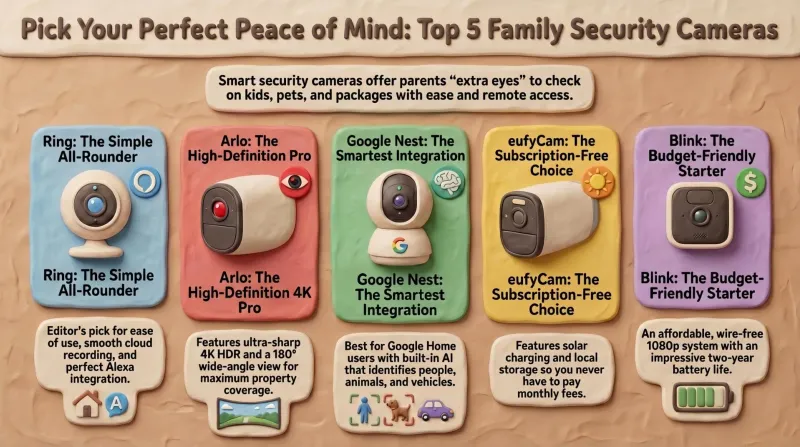
Top 5 smart security camera systems for families (2026) – Dadnology guide
Our dad-focused guide to the 5 best smart security camera systems for U.S. families in 2026 – from Ring and Arlo to Google Nest, eufy, and Blink – with options for every budget, ecosystem, and privacy preference.
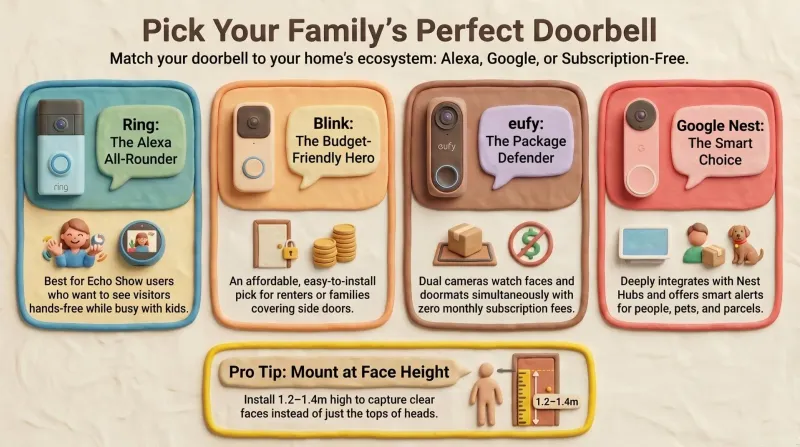
Best smart video doorbells for families – Prime Day 2026 guide
Our dad-focused Prime Day 2026 guide to the best smart video doorbells for families – Ring, Blink, eufy, and Google Nest, all available on Amazon.com.
Ring 4K cameras: Five new models with privacy shutter and outdoor power
Ring's 4K range now reaches indoors and onto battery power, and the cheapest new model has the best privacy design: one slide on the Pan-Tilt Indoor Cam 2K kills camera and microphone. The subscription is still the real price.