
The best MacBook for students and families: Neo, Air or Pro?
MacBook Neo, MacBook Air or MacBook Pro M6 for a student or a family? Our daughter's school laptop is a Neo. Here is which MacBook to give to whom.
This post contains affiliate links. We may earn a commission if you make a purchase, at no extra cost to you. As an Amazon Associate, Dadnology earns from qualifying purchases.
The laptop is the gift that changes the most in a family. One computer shared by five people had quietly become a scheduling problem in our house, and the person losing that competition most often was our daughter, who needed it for schoolwork on exactly the evenings everyone else wanted it too. So this year we bought her a laptop of her own: a MacBook Neo.
That experience shapes this guide. We came from Windows, we expected the switch to Mac to be painful, and it turned out to be almost boring, which is the best thing you can say about a school laptop. We gave the Neo 5/5 in our MacBook Neo review, with the honest note that a few weeks of use is what that verdict is based on.
But the Neo is not the right MacBook for everyone on a Christmas list. Apple now sells three laptop lines: the Neo with the A18 Pro chip, the MacBook Air with M5, and the MacBook Pro, which just got the M6. This guide explains who gets which one.
The three MacBooks at a glance
According to Apple’s comparison page, the MacBook Neo has the A18 Pro chip, 8GB of memory, 256GB of storage, a 13-inch Liquid Retina display and up to 16 hours of battery life, and weighs 1.23 kg. The MacBook Air 13-inch has the M5, 16GB of memory, 512GB of storage, a 13.6-inch display and up to 18 hours of battery, at the same 1.23 kg. The 15-inch Air has a 15.3-inch display and weighs 1.51 kg. The new 14-inch MacBook Pro has the M6, 16GB of memory, 1TB of storage, a 14.2-inch mini-LED Liquid Retina XDR display and up to 24 hours of battery, at 1.55 kg.
| MacBook Neo | MacBook Air 13 (M5) | MacBook Pro 14 (M6) | |
|---|---|---|---|
| Chip | A18 Pro | M5 | M6 |
| Base memory | 8GB | 16GB | 16GB |
| Base storage | 256GB | 512GB | 1TB |
| Display | 13.0in Liquid Retina | 13.6in Liquid Retina | 14.2in Liquid Retina XDR |
| Battery (up to) | 16 hours | 18 hours | 24 hours |
| Weight | 1.23 kg | 1.23 kg | 1.55 kg |
| Touch ID | 512GB model only | Yes | Yes |
| Best for | School | University, parents | Photo, video, heavy work |
MacBook Neo: The school laptop
Why we chose it for our daughter
The MacBook Neo was bought for one job: a school laptop in a house already full of iPhones and iPads. For that job it is excellent. The biggest surprise was how well it works with the iPhone: a picture of a worksheet, a photo of a whiteboard, a snapshot of a form that needs printing, all of it goes from phone to laptop with no transfer step. The Photos app alone justifies the switch for a family that carries iPhones.
It also handles the way school revision happens now. Google Gemini and NotebookLM run in the browser and are perfectly happy on the Neo; the workflow from our guide to studying with NotebookLM carried over with no changes.
What we miss
The Neo has no backlit keyboard, and that is the cut we notice most, because homework often happens in the evening. It is an annoyance rather than a dealbreaker, and it is the first thing we would pay to get back. The other point to know: according to Apple, Touch ID is only on the 512GB model.
Which configuration
If the budget allows, choose the MacBook Neo with 512GB. It is the exact machine our daughter uses, and it adds Touch ID, which turned out to matter more to us than the storage, and the extra room for school files, photos and apps helps over the years. The 8GB of memory is the same on both; for schoolwork, browsing and AI tools in the browser it has been enough for us.
MacBook Air (M5): The laptop that lasts
The MacBook Air 13-inch (M5) is the step up, and for many people it is the better long-term buy. Compared with the Neo, it doubles the memory to 16GB and the storage to 512GB, adds Touch ID on every model, and promises up to 18 hours of battery instead of 16, at the same weight. It also has a 12MP Center Stage camera and Wi-Fi 7.
We have not used the M5 Air ourselves, so here we go by Apple’s specifications. On paper, the extra memory is what matters most. A university student who keeps many apps, documents and browser tabs open at once, or a parent who works on the laptop every day, will feel the difference between 8GB and 16GB over the years more than any other spec.
The MacBook Air 15-inch (M5) has the same chip with a 15.3-inch display, at 1.51 kg. It is the family laptop for the kitchen table and the sofa, where a bigger screen matters more than the last bit of portability.
MacBook Pro 14-inch (M6): The one on our wishlist
The new 14-inch MacBook Pro with M6 is at the very top of our own wishlist, as we wrote in our MacBook Pro M6 news. Apple announced it on October 27, 2026; pre-orders opened on October 28, and it arrives in stores on November 6.
The M6 has a 12-core CPU and GPU. The headline is the battery: up to 24 hours, which Apple calls the longest ever in a Mac. The Liquid Retina XDR display reaches up to 1600 nits peak HDR brightness, and the ports are what photo and video work needs: HDMI, MagSafe 3, three Thunderbolt 4 ports, an SDXC card slot and a headphone jack. The configuration on Amazon is the 14-inch MacBook Pro with M6, 32GB and 1TB.
It is the laptop for a parent who edits photos, cuts video or works with large files, and wants a machine that does that for many years. The SD card slot alone saves a family photographer an adapter and a step on every import. For school and family use, it is more laptop than anyone needs.
For serious content creators, the 16-inch MacBook Pro with M5 Pro remains an option too. It earned 5/5 in our MacBook Pro 16 M5 Pro review, mainly for its display, and it makes a dedicated desktop setup feel optional.
Who gets which MacBook?
| Person | MacBook | Why |
|---|---|---|
| School student | MacBook Neo, 512GB | Does schoolwork with ease, Touch ID, our own choice |
| University student | MacBook Air 13 (M5) | 16GB of memory for years of study |
| Parent, everyday use | MacBook Air 13 or 15 (M5) | Lasts, bigger screen option |
| Parent who edits photos and video | MacBook Pro 14 (M6) | XDR display, SD slot, 24-hour battery |
| Content creator | MacBook Pro 16 (M5 Pro) | 5/5 in our review |
The first things to add
A MacBook works out of the box, but two things made our daughter’s Neo better from the first week.
The first was a mouse. The trackpad is fine, but for sorting through a few hundred photos or dragging files around, a mouse is faster. The Apple Magic Mouse was the first thing we added, and it pairs with the Mac in seconds.
The second was a separate user account for every person who uses the laptop, even if it mainly belongs to one child. macOS keeps each person’s files, browser and logins apart, and a parent can set up Screen Time for a child’s account through Family Sharing: time limits, allowed apps and content filters, managed from the parent’s iPhone. On a school laptop that is mainly about evenings and weekends, not about distrust.
Beyond that, a protective sleeve for the school bag and a USB-C charger for the second room cover most of what a student needs. Resist the urge to buy a pile of adapters before you know you need them; most school work happens in the browser and in the cloud.
Set it up before you wrap it
The same advice we give for iPads applies to MacBooks: unpack it before Christmas, run the software updates, create the accounts and sign in to the school’s tools if you can. Then pack it back in the box. A laptop that is ready when it is unwrapped is a better gift than one that spends Christmas morning downloading updates. If the new MacBook replaces an older Mac, Apple’s Migration Assistant moves files and settings across; if it replaces a Windows PC, remember that Microsoft 365 runs on macOS too. The same family subscription covered our new Mac, and that removed most of our fear of the switch.
Switching from Windows
Many families who look at a MacBook for the first time come from Windows, as we did. Our experience with the Neo: the switch we were braced for did not really happen. The family adapted quickly, and the only one who found it mildly annoying was the person who knew Windows best. If everyone in the house already has an iPhone, a Mac fits in more naturally than any Windows laptop, because photos, messages and files simply appear on it.
If you are not sure about a laptop at all, a desktop can be the better answer for a shared family computer. Our guide to whether a Mac mini is good for students explains when the small desktop wins. And if the child is younger and mainly needs a screen for learning apps and videos, our family tablet guide is the better place to start.
Before you order
A school student does not need the best MacBook. They need a light laptop with a long battery that handles a browser and documents, and the Neo or the Air does that. The money saved buys a lot of other things.
The opposite mistake happens with parents and university students: the cheapest configuration for a laptop that should last years. Memory cannot be upgraded later on any MacBook, so for them the Air’s 16GB is the safer choice.
And think about the evening. The Neo has no keyboard backlight. For a student who does homework after dark, that is worth knowing before you buy; for most, it is a small annoyance.
The bottom line
For a school student, the MacBook Neo is the right laptop: it is what our daughter uses for school, it earned 5/5 from us, and the 512GB model adds Touch ID. For a university student or a parent who works on it daily, the MacBook Air (M5) is the better long-term buy, with twice the memory and Touch ID on every model. The new 14-inch MacBook Pro with M6, in stores from November 6, is for photo, video and heavy work, and it is at the top of our own wishlist.
The Final Word: Neo for school, Air for the years after, Pro for the work that needs it.
Buy now(Ad)
Which MacBook is best for a high school student?
Is the MacBook Neo or the MacBook Air better?
Does the MacBook Neo have a backlit keyboard?
Who needs the MacBook Pro with M6?
When is the MacBook Pro M6 available?
Keep this in your inbox
One email a week: what we actually watched, built and reviewed — the stuff worth a dad's time. No hype, no daily spam.
Dadnology Weekly
One email a week: the LEGO, gaming and movie news worth a dad's time — plus what we actually reviewed. No hype, no daily spam.
Disclaimer: This review and its visuals were created with the help of AI. Some links may be affiliate links – we may earn a commission if you make a purchase, at no extra cost to you.
Current deals in Tech & gadgets
Verified live discounts tracked on Amazon
Tech & gadgets · Tested by Dadnology
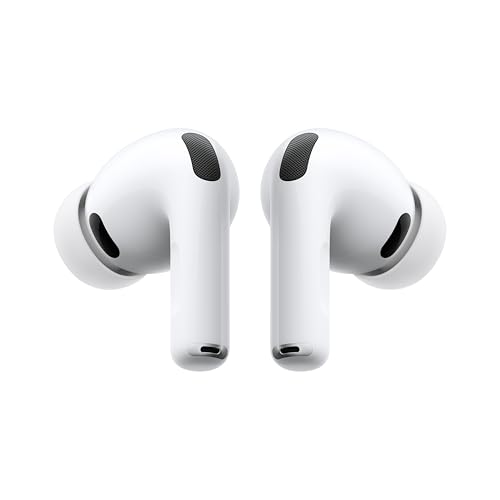
Apple AirPods Pro (3rd generation)
5/5“The best noise-cancelling earbuds for Apple families”Read our review

You might also like

iPad or iPad Air: Which iPad to buy as a Christmas gift
iPad (A16) or iPad Air (M4)? The real differences for families: chip, Apple Intelligence, Apple Pencil, keyboard and screen, and which one to buy as a gift.

Best tablets for family life: iPad vs Galaxy Tab (2026 buyer's guide)
The best family tablets in 2026: iPad vs Galaxy Tab, kids' tablets vs grown-up tablets, parental controls, durability and updates. Top pick: iPad Air M4.

Best LEGO Minecraft sets – Dad-tested picks for every age & budget
The Creeper (21276) is the default pick for any Minecraft fan's shelf, the Pickaxe Mine (21277) is the best pure playset, and the Baby Pig House (21268) is the ideal first set for a 7-year-old. LEGO Minecraft rewards matching the set to how your kid actually plays — smashers need playsets, collectors need mobs.