
iPad or iPad Air: Which iPad to buy as a Christmas gift
iPad (A16) or iPad Air (M4)? The real differences for families: chip, Apple Intelligence, Apple Pencil, keyboard and screen, and which one to buy as a gift.

This post contains affiliate links. We may earn a commission if you make a purchase, at no extra cost to you. As an Amazon Associate, Dadnology earns from qualifying purchases.
The iPad is still the gift on almost every Christmas list, from the six-year-old to the grandparents. And for most families, the choice comes down to two models: the 11-inch iPad with the A16 chip, and the iPad Air with the M4.
We have an opinion, and we will say it up front. We love the Air. The 11-inch iPad Air (M4) is the second most-used device in our house after the iPhone: the default screen for browsing and media, the tool our kids learn on with an Apple Pencil, and the easiest place to sort the photos we shoot on the iPhone. We gave it 5/5 in our iPad Air M4 review. But the regular iPad is a fantastic tablet too, and for many people on a gift list it is the better choice.
This guide is about who gets which one. The facts come from Apple’s own comparison; the opinions come from daily use in our family.
What is the same
Start with what does not change, because it is more than most people expect. Both are 11-inch tablets with a Liquid Retina display at the same resolution, 2360 by 1640 pixels, and both reach 500 nits. Both have Touch ID in the top button, a 12MP camera on the back and a landscape 12MP Center Stage camera on the front, which is the right place for video calls with the grandparents. Both promise up to 10 hours of browsing or video on Wi-Fi, both charge over USB-C, and both start at 128GB.
And the most important thing for families is identical: Screen Time and Family Sharing work the same on both. A child gets exactly the same parental controls on a regular iPad as on an Air.
What is different
The chip: A16 against M4
This is the biggest difference. The regular iPad has the A16 with a 5-core CPU and a 4-core GPU. The iPad Air has the M4 with an 8-core CPU, a 9-core GPU and 12GB of unified memory, according to Apple. In daily use that means the Air handles demanding games, photo and video editing and many open apps with room to spare, and it will keep doing so for years. Months into daily use, our Air still feels exactly as fast as on day one.
The A16 is fast enough for what most children and grandparents do: videos, reading, video calls, learning apps and casual games. It is not slow. It simply has less headroom for the future.
Apple Intelligence
Apple’s own compatibility list names iPad Air and iPad Pro with M1 and later, and iPad mini with A17 Pro and later. The regular iPad with the A16 is not on it. So if the person you are buying for wants Apple Intelligence and the new Siri, it has to be the Air. Apple also notes that some features need an M4 or later with at least 12GB of memory, which the Air has.
Apple Pencil and keyboard
The regular iPad supports the Apple Pencil (USB-C). The Air supports the Apple Pencil (USB-C) too, and also the Apple Pencil Pro. We use the Pencil (USB-C) on our Air for school learning and have not missed the Pro; its extra gestures are worth it for serious drawing, not for notes and homework.
The keyboards differ more. The regular iPad works with the Magic Keyboard Folio, a two-piece design. The Air works with the Magic Keyboard for iPad Air, a floating design. For a student who will type essays on the iPad, that is a real argument for the Air.
Screen, weight and Wi-Fi
Both screens have the same size and resolution, but the Air shows P3 wide color while the regular iPad shows sRGB. If someone edits photos, the Air’s screen shows them more faithfully. The Air is also a little lighter, at 464 grams against 477, and thinner, at 6.1 mm against 7 mm. And it has Wi-Fi 7 instead of Wi-Fi 6.
There is also a 13-inch iPad Air with the same M4 chip, for anyone who wants a bigger screen for drawing, reading sheet music or split-screen work. The regular iPad only comes in 11 inches.
Who gets which iPad?
For a child: the regular iPad
For a child up to about ten, the regular 11-inch iPad is the right gift. It has the same parental controls as the Air, the same size, and it does everything a child needs: learning apps, drawing with the Apple Pencil (USB-C), videos and games. Put it in a sturdy case, and the money you save is better spent on the case and a Pencil than on a faster chip.
If the tablet should belong to one young child and nobody else, a Fire Kids tablet is also worth a look. Our family tablet guide compares the Fire Kids tablets, the Galaxy Tabs and both iPads.
For a grandparent: the regular iPad
For a grandparent who wants video calls, photos of the grandchildren, news and a few games, the regular iPad is perfect. The landscape front camera keeps the face in the middle during a video call, the screen is large and clear, and Touch ID is easier than a password. Nothing they will do needs an M4.
For a teen or a student: the iPad Air
For a teenager or a student, the Air is worth the step up. It is the iPad that will still feel fast at the end of school, it supports Apple Intelligence, the Magic Keyboard for iPad Air turns it into a real typing machine, and the extra memory keeps many apps open at once. If the budget allows only one upgrade, make it the Air rather than more storage on the regular iPad.
For a parent: the iPad Air
For a parent who will use the iPad every day, for email, photos, reading and the occasional bit of work, the Air is our pick, because it is our own iPad. It is the device in our house that nobody needs to think about: for anything that is not a phone call or gaming, it is simply the default answer. Combined with iCloud, it is also the easiest place to review the photos from the iPhone.
How much storage?
Both iPads start at 128GB. We run our iPad Air on 128GB, with our photos in iCloud rather than on the device. If the iPad will hold many games or downloaded shows for car rides, take 256GB: iPads have no memory card slot, so the storage you buy is the storage you have.
Set it up before you wrap it
The one piece of advice we would give every parent: set the iPad up before Christmas morning, not under the tree. A new iPad usually wants a software update first, and nobody wants a child watching a progress bar while the other presents are being opened.
For a child’s iPad, create the child’s Apple Account through Family Sharing on your own iPhone, then sign the iPad in with it. That way Screen Time is managed from your phone: you set daily limits and downtime, choose which apps are allowed, and filter what the browser can open. Turn on Ask to Buy, so every app or in-app purchase needs your approval first. All of this works the same on the regular iPad and on the Air.
Then install the first apps, download a few shows for the first car ride, charge it to full and put it back in the box. On Christmas morning the iPad is ready to use the moment it is unwrapped, and the rules are already in place, which is much easier than introducing them a week later.
The accessories that complete the gift
An iPad on its own is a good gift. An iPad with the right two accessories is a better one. For a child, the first is a sturdy case, because every iPad will be dropped eventually. The second is the Apple Pencil (USB-C), which turns the iPad from a screen you watch into something you draw and write on; it is how our kids use our Air for learning.
For a teen or a student on the Air, the keyboard is the accessory that changes the most. With the Magic Keyboard for iPad Air, school essays and notes become as easy as on a laptop. For a grandparent, a simple stand for video calls is often more useful than any keyboard.
What about the iPad mini and the iPad Pro?
Apple also sells the iPad mini with the A20 Pro chip and an 8.5-inch screen, and the iPad Pro with the M5. The mini is the reading and travel iPad, a good gift for someone who wants a tablet in a jacket pocket. The Pro is for people who know they need it, mostly for professional drawing, video and photo work. For a family gift, the regular iPad and the Air cover almost everyone. Every Apple device we have reviewed is collected on our Apple brand page, and the rest of our Christmas guides are in the Black Friday and Christmas gift hub. If the iPad is for a creative child, our guide to first cameras and creative tech for kids has ideas that go beyond the screen.
Where iPad buyers go wrong
Most wrong iPad purchases are the right iPad for the wrong person. A five-year-old will not use the Air’s M4, and the price difference buys a case, a Pencil and a lot of apps. A student who will use the iPad for years, on the other hand, is exactly the person who needs the Air’s chip, memory and Apple Intelligence support, and the regular iPad will feel its age sooner.
The other classic is the wrong Apple Pencil. The Apple Pencil (USB-C) works with both iPads, the Apple Pencil Pro only with the Air, and the older second-generation Pencil, still easy to find, with neither. Check Apple’s compatibility list before you buy.
The bottom line
For a child or a grandparent, give the regular 11-inch iPad (A16). It has the same size, the same Touch ID, the same cameras and the same parental controls as the Air, and it does everything they will ask of it. For a teen, a student or a parent who will use the iPad every day for years, give the iPad Air (M4): the much faster chip, 12GB of memory, Apple Intelligence, the Apple Pencil Pro and the better keyboard make it the iPad that lasts. It is the iPad we use ourselves, and a 5/5 in our review.
The Final Word: We love the Air, but the regular iPad is fantastic too. Buy for the person, not the chip.
Is the iPad Air worth it over the regular iPad?
Does the regular iPad support Apple Intelligence?
Which Apple Pencil works with the iPad and the iPad Air?
Which iPad is best for a 6-year-old?
How much storage should I buy?
Keep this in your inbox
One email a week: what we actually watched, built and reviewed — the stuff worth a dad's time. No hype, no daily spam.
Dadnology Weekly
One email a week: the LEGO, gaming and movie news worth a dad's time — plus what we actually reviewed. No hype, no daily spam.
Disclaimer: This review and its visuals were created with the help of AI. Some links may be affiliate links – we may earn a commission if you make a purchase, at no extra cost to you.
Current deals in Tech & gadgets
Verified live discounts tracked on Amazon
Tech & gadgets · Tested by Dadnology
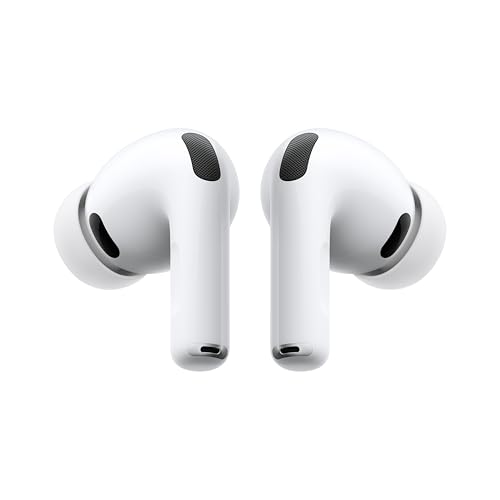
Apple AirPods Pro (3rd generation)
5/5“The best noise-cancelling earbuds for Apple families”Read our review

You might also like

The best MacBook for students and families: Neo, Air or Pro?
MacBook Neo, MacBook Air or MacBook Pro M6 for a student or a family? Our daughter's school laptop is a Neo. Here is which MacBook to give to whom.

Best tablets for family life: iPad vs Galaxy Tab (2026 buyer's guide)
The best family tablets in 2026: iPad vs Galaxy Tab, kids' tablets vs grown-up tablets, parental controls, durability and updates. Top pick: iPad Air M4.

Best LEGO Minecraft sets – Dad-tested picks for every age & budget
The Creeper (21276) is the default pick for any Minecraft fan's shelf, the Pickaxe Mine (21277) is the best pure playset, and the Baby Pig House (21268) is the ideal first set for a 7-year-old. LEGO Minecraft rewards matching the set to how your kid actually plays — smashers need playsets, collectors need mobs.