
How to study with NotebookLM: Our family's test method
Photograph the real class handouts, let your kid revise from them in chat, then get quiz questions for yourself. The method our family has used since launch.
This post contains affiliate links. We may earn a commission if you make a purchase, at no extra cost to you. As an Amazon Associate, Dadnology earns from qualifying purchases.
The worst hour of the school week
There is a particular hour that happens the evening before a test. Your kid has a folder of photocopied handouts, a highlighter that has run out, and no idea where to start. You have a vague memory of the subject from thirty years ago. One of you is going to end up annoyed, and it is usually both.
We have been doing that hour differently since NotebookLM launched, and it has become the single most useful piece of AI in this house — more than any assistant, any chatbot, any smart speaker. Not because it is clever, but because it is narrow. It only knows what you give it.
That is the whole trick, and it is worth understanding before the step-by-step, because it is the reason this works when asking a general chatbot does not.
Why a general chatbot is the wrong tool here
Ask a normal AI chatbot to explain the causes of the First World War and it will do a decent job. Ask it to explain them the way your child’s teacher framed them for the test on Friday, and it cannot — because it has never seen that handout. It will give you a plausible, general, well-written answer that is subtly not the material being examined.
Worse, it will do that confidently. A chatbot working from general knowledge fills gaps by inventing something reasonable. In a revision session, that is not a small problem: the student cannot tell the invented part from the real part, which is the exact skill they do not have yet.
NotebookLM inverts this. You upload sources and it answers from those sources. Google states plainly that grounding it in your own material is the point of the product, and in practice the difference is obvious — ask it something the handout does not cover and it tells you the sources do not say, rather than inventing a paragraph.
So the photographs are not a convenience. They are the mechanism. Every page you add is a page it can no longer make something up about.
None of which means you stop checking. Less risk is not no risk, and “grounded in your sources” is not the same as “correct”. It can still misread a word in a photographed handout, merge two ideas that sat next to each other on the page, or state something with more confidence than the material supports.
So the rule in this house is simple: if an answer is going to be learned, it gets checked against the page it came from. That is thirty seconds with the handout open next to the tablet, and it is not optional. NotebookLM makes that check easy rather than unnecessary — it cites which source each claim came from, so verifying means looking at one specific page rather than re-reading everything.
There is a second reason to insist on this, and it has nothing to do with accuracy. A student who checks the tool is a student who is reading the material. A student who accepts whatever appears on screen has outsourced the thinking, which is the precise failure this is supposed to prevent.
Step 1: Photograph the actual material
Phone or tablet, whatever is nearest. Handouts, worksheets, the relevant textbook pages, the sheet of notes from the lesson. You do not need a scanner app or good lighting — legible is enough.
The thing to be disciplined about is completeness, not quality. Missing pages are where the gaps come from, and gaps are where the model starts generalising. If the teacher gave out six sheets, upload six sheets.
Step 2: One notebook per topic
Create a new notebook for each topic, not one running notebook for the subject or the term.
This matters more than it sounds. A notebook containing only this topic’s material gives answers that stay inside this topic’s material. A notebook containing the whole year’s history course will happily wander into the Cold War when you asked about the Weimar Republic, because both are legitimately in its sources.
Google’s free tier allows 100 notebooks and 50 sources in each. One notebook per test is nowhere near that ceiling.
Step 3: The student learns in the chat
This is the part that does the actual work, and the order matters.
First, ask it to summarise. It produces the shape of the topic — what the main threads are, how they connect. That alone solves the “no idea where to start” problem that makes the evening before a test so miserable.
Then, ask it to explain. Whatever did not land in the lesson, in whatever words help. Ask it again differently if the first explanation does not click. This is the part a tired parent genuinely cannot provide at nine in the evening, because it requires patience with the fourth rephrasing of the same question.
Then, ask questions of it. Not the model quizzing the student yet — the student interrogating the material. “Why did that happen?” “What is the difference between these two?” “What would have happened if…” A student asking questions about a topic is a student who has stopped skimming it.
Step 4: The audio overview is not a gimmick
NotebookLM generates an audio discussion of your sources — two synthetic hosts talking through the material like a podcast episode. When it launched, everyone assumed this was a demo trick.
It is genuinely useful, and specifically it is useful in the hours you cannot otherwise use. The drive to school. Making dinner. The twenty minutes before sleep when nobody is going to read a worksheet. Revision that would otherwise not happen at all happens there.
We generate one for every topic now. The free tier allows three a day, which has never once been a constraint.
It works because it is a different modality on the same material. Reading the handout, discussing it in chat and hearing it talked through are three passes at the same content, and the third one costs no effort.
Step 5: The parent’s turn — This is the part people miss
Here is the step that turns a study tool into a family workflow, and I have not seen anyone else describe it.
The night before the test, the parent opens the same notebook and does two things:
Get briefed. Ask it to explain the topic to you, briefly. Two minutes and you know enough about the Treaty of Versailles to have a sensible conversation about it. You do not need to have retained this from your own schooling. You need to be able to ask a decent follow-up.
Ask it for questions. “Give me twenty questions on this material, with answers.” Now you have a quiz sheet built from the exact handouts your child was taught from — and you can do the oral testing that actually reveals whether the material stuck.
That last bit is the point. Everything up to step four is the student working alone, which is where most AI-study advice stops. But a student revising alone cannot tell the difference between recognising an answer and knowing it. Being asked out loud by another human, with no screen to glance at, is the test that catches that — and it is the one thing the software cannot do.
The tool prepared the quiz. The parent still has to sit down for fifteen minutes.
What it is good for — and what we don’t use it for
An honest guide has to include the second half, and this is the part to read before deciding whether the method is for you: it does not work for every subject, and pretending otherwise would waste your evening.
It works for the content subjects. History, biology, geography, civics — anything where the job is understanding a body of material and remembering it. That is where the whole method above earns its keep.
We do not use it for maths. Maths is not a comprehension problem, it is a practice problem. You do not get better at quadratic equations by having them explained more clearly; you get better by doing forty of them. An explanation engine is the wrong shape for that.
We do not use it for languages. Languages need production — speaking, writing, being corrected. A tool that discusses your uploaded material is not going to build that. Different job, different tool.
If someone tells you an AI study tool works equally well across every subject, they have not used one for a full school year.
The hardware: What we actually use
You do not need anything special — this runs in a browser. But there is a real difference between “works” and “gets used,” and it comes down to the device.
The iPad is our main study device and it is close to perfect for this. Big enough to read a photographed handout without pinching and zooming, light enough to live on the kitchen table, and the camera means photographing and uploading happen on the same device in about a minute. If there is one purchase that makes this method stick, it is a tablet with a decent screen. Our family tablet buying guide covers the options at every budget.
An Apple Pencil is optional and worth it. Revision that involves writing something down is revision that sticks better than revision that involves reading something.
The laptop question: the MacBook Neo is the one
At some point revision stops being reading and starts being writing, and a tablet becomes the wrong shape. For a secondary-school student, the MacBook Neo is currently the easiest recommendation on the market and it is not close.
It is $699, or $599 on Apple’s education pricing. Both of those numbers went up by $100 in June 2026, when the industry-wide memory shortage reached Apple, so older articles quoting $599 are out of date — it is no longer quite the Chromebook-money story it launched as, and it is still the cheapest way into a Mac. It runs an A18 Pro, the same chip as the iPhone 16 Pro, which is comfortably more than a browser, a word processor and a NotebookLM tab will ever ask of it. Eleven hours of real web use means it survives a school day without a charger, and at 1.23 kg it survives being carried in a bag every day of that school year.
The reason it belongs in this article specifically is the pairing. Photograph the handouts on the iPhone, they are in the notebook before the school bag is unpacked; open the same notebook on the Neo to write the essay, or on the iPad to revise from the sofa. The capture device, the study device and the writing device end up being three different things, and the point is that this costs no effort when they are in one ecosystem.
Honest about the cuts, because there are real ones at this price. There is no keyboard backlighting at all, which for a student working after dark is the one that will actually annoy them. 8GB of memory is soldered in and cannot be upgraded, so this is a five-year machine rather than a ten-year one. Touch ID appears only on the 512GB configuration. One of the two USB-C ports runs at USB 2 speed, and the display is sRGB — fine for documents, fine for sorting through photos, wrong for colour-critical editing.
None of that matters for schoolwork. All of it would matter for a creative-professional workload, which is what the $1,299 MacBook Air is still for. Our MacBook Neo launch analysis goes deeper on where Apple made the cuts and why.
If you need windows: the Surface Pro
Plenty of households do — a school that standardises on Windows software, a parent whose work laptop sets the habit, a kid who simply prefers it. The Surface Pro is the one we use, and it is genuinely good at this: an OLED touchscreen you can photograph and annotate on, and a real keyboard for when revision turns into an essay.
It is a considerably more expensive machine than the Neo in the configuration we have, so this is a choice about which operating system the household lives in, not a way to spend less. If that question is genuinely open, the Neo wins on price and battery. If it is not open, the Surface Pro is not a compromise.
The cross-device flow is the underrated part. Photograph the handouts with the phone, because the phone is what is in your pocket when the folder comes out of the school bag. Upload them there. Then sit down at the iPad or the laptop and work with them on a proper screen. The capture device and the study device do not have to be the same one, and insisting they are is how the handouts never get photographed at all.
What it costs, and the two questions parents ask
Cost: nothing, realistically. The free tier gives 100 notebooks, 50 sources per notebook, 50 chat queries a day and 3 Audio Overviews a day. We have never hit a limit with this workflow. Google AI Pro raises those to 500 notebooks, 300 sources and 500 chats — genuinely useful if you are doing heavy research, irrelevant for revising for Friday’s test. Do not pay for this on the strength of a study-method article.
Age: 13 and up on a standard Google account, or any age through a school-provided Google Workspace for Education account. Google applies stricter content guidelines to under-18 users. Note that NotebookLM was 18+ until August 2025, so plenty of articles still say otherwise.
Privacy: Google states that the sources you upload and your chats are not reviewed by humans and are not used to train its models. Putting real class handouts into a general chatbot is a decision I would think harder about; this one has an explicit policy, and it is the reason we were comfortable.
The Dadnology Take
Most AI-in-education advice is written by people describing what a tool could theoretically do. This is the one workflow in this house that survived contact with a real school year, and the reason is that it does not try to replace anyone. The teacher still teaches. The handout is still the source of truth. The student still has to sit and learn it. The parent still has to do the fifteen minutes of asking questions out loud.
What it removes is the specific friction that made that evening awful: not knowing where to start, having no patient explainer at nine at night, and a parent who cannot quiz on material they have never seen.
Start with one topic before the next test. Photograph the handouts, make one notebook, and generate the audio overview for the drive to school. If it works the way it works for us, you will know within a week — and it costs nothing to find out.
Is NotebookLM free, and is the free version enough for studying?
What age do you have to be to use NotebookLM?
Does NotebookLM make things up like other AI chatbots?
Which school subjects does this work for?
Is my child's schoolwork used to train Google's AI?
What device do you need for this - a tablet or a laptop?
Isn't this just cheating?
Keep this in your inbox
One email a week: what we actually watched, built and reviewed — the stuff worth a dad's time. No hype, no daily spam.
Dadnology Weekly
One email a week: the LEGO, gaming and movie news worth a dad's time — plus what we actually reviewed. No hype, no daily spam.
Disclaimer: This review and its visuals were created with the help of AI. Some links may be affiliate links – we may earn a commission if you make a purchase, at no extra cost to you.
Current deals in Tech & gadgets
Verified live discounts tracked on Amazon

Philips Hue Starter Kit
The premium entry point into smart lighting. Includes the Hue Bridge and color bulbs — the actual room lights you'll dim, tint, and sync for movie night.
Price as of Oct 9, 09:15 PM UTC. Subject to change.

Apple AirPods Pro (3rd generation)
Delivers immersive Spatial Audio and Noise Cancellation. Ideal for privacy and focus during long editing sessions.
Price as of Oct 9, 09:14 PM UTC. Subject to change.

Samsung T7 Shield 2TB
Fast, rugged USB-C storage. The essential companion to avoid Apple's overpriced internal SSD upgrades.
Price as of Oct 9, 09:15 PM UTC. Subject to change.
You might also like
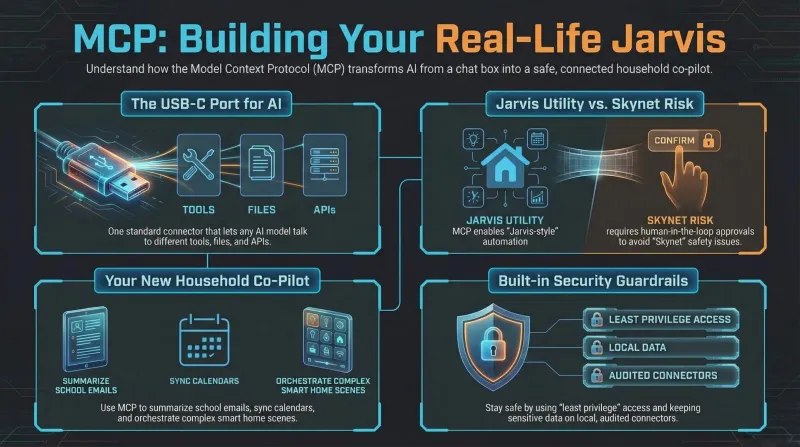
What is the MCP protocol? Jarvis-Style AI tools for real life
A dad-focused guide to the Model Context Protocol (MCP): we explain the basics in plain language, show how MCP turns AI into something closer to Jarvis from Iron Man, and talk honestly about Skynet-style risks and why safety matters. Perfect if you want to understand where AI assistants are heading and how they might soon organise your smart home, calendar, and family life.
The Parent Trap (1998) review: Dennis Quaid and Nancy Meyers' timeless family classic
A masterclass in family comedy. Dennis Quaid and Natasha Richardson bring genuine warmth, while Lindsay Lohan's dual performance remains astonishing. Timeless, smart, and deeply comforting.

Synology neo+ series: Non-ECC RAM cuts entry prices by up to €200
The neo+ series is a pragmatic response to hardware inflation that makes high-end DiskStations accessible to tech-forward families. While power users running dozens of Docker containers will want to budget for an eventual RAM upgrade, for everyday Synology Photos and family backups, it is an easy €200 saving.