
The private Quant: How to use OpenClaw for secure, automated financial research
Turn your Mac mini into a private hedge fund. Learn how to use OpenClaw to analyze earnings calls and track portfolios locally.
This post contains affiliate links. We may earn a commission if you make a purchase, at no extra cost to you. As an Amazon Associate, Dadnology earns from qualifying purchases.
⚠️ IMPORTANT: LEGAL & FINANCIAL DISCLAIMER
This article is for informational and educational purposes only. >
- Not Financial Advice: The authors of this site are not licensed financial advisors. Nothing in this guide constitutes investment, legal, or tax advice.
- AI Limitations: AI agents can “hallucinate” and provide incorrect data. Never execute trades or make financial decisions based solely on AI-generated output. Always verify data through official sources (e.g., SEC EDGAR).
- Risk of Loss: Trading involves high risk. Past performance is not indicative of future results.
- User Responsibility: You are 100% responsible for your own financial decisions and the security of your hardware setup. We accept no liability for financial losses, data breaches, or hardware failures resulting from the use of this guide.
Proceed at your own risk.
1. Introduction: Reclaiming your financial sovereignty
🦞 This guide is part of our OpenClaw Master Hub – every guide to running your own AI agent at home, from first install to family automations.
In the stock market, information is the only currency that matters. But if you are using cloud-based AI to analyze your portfolio, you are giving away your most valuable asset: your data. You are telling Big Tech exactly what you own, your net worth, and your investment strategy.
Consider what a typical cloud-based AI session with your financial data involves: your portfolio holdings, your watchlist, your trade history, your questions about specific companies — all of this is logged, processed, and potentially used to improve models that your competitors also use. This is not a paranoid reading of the terms of service; it’s an accurate one. The privacy trade-off is explicit, just rarely foregrounded.
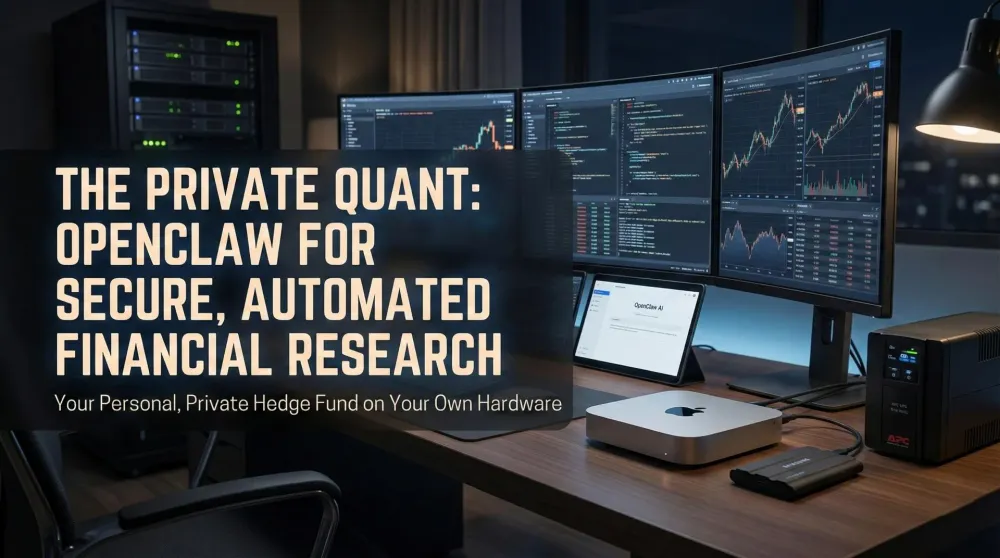
The alternative isn’t to avoid AI tools — it’s to run them yourself. By deploying OpenClaw on a dedicated Mac mini M4 Pro, you build a “Private Quant”: an automated research assistant that has the same capabilities as the cloud tools, but where every query, every document, and every output stays on hardware you physically own. Your 10-K analysis runs against your local copy of the filing. Your portfolio CSV never leaves your desk. Your watchlist is a local text file, not a synced cloud note.
As we established in our Cornerstone OpenClaw Guide, the greatest advantage of an autonomous agent is privacy. The finance use case makes this concrete — the data you’re protecting here has direct monetary value, which means the threat model is real, not theoretical.
2. Workflow #1: The automated earnings call auditor
Reading a 60-page transcript is a chore. Having an agent do it in 30 seconds is a superpower.
- The Setup: Use OpenClaw’s browser skill to download transcripts from your watchlist.
- The Task: “Claw, analyze the NVIDIA Q4 transcript. Flag any mentions of supply chain risks and compare margins to Q3.”
- Hardware Tip: Processing dense text requires a large “context window.” The M4 Pro with 48GB of RAM ensures the agent can “remember” the start of the document while analyzing the end.
3. Workflow #2: Real-time market sentiment monitoring
The market moves on sentiment. Your agent can be your 24/7 eyes on the web.
- The Setup: Program OpenClaw to scan trusted tech forums and news hubs every 15 minutes.
- The Task: “Alert me if there is a sudden spike in negative sentiment regarding global semiconductor demand.”
- Reliability: To ensure your agent doesn’t miss a “Black Swan” event during a storm or power flicker, we consider a UPS Battery Backup mandatory.
4. Workflow #3: Local, private budgeting
Analyze your bank statements without ever uploading them to the internet.
- The Setup: Export your data as a CSV to your Samsung T7 SSD.
- The Task: “Find all recurring subscriptions and identify spending anomalies in the last quarter.”
- Privacy: Because the model runs via Ollama locally, your bank details never touch the cloud. If you experience lag with large datasets, check our Troubleshooting Guide.
5. Workflow #4: Automated tax document organizer
Tax season for the self-employed investor is a documentation nightmare. Your agent turns a folder of unorganized PDFs into a structured, annotated archive.
- The Setup: Create a dedicated
/tax-docs/folder on your Samsung T7 SSD. Drop in any PDF: brokerage statements, invoices, receipts. - The Task: “Claw, scan my
/tax-docs/folder, categorize each document by type (income, expense, capital gain), and create a summary sheet.” - What Comes Back: A structured CSV you can hand to your accountant or import into your tax software. The agent never uploads the documents — it reads them locally and writes a summary file.
- Privacy Note: This is the strongest argument for local AI over cloud assistants. Nobody at OpenAI or Google needs to see your brokerage statements. The entire workflow runs inside your house.
6. Choosing the right brain: Model selection for finance
Not all LLMs handle financial language equally. Here’s what we’ve found works:
| Task | Recommended Model | Why |
|---|---|---|
| Earnings transcript analysis | Llama 3.1 70B (quantized) | Large context window handles full 60-page transcripts |
| Price/sentiment monitoring | Mistral 7B | Fast, low-RAM, good for structured comparisons |
| CSV / spreadsheet analysis | DeepSeek R1 | Strong numerical reasoning for budget anomaly detection |
| Tax document categorization | Llama 3.3 70B | Best at understanding complex financial and legal language |
RAM reality check: The 70B models need at least 24GB of unified memory to run without SSD swapping. On a 16GB M4, stick to 8B quantized models for daily monitoring tasks and reserve the heavier models for one-off deep-analysis sessions where you can close other apps and give Ollama the full memory budget.
6.5 A real day in the life: What the private Quant actually does
This is what the workflow looks like in practice, not in theory.
06:00 — Claw wakes before you do. It checks the market sentiment scanner: no unusual spikes in semiconductor news. Pulls the morning brief from pre-set sources. Delivers a three-paragraph Telegram summary by 06:15.
07:30 — You have 15 minutes over coffee. You ask: “Claw, did any of my watchlist companies report earnings this week?” Two did. It fetches the transcripts, summarizes the margin deltas vs. last quarter, and flags one risk mention that appeared three times in the CFO comments. Total reading time for you: 4 minutes.
12:00 — Lunch break. “Claw, scan my Q2 budget CSV and tell me where I’m over by more than 10%.” It reads the local file, runs a Python comparison against last quarter’s CSV, and replies with three categories and specific line items. No spreadsheet software opened.
After dinner — You ask it to draft a summary of this month’s energy costs from the smart home integration (connected via the Home Automation guide workflow). It cross-references the Satechi hub’s energy data with the HVAC cost CSV and gives you a number per square metre. Takes 40 seconds.
Total active time you spent on financial research today: 20 minutes. The agent did the remaining 3+ hours of equivalent work in the background.
7. Hardware requirements for the “private Quant”
Financial analysis isn’t about graphics—it’s about memory and stability. For the best experience, we recommend the following “Quant Stack”:
| Feature | Requirement | Why? |
|---|---|---|
| Processor | Apple M4 Pro | Faster reasoning for complex financial logic and multi-step tasks. |
| RAM | 24GB - 48GB | Essential for holding large 10-K filings and CSV datasets in memory. |
| Power | UPS Battery Backup | Prevents data corruption and service drops during market hours. |
| Storage | Fast NVMe SSD | Instant access to years of historical market records and SEC data. |
8. Security check: The “air-gap” strategy
Financial data makes you a target. Even though OpenClaw is local, we strongly advise following our Security Hub Guide:
- Network Isolation: Put your Finance Mac in a DMZ — separated from your main network. If a skill is compromised, it has no path to your family’s other devices.
- Read-Only Access: Only give the agent “Write” access to folders it absolutely needs. It should read from
/financial-data/and write only to/financial-reports/— not your entire home directory. - Verified Skills Only: Never install a finance skill from an unverified source. The ability to read your portfolio CSV is significant access — treat it with the same scrutiny as a browser extension that can see all your banking tabs.
- No Cloud Sync on This Machine: Don’t sign into iCloud, Dropbox, or Google Drive on your Finance Mac. Data should leave this machine only via deliberate export — never via automatic cloud sync.
- Regular Log Review: OpenClaw logs all agent actions. Review the logs weekly to catch unexpected behavior early. A finance agent that suddenly starts reading files outside its designated folders needs to be investigated immediately.
8.5 When the AI gets it wrong: Managing financial hallucinations
This is the section most guides skip, and it’s the most important one for a finance use case. LLMs produce confident, well-formatted nonsense with the same ease they produce correct analysis. In a financial context, this isn’t a quirk — it’s a risk.
The specific failure modes to watch for:
Invented figures. Ask the agent to analyze an earnings call and it will sometimes quote specific numbers (revenue up 12.4%, gross margin 67.2%) that don’t appear in the actual transcript. These aren’t rounding errors — they’re fabrications that happen to sound plausible. Fix: always instruct the agent to quote exact sentences from the source document alongside any summary, so you can verify the underlying citation.
Stale data presented as current. The local model has a training cutoff. If you ask “how did Apple perform last quarter?” without providing the actual transcript, the agent will answer from training data — which might be a year old — not from live market data. Fix: always feed the actual document into the prompt. The agent should analyze data you give it, not data it “knows.”
Sentiment miscalibration. LLMs tend toward optimism. A transcript with twelve positive statements and three significant risk disclosures will often be summarized as “generally positive outlook.” Fix: explicitly instruct the agent to list risk mentions separately and give each a severity assessment before providing the overall summary.
The practical rule: treat every piece of financial data the agent generates as a first draft that requires verification against the primary source before you act on it. The agent is a research accelerator, not a financial oracle. The dad who uses it to get to the right question faster gets enormous value. The dad who treats its output as ground truth is going to have a bad quarter.
9. Final verdict: Taking control of your capital
The era of “Renting your Intelligence” is over. By building a private analyst on your own hardware, you are investing in a tool that offers better privacy and better data control. While the initial investment in a Mac mini M4 Pro is higher than a monthly subscription, the long-term value of your financial privacy — and the ability to run passive income workflows — compounds over time in a way subscriptions never do.
The honest expectation: this setup doesn’t replace a financial advisor, a tax professional, or your own judgment. It replaces the 3–4 hours per week you’d otherwise spend on manual research — reading transcripts, monitoring watchlists, organizing receipts — so you can apply those hours to the decisions that actually require a human brain. That’s the value proposition. Not magic, not passive income on autopilot, not replacing Wall Street. Just your own private research engine that works while you sleep.
Pros
- Complete financial privacy — data never touches the cloud
- One-time hardware investment vs. perpetual SaaS fees
- Works offline and 24/7, even during market volatility
- Scales from simple news summaries to full 10-K analysis
- Tax document workflows save hours at year-end
Cons
- 48GB M4 Pro required for heavy 70B-model analysis — not cheap
- No pre-built 'Finance App' — you write the workflows yourself
- AI can hallucinate financial data; always verify via official sources
Finance is the definitive use case for local AI. With the right hardware and a secure setup, you can transform your Mac mini into a tireless, private research hub that works exclusively for you.
📌 FAQ – Common questions
Is the base 16GB Mac mini enough?
Does the AI understand spreadsheets?
Which model is best for reading earnings call transcripts?
Can the agent actually place trades automatically?
How do I keep the agent from running while I sleep?
Keep this in your inbox
One email a week: what we actually watched, built and reviewed — the stuff worth a dad's time. No hype, no daily spam.
Dadnology Weekly
One email a week: the LEGO, gaming and movie news worth a dad's time — plus what we actually reviewed. No hype, no daily spam.
Disclaimer: This review and its visuals were created with the help of AI. Some links may be affiliate links – we may earn a commission if you make a purchase, at no extra cost to you.
Current deals in Tech & gadgets
Verified live discounts tracked on Amazon

Tech & gadgets · Tested by Dadnology
Apple AirPods Pro (3rd generation)
5/5“The best noise-cancelling earbuds for Apple families”Read our review

You might also like
Hermes Agent's Quicksilver release: What's new in v0.19.0
Hermes Agent shipped v0.19.0 (the Quicksilver Release) on July 20 — an 80% faster cold start, Bitwarden and 1Password integration, and a real security hardening pass.
Hermes Agent hardware requirements: The 24GB sweet spot explained
The real Hermes Agent hardware requirements for running Qwen 3.6 27B locally: why agents need more memory than chatbots, the 24GB sweet spot, and what to buy.
OpenClaw 2.0 is out: Team features, and a real security warning
OpenClaw 2.0 just shipped with team collaboration and a new browser UI - but sandboxing is disabled by default, and that matters if you're running it at home.