
Which Mac mini to buy for Christmas: Our pick is the M5 Pro
Which Mac mini to buy as a Christmas gift in 2026: our pick is the M5 Pro, the successor to our own M4 Pro. When the M6 with 24GB or the base model is enough.
This post contains affiliate links. We may earn a commission if you make a purchase, at no extra cost to you. As an Amazon Associate, Dadnology earns from qualifying purchases.
The Mac mini is one of the best tech gifts you can give: a small, quiet box that does almost everything, from homework to photo editing. We run a Mac mini M4 Pro around the clock, and gave it 5/5 in our Mac mini M4 Pro review. It is small and whisper-quiet, yet fast enough that a Mac Studio would be overkill for most of what we do.
The M4 Pro is no longer on sale. Since September 22, 2026, the Mac mini comes with Apple’s M6 or M5 Pro chip, and Apple sells it in four main configurations. That raises the question every Christmas shopper asks at the configuration page: which one?
Our answer is short. If we bought a Mac mini today, we would order the direct successor to our own machine: the M5 Pro with 24GB of memory and 512GB of storage. On a tighter budget, the M6 with 24GB is the smart alternative. Here is why, when the base model is enough, and how to choose.
The four Mac mini configurations
Apple’s own specification page lists four models. The M6 comes with 16GB of memory and 256GB of storage, with 16GB and 512GB, or with 24GB and 512GB. Memory on the M6 can go up to 32GB. The M5 Pro starts with 24GB and 512GB and goes up to 64GB of memory.
The M6 has a 12-core CPU and a 12-core GPU. The M5 Pro has a 15-core CPU and a 16-core GPU in its standard configuration, with an 18-core CPU and 20-core GPU version above it. All of them share the same small aluminum case, Wi-Fi 7, Bluetooth 6 and 2.5Gb Ethernet, as we covered in our Mac mini M6 and M5 Pro news.
| M6 16/256 | M6 24/512 | M5 Pro 24/512 | |
|---|---|---|---|
| CPU / GPU | 12-core / 12-core | 12-core / 12-core | 15-core / 16-core |
| Memory | 16GB | 24GB | 24GB (up to 64GB) |
| Storage | 256GB | 512GB | 512GB |
| Thunderbolt | Thunderbolt 4 | Thunderbolt 4 | Thunderbolt 5 |
| Best for | First computer, simple use | Families on a budget | Our pick: years of everything |
Why we would buy the M5 Pro
It is the successor to the Mac we use every day
Our Mac mini M4 Pro does everything we do together: it is my photo server, our home server and our machine for AI work, and it handles the work behind our websites. Because it runs day and night, I can reach it from anywhere. We gave it 5/5, and I would not configure it any differently today. In Apple’s line-up, the M4 Pro’s direct successor is the M5 Pro, not the M6. The M6 follows the plain M4. So if we bought our own Mac mini again today, the Mac mini M5 Pro is the one we would order.
More of everything that lasts
Compared with the M6, the M5 Pro has more CPU cores (15 against 12) and more GPU cores (16 against 12), 24GB of memory as standard with room up to 64GB, and Thunderbolt 5 instead of Thunderbolt 4. Those are exactly the things that decide how a Mac feels in five years: memory headroom, sustained performance under load, and fast external storage for photo and video archives.
The Mac mini’s memory is part of the chip. You cannot add more later, whatever happens. That is why the M5 Pro’s 24GB base, and the option to go higher, matters more than any benchmark. Our guide to Mac mini memory and storage goes through every tier in detail.
Who benefits most
The M5 Pro shows its strength in sustained work: video editing, large RAW photo libraries, local AI models or long tasks where the machine is busy for hours. Photographers will find more in our Mac mini guide for photography, and anyone thinking about AI on their own machine in our Mac mini and local LLM guide. But even for a family desktop, it is the configuration that will never feel like a compromise.
The smart budget pick: M6 with 24GB
If the M5 Pro is more than the budget allows, take the Mac mini M6 with 24GB and 512GB. Spend the money on memory, not on the chip: 24GB keeps a family Mac comfortable for years, while 16GB starts to feel tight once a photo editor, a browser with thirty tabs and a video call run at the same time.
There is also a detail on Apple’s specification page in its favor: the M6’s memory bandwidth rises from 153GB/s to 170GB/s with 24GB or 32GB. So the 24GB M6 is not only roomier than the base model but also moves data faster.
Both the M5 Pro and the 24GB M6 come with 512GB of storage, which is the practical size for a family Mac. For more, do not pay Apple’s storage prices: an external SSD such as the Samsung T7 Shield 2TB is the cheaper way to add space for photo archives and video. We recommended exactly that pairing in our M4 Pro review.
When the base model is enough
The base Mac mini M6 with 16GB and 256GB is a good computer. For a child’s first computer, for a grandparent who wants email, photos and video calls, or for a second desk in the house, it is enough. Our guide to whether a Mac mini is a good first computer for kids explains why the small Mac works so well in a child’s room.
Just be aware that 256GB fills up faster than people expect, especially with photos, and that the memory question cannot be revisited. If the budget stretches, the step to 24GB is the one we would make first.
What else the gift needs
The Mac mini comes without a display, a keyboard and a mouse. That catches people out on Christmas morning, so plan for it.
A display is the most important addition, because it is what everyone looks at every day. A keyboard and mouse or trackpad complete the setup; we use the Apple Magic Keyboard with Touch ID with ours, because Touch ID makes logging in and paying as easy as on a laptop. Our Mac mini accessories guide separates what you need from the upsell.
If the person you are buying for already has a display, keyboard and mouse from an older computer, the Mac mini is one of the easiest upgrades there is: unplug the old machine, plug in the Mac mini, done.
Who the Mac mini is for
The Mac mini is a desktop. It suits someone who works at one desk: a family computer in the kitchen or study, a student’s desk, a home office. For someone who needs to work on the sofa, at school and on the train, a MacBook is the better gift. And for someone who mostly watches, reads and video-calls, an iPad may do the job; our iPad or iPad Air guide covers that choice.
For a student, our guide to whether a Mac mini is good for students goes into the details. And the Mac mini hub collects everything we have written about the little Mac, from reviews to home server and AI setups.
The right configuration for each person on your list
It helps to think about the person rather than the spec sheet.
For a child of eight to twelve who gets a first real computer, the base M6 with 16GB and 256GB is enough. Homework, a browser, a bit of Minecraft and video calls with friends are well within its reach, and the money saved can go into a good display at the right height.
For a teenager or a student, take at least the M6 with 24GB. School years are long, projects get bigger, and a teenager is the person most likely to keep a dozen apps and a video call open at once. If the student edits video or games seriously, the M5 Pro is worth it.
For a parent who edits photos or runs the family’s paperwork, the M5 Pro is the pick, with an external SSD for the photo archive. That is the setup we would build for ourselves today. The M6 with 24GB is the budget version of the same idea.
For a grandparent, the base M6 does everything, as long as someone sets it up with a large display and a comfortable keyboard. Simplicity matters more than speed here.
For the tinkerer who wants to run a home server, local AI models or an always-on assistant, the M5 Pro is the clear choice, ideally with more memory, because memory and sustained performance are exactly what those jobs use. Our local LLM guide explains how much memory different models need.
Set it up before Christmas morning
A Mac mini under the tree is better as a computer that works the moment it is plugged in. If you can, unpack it before wrapping, run the software updates, and create a user account for each person who will use it. macOS handles several users on one Mac well, so every family member gets their own desktop, files and logins.
For a child’s account, turn on Screen Time through Family Sharing, the same parental controls that run on iPhone and iPad, so you can set time limits and choose allowed apps from your own phone. If the Mac replaces an older one, Apple’s Migration Assistant moves files, apps and settings across. Then pack it back in its box. On Christmas morning, the only thing left to do is plug it in.
Black Friday: what to watch for
The current Mac mini went on sale in September, so Black Friday is its first big sale event. The price in our product boxes updates through the day. Two things are worth checking before you buy. First, make sure the listing is the configuration you want: all Mac mini models look identical on the outside, and the difference between M6 and M5 Pro, or 16GB and 24GB, is only in the product title. Second, if you see a discounted previous-generation M4 Mac mini, check how much memory it has. With 16GB it can be a good buy for simple use; our memory guide explains why the memory matters more than the chip.
Four checks at the configuration page
- Memory first. It is the one thing you cannot change later. If the Mac should last years, 24GB is the minimum, on the M6 or the M5 Pro.
- Storage second. An external SSD adds far more space for less money than Apple’s upgrades, and photo archives and videos are happy on it.
- The rest of the desk. The Mac mini box contains a Mac mini and a power cable. Display, keyboard and mouse need to be under the tree too.
- The right chip for the person. For a child’s first computer, the M5 Pro’s extra headroom stays invisible, and the money would do more as a better display.
The bottom line
If we bought a Mac mini today, we would order the M5 Pro with 24GB and 512GB: the direct successor to the M4 Pro we use every day, with more cores, 24GB of memory as standard and Thunderbolt 5, a Mac that stays fast for many years. On a tighter budget, the M6 with 24GB is the smart choice, because memory is the one upgrade you cannot make later. The base M6 with 16GB is enough for a child’s first computer or a grandparent. Whichever you choose, budget for a display, keyboard and mouse, and add an external SSD for the photo archive.
The Final Word: Buy the M5 Pro if you can, the 24GB M6 if you can’t, and never skimp on memory.
Which Mac mini should I buy in 2026?
Is the Mac mini M6 with 16GB enough?
Is the Mac mini M5 Pro worth it over the M6?
What else do I need to buy with a Mac mini?
When was the Mac mini M6 released?
Keep this in your inbox
One email a week: what we actually watched, built and reviewed — the stuff worth a dad's time. No hype, no daily spam.
Dadnology Weekly
One email a week: the LEGO, gaming and movie news worth a dad's time — plus what we actually reviewed. No hype, no daily spam.
Disclaimer: This review and its visuals were created with the help of AI. Some links may be affiliate links – we may earn a commission if you make a purchase, at no extra cost to you.
Current deals in Tech & gadgets
Verified live discounts tracked on Amazon
Tech & gadgets · Tested by Dadnology
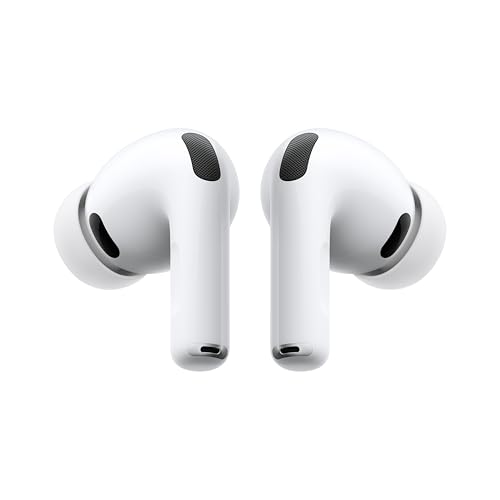
Apple AirPods Pro (3rd generation)
5/5“The best noise-cancelling earbuds for Apple families”Read our review
You might also like
How much RAM and storage does a Mac mini need? (M6 buyer's guide)
Apple charges a fortune for RAM and storage at checkout. Here is which upgrade is worth paying for, which one you should never buy, and the external-SSD strategy that saves hundreds.
The best MacBook for students and families: Neo, Air or Pro?
MacBook Neo, MacBook Air or MacBook Pro M6 for a student or a family? Our daughter's school laptop is a Neo. Here is which MacBook to give to whom.

The Mac mini is an AI machine now, and that's why it's sold out
The Mac mini quietly became AI infrastructure, and the queue you are standing in now includes companies buying them by the rack. That does not change what a family needs, but it does change when you should buy and which upgrades are worth paying Apple for.