
Home Assistant Green + Connect ZWA-2: The Ready-Made Local Smart Home
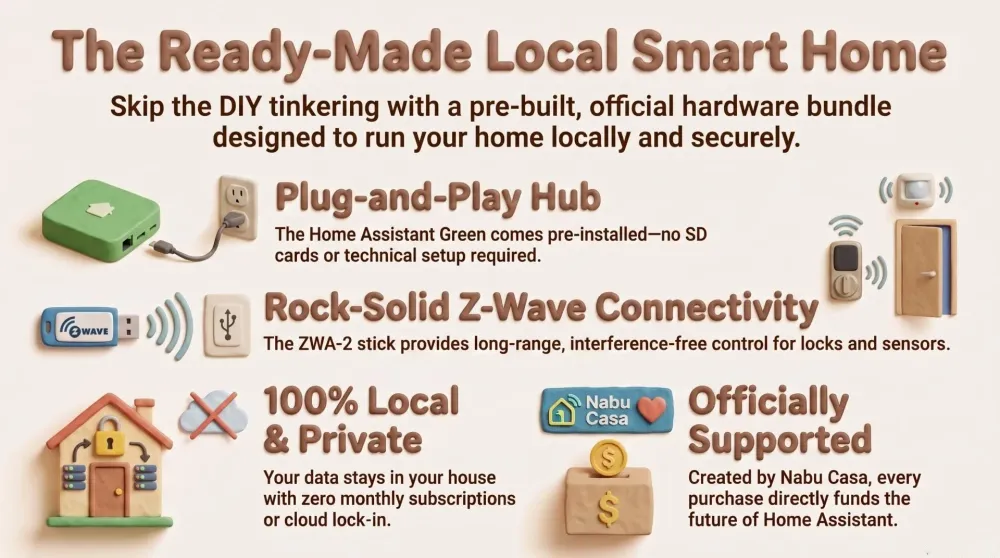
The official Nabu Casa bundle: Home Assistant Green as the brain plus the Connect ZWA-2 Z-Wave radio. A ready-made, local-first smart home with no DIY and no subscription.
This post contains affiliate links. We may earn a commission if you make a purchase, at no extra cost to you. As an Amazon Associate, Dadnology earns from qualifying purchases.
1. Introduction: A Smart Home You Don’t Have to Build
🏠 This guide is part of our Home Assistant Brand DNA – the local-first smart home we actually trust.
We love a Raspberry Pi project as much as the next dad — but let’s be honest, not everyone wants to flash an SD card, hunt for the right SSD, and learn what a Zigbee coordinator is before their hallway light turns on. Sometimes you just want the result: a private, local smart home that works, made by people who know what they’re doing, with nothing to assemble.
That’s exactly what Nabu Casa built. The Home Assistant Green is the brain, and the Home Assistant Connect ZWA-2 is the Z-Wave radio that gives it reach into the whole house. Two small boxes, both official, both designed to fit together — and both from the same company that makes Home Assistant itself. This is the bundle we’d hand to any dad who wants the local-first payoff without the weekend of tinkering. Let’s talk about who makes it, why that matters, and why these two are genuinely good.
AdThe Brain: Home Assistant Green (opens in a new tab)
Plug in, open the browser, done. The official hub that runs Home Assistant out of the box — no SD card, no subscription.

2. Who Makes This? Meet Nabu Casa
Here’s the part most “smart home starter” articles skip. Nabu Casa is the company founded by Paulus Schoutsen, the original creator of Home Assistant. It exists for one reason: to fund the open-source project sustainably, so the software that runs your home isn’t at the mercy of a venture-backed startup that might pivot, sell, or shut down next year.
That’s a bigger deal than it sounds. Most smart-home platforms are loss-leaders for a hardware company or a data business — the app is “free” because you are the product, and the cloud can vanish the moment the spreadsheet says so. Home Assistant flips that. It’s open source, it’s local-first, and it’s funded by two honest revenue streams: the optional Home Assistant Cloud subscription (which adds easy remote access and Alexa/Google voice for a few euros a month), and official hardware like the Green and the ZWA-2.
So when you buy this bundle, you’re not just getting two well-made boxes. You’re directly funding the development of the platform you’re relying on — no ads, no data harvesting, no lock-in. For a dad who’s watched one cloud gadget after another get bricked by a company that lost interest, that alignment of incentives is the whole point. The people who make the hardware are the people who make the software, and they keep the lights on by selling you good products, not by selling you.
3. Home Assistant Green — The Brain of the House
The Home Assistant Green is the most boring compliment a smart-home hub can earn: it just works. You take it out of the box, plug in Ethernet and power, open a browser on your network, and you’re walking through the Home Assistant onboarding within minutes. There’s no SD card to flash, no operating system to install, no command line. It ships with Home Assistant OS already on its built-in storage.
Under the hood it’s a small, silent, fanless ARM computer with enough power to run a typical family home — dozens of devices, automations, dashboards, and the popular add-ons. It sips power, makes no noise, and disappears onto a shelf or behind the TV. For the overwhelming majority of households, it’s more than enough.
The one thing to understand: Green has no built-in radios, and that’s deliberate. It doesn’t bundle a Zigbee or Z-Wave chip you might not use. Instead, you add exactly the radio you need over USB — which is precisely where the ZWA-2 comes in. This keeps the base unit cheap, keeps the radio close to where it works best, and means you’re never paying for a protocol you’ll never touch. It’s the same philosophy as the rest of Home Assistant: local, modular, and on your terms.
If you’ve read our Raspberry Pi + Home Assistant review, think of the Green as that same brain, but pre-built and supported — the difference between buying a finished bike and assembling one from a box.
4. Home Assistant Connect ZWA-2 — The Z-Wave Radio
A hub is only as good as the devices it can talk to, and this is where the Connect ZWA-2 earns its place. It’s Nabu Casa’s official Z-Wave USB stick, built on the latest 800-series chip and supporting Z-Wave Long Range — and it turns the Green into a proper Z-Wave controller the moment you plug it in.
Why Z-Wave at all, in a world of Wi-Fi gadgets? Because it’s the quiet professional of smart-home protocols. Z-Wave runs on a low, sub-GHz frequency that doesn’t compete with your already-crowded 2.4 GHz Wi-Fi, so it reaches further through walls and floors with fewer dropouts. Every mains-powered Z-Wave device acts as a repeater, forming a self-healing mesh that gets more reliable as you add to it. For the devices that absolutely must work — door locks, contact sensors, garage controllers, smoke alarms — that reliability is the difference between a smart home and a smart-home-shaped gamble.
The ZWA-2 specifically is the one to get because it’s the official stick: firmware-updatable, designed around the newest Z-Wave silicon, and built by the same people who write the Z-Wave integration in Home Assistant. Plug it into the Green (ideally on a short USB extension cable to keep the radio in clean air), let Home Assistant detect it, and you’re pairing locks and sensors in minutes through Z-Wave JS. No bridge, no vendor app, no cloud.
AdThe Reach: Connect ZWA-2 (opens in a new tab)
Official 800-series Z-Wave with Long Range — rock-solid control of locks, sensors and switches across the whole house.
5. Why the Two Together Are a Complete Package
Individually, each box is good. Together, they’re a genuine answer to “I just want a smart home that works.” The Green gives you the brain and the dashboard; the ZWA-2 gives you a reliable, long-range nervous system for the devices that matter most. Because both come from Nabu Casa, you’re not gambling on compatibility — they’re tested and supported as a pair.
The honest comparison is against the DIY route, which we genuinely love but which isn’t for everyone:
| What matters | Green + ZWA-2 (ready-made) | Raspberry Pi + dongles (DIY) |
|---|---|---|
| Setup effort | Plug in, onboard, done | Flash OS, source SSD, configure |
| Who supports it | Nabu Casa, officially | You and the community |
| Hardware tinkering | None required | Part of the fun (or the pain) |
| Z-Wave radio | Official 800-series included | Buy and add a separate stick |
| Best for | Want the result, fast | Enjoy building it yourself |
Both run the exact same Home Assistant — identical dashboards, identical automations, identical privacy. The only question is whether you want to build the foundation or have it handed to you, ready to go. The bundle is the answer for everyone who’d rather spend their evening using the smart home than assembling it.
6. Want Zigbee Too? Adding the Other Half
Z-Wave covers the reliable backbone, but a lot of affordable sensors, buttons and bulbs speak Zigbee instead. The good news: the Green’s modular design means you just add a second USB radio. Nabu Casa makes its own Connect ZBT-1 for Zigbee and Thread/Matter, and a proven third-party option like the SONOFF Zigbee coordinator works beautifully too.
With a Z-Wave stick and a Zigbee stick plugged into the Green, you’ve got a hub that speaks nearly every local protocol worth having — Z-Wave for the critical, long-range devices, Zigbee for the cheap-and-cheerful sensors, plus Matter and Wi-Fi on top. That’s a complete, future-proof, entirely local smart home in three small boxes, none of which phone home to anyone.
AdAdd Zigbee: SONOFF Coordinator (opens in a new tab)
Pair it next to the ZWA-2 and the Green speaks both Z-Wave and Zigbee — covering nearly every device you'll ever buy.
7. Who Should Buy This (and Who Shouldn’t)
Let’s be straight, because the “no fluff” rule applies even to things we like.
Buy the bundle if you want a private, local smart home and value your time more than the tinkering. You don’t want to learn what an SSD or a microSD endurance rating is. You want official hardware, a clear support path, and a system that’s running by the time the kids are in bed. For that dad, this is close to perfect — and the Z-Wave reliability genuinely matters once you’re putting smart locks on doors.
Skip it and build a Pi if you actively enjoy the project, you want more headroom for things like multiple camera streams or heavy add-ons, or you already have a Raspberry Pi 5 and an SSD in a drawer. The DIY route can be cheaper and more powerful — but only if the building is the fun part for you. If it feels like a chore, you’ll resent it, and a resented smart home gets neglected.
There’s no wrong answer here, because both run the same software. This is purely a question of whether you’re buying a result or a project. The bundle is unapologetically about the result.
8. Setup in an Evening
For the ready-made crowd, here’s how little stands between the box and a working smart home:
- Plug in the Green — Ethernet to the router, power to the wall. Wait a minute for it to boot.
- Open the onboarding in a browser, create your admin account, set your home location.
- Insert the ZWA-2 into a USB port (a short extension cable keeps the radio happy). Home Assistant detects it and sets up Z-Wave JS.
- Pair your first devices — a lock, a couple of contact sensors, a switch. Watch them appear.
- Build a starter dashboard and your first automation: hallway light on motion after sunset, “Goodnight” to lock the doors.
That’s a single evening, most of it spent deciding what to automate rather than fighting the tech. And when you’re ready to go further, our guides on editing Home Assistant with AI and building a dashboard with AI pick up exactly where this leaves off.
Pros
- Truly plug-and-play — no SD-card flashing or OS install
- Official hardware from Nabu Casa, the makers of Home Assistant
- ZWA-2 adds rock-solid, long-range Z-Wave for locks and sensors
- Fully local and private with no required subscription
- Every purchase funds the open-source project itself
Cons
- Less raw power than a Raspberry Pi 5 for heavy camera/add-on loads
- Green has no built-in radios — you add a stick per protocol (by design)
- Tinkerers may prefer the flexibility (and lower cost) of a DIY build
Conclusion: The Easiest Honest Route to a Local Smart Home
If the Raspberry Pi build is the smart home you build, the Home Assistant Green plus Connect ZWA-2 is the smart home you simply start using. It’s official, it’s supported, it’s private, and it asks nothing of you beyond plugging in two small boxes. The Green runs the show; the ZWA-2 gives it the reliable, whole-house Z-Wave reach that the devices you care about most actually need.
Best of all, buying from Nabu Casa funds the open-source project you’re trusting with your home — a rare case where the convenient choice and the right choice are the same one.
The Final Word: if you want a local-first smart home and you’d rather have the result than the project, this is the bundle to buy. Add a Zigbee stick when you’re ready, and you’ve got a complete, future-proof, entirely local home — no subscription, no lock-in, no regrets.
📌 FAQ – Frequently Asked Questions
What is Nabu Casa?
Do I need a subscription to use Home Assistant Green?
Why add the Connect ZWA-2 instead of just using Wi-Fi devices?
Can the Green also handle Zigbee and Matter?
Should I buy this bundle or build a Raspberry Pi setup instead?
Dadnology Weekly
One email a week: the LEGO, gaming and movie news worth a dad's time — plus what we actually reviewed. No hype, no daily spam.
Disclaimer: This review and its visuals were created with the help of AI. Some links may be affiliate links – we may earn a commission if you make a purchase, at no extra cost to you.
You might also like
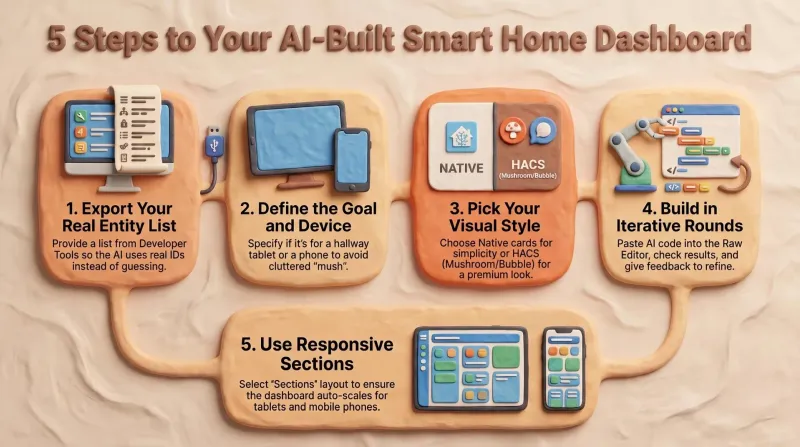
Build a Home Assistant Dashboard With AI: A Step-by-Step Guide
After reading this you'll have a repeatable method for building a calm, responsive Home Assistant dashboard with an AI doing the YAML — driven by your entity list and a clear concept rather than guesswork.
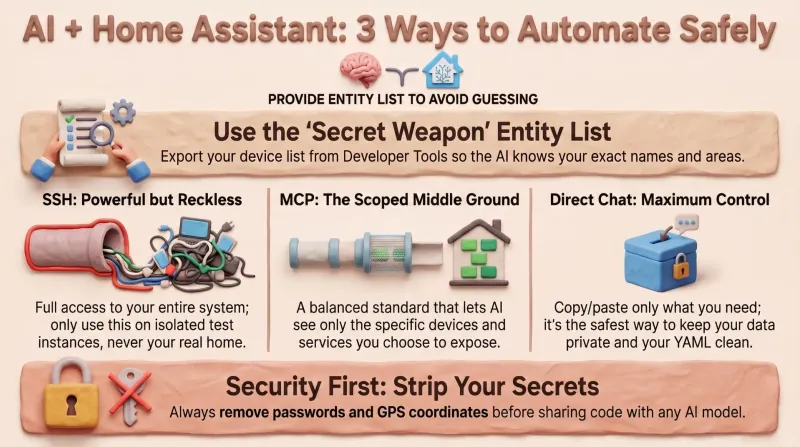
Editing Home Assistant With AI: 3 Ways to Manage Your Smart Home
After reading this you'll know exactly how to let an AI help with your Home Assistant config without handing over the keys to your house — and how to generate the entity list that stops it from ever guessing an ID.
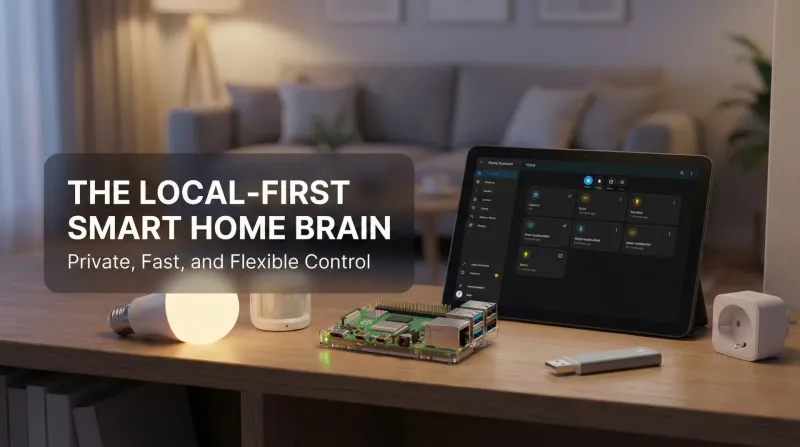
Raspberry Pi + Home Assistant – The Local-First Smart Home That Actually Belongs to You
This Raspberry Pi + Home Assistant setup is the moment the smart home finally feels yours. Local control is instant and private; nothing breaks when a vendor’s cloud stumbles. Philips Hue, Ring, Zigbee, Z-Wave, Matter, Wi-Fi gadgets—all coordinate in one gorgeous dashboard. Automations are addictive, presence works, and backups keep everything safe. Even the family notices: lights behave, doorbells pause TV, bedtime scenes just happen. It’s flexible, fast, reliable, and fun. Ten out of ten, no contest, every single day.