
Microsoft Surface Pro review: Four years with the Pro 9
Four years with a Surface Pro as the shared family PC: five accounts, homework, holidays and photo culling. What survived and what we would change.
This post contains affiliate links. We may earn a commission if you make a purchase, at no extra cost to you. As an Amazon Associate, Dadnology earns from qualifying purchases.
The computer that got too popular
Our Surface Pro has been the family computer since late 2022. Not a laptop that lives on a desk and belongs to one person, but the machine five people share, with five separate accounts, that does homework on a Tuesday and comes on holiday in July. Nearly four years in, the honest verdict is the one nobody expects from a long-term review: we would buy it again tomorrow, and the reason we finally bought a second computer had nothing to do with the Surface being worn out. That second machine was a Mac, and how a Windows household actually makes that move is its own guide.
To be precise about what is being reviewed, because it turns out to matter more than usual: this is a Surface Pro 9 with an Intel Core i7, 16GB of memory and a 256GB SSD. If you have arrived here looking at the Surface Pro generally rather than that specific model, stay - almost everything below is about the format rather than the generation, and the last section is a straight recommendation on which one to buy today. But one thing is genuinely specific to ours, and it is the most useful thing in this review: we run the Intel version. We have not tested the ARM machines Microsoft now sells, and that difference has consequences.
It was simply always busy. Someone was learning on it.
That is a strange kind of praise, so let me be precise about it. Most tech gets replaced because it stops being good enough - the battery dies, the software outgrows it, the hinge goes. Four years is long enough for all three of those to happen and none of them did. What happened instead is that a device good enough to be the household default becomes the household bottleneck, and the fix is another device rather than a better one. For the Dadnology community this is a 5/5, with one caveat loud enough that it gets its own section: the part that makes this machine great is not in the box.
The specification that matters least here is the processor, and the one that matters most is the 3:2 display. A 13-inch screen in that shape holds a full page of a school text without scrolling, and that turns out to be the whole argument for the format.
What four years actually did to it
The short answer is: less than you would think, and the parts that did wear are the parts you can see.
The Graphite finish has picked up the shine that anodised aluminium always picks up where hands hold it, along the left edge where it gets grabbed off the table. There is a hairline scuff on the kickstand from four years of being opened onto whatever surface was available, including a lot of kitchen tables and at least one aeroplane tray. The screen is unmarked, which surprises me more than anything, given how much of its life has been spent being poked by people who had just eaten something.
Nothing has failed. Not the kickstand hinge, which is the part I expected to go first and which still holds any angle you put it at. Not the keyboard connection, not the ports, not the display.
The battery is the honest exception, and it is a smaller exception than the internet led me to expect. Microsoft’s claim was up to 15.5 hours, which was never true for the Intel version on any day of its life. It arrived doing something like seven hours of ordinary work and now does something closer to five and a half. That is real degradation and it is also four years of daily cycling, which is roughly what any lithium battery does. It still covers a homework evening. It does not cover a day out, and it never did.
One detail deserves more credit than it gets: the SSD in the Pro 9 is removable. Microsoft put a little door under the kickstand with a single screw behind it. On a device this thin that is a genuinely unusual decision, and four years later it means this machine has an upgrade path and a data-recovery story that most tablets simply do not have.
Five people, one machine, five accounts
This is the part of the review that no spec sheet covers and the part that made the machine what it is in our house.
Every member of the family has their own Windows account. Their own desktop, their own browser with their own logins and history, their own files, their own settings. Switching takes about as long as it takes to sit down. That sounds like an ordinary operating-system feature, and it is - but it is the difference between a shared computer and a computer somebody owns and everyone else borrows.
What it means in practice is that the machine has no owner. Homework happens on it in the late afternoon in one account, research for a school presentation in another after dinner, and general web browsing in a third later. Nobody closes anybody else’s tabs. Nobody finds their document gone. There is no negotiation about whose Google account the browser is signed into, which is a fight I did not know families had until I watched one happen on a single-account laptop.
The second half of that is the Windows part, and I do not think it is nostalgia to say it matters. This is a tablet where you can install anything. Not anything from a store - anything. A piece of school software that only exists as a Windows installer, an old utility, a game, whatever the situation actually requires. That flexibility is the entire reason a Windows tablet is a different proposition from an iPad, and it is why the Surface stayed useful across four years of a family’s changing requirements rather than being outgrown.
Hold on to that point. It comes back later, and not in a comfortable way.
School work is the job, and it is good at it
The daily work is unglamorous: reading, research, writing, printing. The Surface is good at all of it for reasons that are mostly about shape.
The 3:2 display is the first one. A 13-inch screen at 2880 x 1920 in a nearly square aspect ratio shows a document as a document, not as a letterbox with a page squeezed into the middle of it. Anyone who has tried to read a two-column PDF on a 16:9 laptop knows the difference. For schoolwork, which is overwhelmingly reading pages and writing onto pages, this is the correct screen shape and most laptops have the wrong one.
The second is that it detaches. Reading happens as a tablet, on the sofa, held. Writing happens on the table with the keyboard on. That transition takes one second and no thought, and the fact that both modes are genuinely good is rarer than the marketing for every convertible laptop would suggest.
The third is speed, and the specification here is deliberately boring. An i7-1255U with 16GB of RAM in 2026 is not a fast computer by any current benchmark. For a browser with thirty tabs, a word processor, a video call and a PDF open simultaneously it remains completely untroubled, and that is the workload. If you take one buying note from this review, take this one: the 16GB was the right call and the 8GB configuration would have aged into a frustrating machine. Buy the RAM.
If you want the study method that runs on top of all this, we wrote it up separately in our guide to studying with NotebookLM - the Surface is one of the machines it was worked out on.
The suitcase test, and photo culling on holiday
The Surface goes on holiday, which is a sentence I would not write about most computers.
At 879 grams as a tablet and around 1.1 kg with the keyboard, in a footprint smaller than a sheet of A4, it disappears into hand luggage in a way a 14-inch laptop does not. It is the machine that answers the evening questions - where are we going tomorrow, is that place open, what is the weather doing - without anybody hunting for a socket first.
The unexpectedly good part is photographic. After a day out with a camera there are several hundred frames to get through, and culling them is a job that wants a big sharp screen and very little else. The Pro 9 does this well: the display is sharp enough to judge focus properly, it is a real Windows machine so it runs whatever photo software you already own rather than a cut-down tablet version of it, and quick edits are perfectly comfortable. On a rainy afternoon it will happily do the first pass on a whole trip.
The honest boundary is colour. This is a good screen, not a colour-critical one, and serious editing belongs on a desktop with a calibrated monitor - which for us is a Mac mini and a proper display. Culling and quick edits on the road, though, are exactly the job it turns out to be built for.
The things that still annoy us
Four years is long enough to know which irritations fade and which ones do not. These did not.
There is no headphone jack. Microsoft removed the 3.5mm socket on the Pro 9 and on a family machine this is worse than it sounds, because school-issued wired headphones are still a thing that exists and children still bring them home. It means a USB-C adapter, and adapters live approximately three weeks before disappearing. Four years on, I still occasionally hunt for the dongle. It has not stopped bothering me.
The keyboard is sold separately, and this is the caveat I flagged at the top. The Signature Keyboard is genuinely excellent - a real key travel, a good trackpad, a solid magnetic attachment that has not loosened in four years of being folded back and forth. It is also not in the box, it costs meaningful money, and the tablet without it is a much less useful object. Any price you see for a Surface Pro is not the price of the computer. Budget for both from the start, because the keyboard is not an accessory here. It is half the product.
The kickstand does not work on a lap. It works on any table, any desk, any kitchen counter, any aeroplane tray. On actual laps it wobbles, because the design puts the weight behind the hinge and a lap is not flat. If you want a machine for the sofa, that is a conventional laptop, and it always was.
And the i7 has a fan. Under a real load it is audible. In four years I have heard it perhaps a dozen times, always while something was genuinely working hard, and never during ordinary use - but a fanless machine it is not.
What to buy now: Intel is a business feature now
If this review has convinced you, the obvious move is to go and buy a Surface Pro. Before you do, there is one thing worth knowing, and it is the single most useful paragraph in this article.
You cannot buy a consumer Surface Pro with an Intel chip any more. The current Surface Pro that Microsoft sells to ordinary people runs on Snapdragon X2, which is ARM. It is a genuinely faster and more efficient machine by most measures, with better battery life and a quieter, cooler body. What it is not is the machine reviewed above. The property I spent a whole section praising - that this thing installs literally anything, including software nobody has updated since 2015 - is exactly the property that changes on ARM. Mainstream applications are fine. Older programs, niche utilities and some specialist school software either run emulated or not at all.
Intel Surfaces do still exist. Microsoft simply moved them behind a different door: the Surface Pro for Business comes with an Intel Core Ultra 7, which is x86, runs everything natively, and is the direct descendant of the machine in this review. It also costs meaningfully more - the reporting at launch put the Intel premium at around $400 over the ARM equivalent.
Sit with that for a second, because it is the honest summary of where Windows tablets are in 2026: running any Windows program you like is now a feature Microsoft charges business customers extra for. That is not a conspiracy, it is a supply decision, and it is still a strange thing to type about the operating system whose entire historical advantage was compatibility.
| Ours (Pro 9, 2022) | Surface Pro (2026) | Surface Pro for Business | |
|---|---|---|---|
| Processor | Intel Core i7 (x86) | Snapdragon X2 (ARM) | Intel Core Ultra 7 (x86) |
| Runs any Windows software | Yes, without asking | Mainstream yes; older and niche apps, check | Yes, without asking |
| Battery and heat | Fan, roughly 5.5h now | Better on both | Between the two |
| Windows edition | Home | Home | Pro |
| Price today | Used or clearance only | From $1,499 | Higher - about $400 over ARM at launch |
| Keyboard included | No | No | No |
| Buy it if | You find a cheap 16GB one | You are a normal family | You have software that must run natively |
So the recommendation is short. Most families should buy the consumer machine: browser, Office, school portals, a photo app - none of that cares which chip is underneath, and the ARM version is the better tablet. Buy the Business model only if you can name the specific program that forces it, because otherwise you are paying a few hundred for compatibility you will never draw on. And if you can name it, do not compromise: that program is the reason you are buying a Windows machine at all.
There is a larger consequence hiding in this, and it changed our own thinking. The strongest argument for Windows over macOS was never the interface. It was that a Windows PC runs anything. If the affordable Windows tablet no longer quite does, and the one that does carries a business-tier price, then that argument has a price tag on it for the first time - which makes the question of whether to stay on Windows genuinely open rather than settled. That is not a criticism of the current Surface, which is a very good tablet. It is the reason a Windows household ended up with a Mac on the same table - our MacBook Neo review covers exactly how that went.
Family fit: Why we bought a second computer
Here is how the Surface’s story ends, and it is the best thing I can say about it.
By early this year the machine was booked. Homework in the afternoon, a presentation to prepare in the evening, someone wanting to look something up in between. A single computer that everyone can use properly is a computer everyone wants to use, and there is no configuration of one device that solves that. We did not replace it. We added to it — a MacBook Neo bought specifically as our daughter’s school laptop — and the Surface carried on doing exactly what it had been doing.
That is also the honest limit of the recommendation. One Surface Pro is a superb one-computer household solution right up to the point where your household needs more than one computer, and no amount of user accounts fixes a scheduling problem. If you already know two people will need a machine at the same time on a Tuesday evening, buy two things, and make one of them cheap.
Pros
- Four years of daily family use with nothing broken - hinge, ports, keyboard attachment and screen all still perfect
- Windows user accounts make a genuinely shared computer possible: five people, five desktops, no negotiation
- The 3:2 13-inch display is the right shape for schoolwork in a way 16:9 laptops are not
- A real x86 Windows machine, so anything installs - the flexibility an iPad cannot offer
- 879 g as a tablet: it goes in hand luggage and it is genuinely good for photo culling on the road
- Removable SSD behind a single screw, which is almost unheard of in a tablet this thin
Cons
- No 3.5mm headphone jack - a real problem on a family machine, and the dongle always goes missing
- The keyboard is not included, and the tablet without it is a much lesser device: budget for both
- Battery was never near the claimed 15.5 hours, and is down to around five and a half after four years
- The kickstand genuinely does not work on a lap - this is a table computer
- The 8GB configuration should be avoided; 16GB is what made it age well
- A new consumer Surface is ARM only - the install-anything machine reviewed here now costs business money
Conclusion: The highest compliment is that we bought another computer
After nearly four years, the Surface Pro 9 is still the family computer, still on the kitchen table, and still the machine I would choose again. Nothing on it has broken, the only thing that has meaningfully aged is the battery, and the reason we expanded the household’s computing was demand rather than decline.
If you want one real Windows PC that a whole family shares, with a proper account each, that reads like paper, that installs anything and that fits in hand luggage, this format is the answer and this specific machine executed it well. Buy 16GB, budget for the keyboard as part of the price rather than an extra, and plan for the missing headphone jack before it annoys you. If you need a machine that works on a lap, or if two people will want it simultaneously on a school night, buy something else - or in our case, something else as well.
The Final Word: Four years of five people sharing one computer, and the only thing that ran out was availability.
Is the Surface Pro 9 still worth buying in 2026?
How is the real battery life of the Surface Pro 9?
Can a whole family share one Surface Pro 9?
Does the Surface Pro 9 have a headphone jack?
Is the Surface Pro 9 good for photo editing?
Should I buy the Intel or the ARM Surface Pro?
Keep this in your inbox
One email a week: what we actually watched, built and reviewed — the stuff worth a dad's time. No hype, no daily spam.
Dadnology Weekly
One email a week: the LEGO, gaming and movie news worth a dad's time — plus what we actually reviewed. No hype, no daily spam.
Disclaimer: This review and its visuals were created with the help of AI. Some links may be affiliate links – we may earn a commission if you make a purchase, at no extra cost to you.
Current deals in Tech & gadgets
Verified live discounts tracked on Amazon

Apple AirPods Pro (3rd generation)
Delivers immersive Spatial Audio and Noise Cancellation. Ideal for privacy and focus during long editing sessions.
Price as of Oct 11, 09:14 PM UTC. Subject to change.

Samsung T7 Shield 2TB
Fast, rugged USB-C storage. The essential companion to avoid Apple's overpriced internal SSD upgrades.
Price as of Oct 11, 09:15 PM UTC. Subject to change.
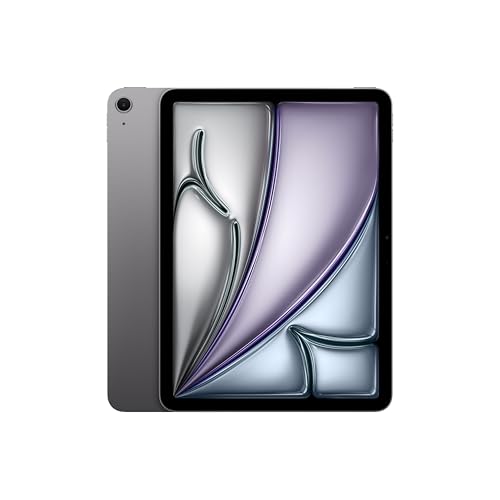
Apple iPad Air (M4, 11-inch)
Price as of Oct 11, 09:14 PM UTC. Subject to change.
You might also like
Samsung T7 Shield review: The drive that fixed Apple's storage pricing
The external SSD we recommend in almost every Mac guide we write, and the one actually plugged into our own desk. Fast, pocket-sized, IP65-rated and a fraction of what Apple charges for internal storage.
MacBook Neo review: A windows family switches to Mac
Bought as a second school machine by a Windows family, the MacBook Neo made a switch we expected to be painful almost boring. The Photos app alone justifies it if you carry an iPhone. 5/5 after a few weeks - with the honest note that a few weeks is what this is.
iPad air 11-inch (M4) review: The second most-used device in the house
The iPad Air 11-inch M4 is close to a perfect product: fast, light, an excellent Liquid Retina display for browsing and media, and — paired with an Apple Pencil (USB-C) — a genuinely good tool for school learning. iCloud makes it the natural second screen for photos shot on the iPhone. After the iPhone, it is the most-used device in our house. A 5/5.